
What is Budibase?
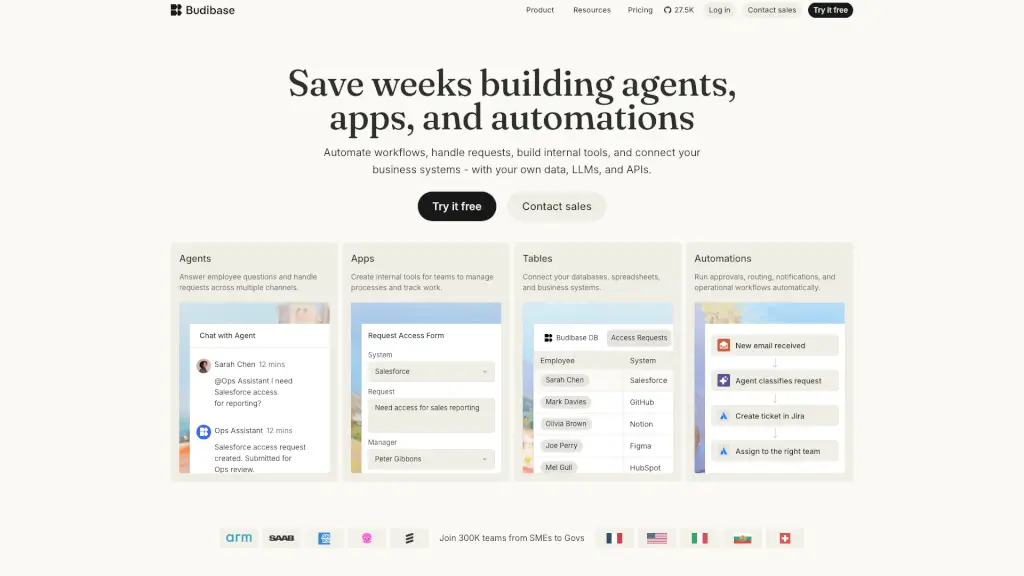
Budibase is a powerful platform that helps teams automate internal workflows, build custom tools, and create AI agents—all without deep coding knowledge. Whether you're handling employee requests, managing approvals, or connecting business systems, Budibase lets you act fast using your own data, APIs, and AI models.
It’s designed for operations teams, IT departments, and managers who are tired of slow, manual processes. With Budibase, you can replace spreadsheets, endless email threads, and clunky legacy tools with smart, automated solutions that actually work the way your team does.
What are the features of Budibase?
- AI Agents: Chat-based assistants that understand and act on employee requests—like access approvals, support tickets, or policy questions—across Slack, Teams, Discord, and more.
- No-Code Internal Tools: Build custom apps (like request forms or dashboards) in minutes using drag-and-drop components and connected data sources.
- Workflow Automations: Automatically route tasks, send notifications, create records, and enforce business rules without writing code.
- Data Tables & Connectors: Pull in data from databases, spreadsheets, or apps like Salesforce, Jira, HubSpot, and Notion to power your automations and agents.
- Self-Hosted or Cloud: Choose between Budibase Cloud for simplicity or self-host the open-source version for full control and security.
- Enterprise Security: ISO 27001 certified with SSO, SAML, RBAC, audit logs, and GDPR compliance built in.
What are the use cases of Budibase?
- Automate employee onboarding by triggering access requests, equipment orders, and welcome messages.
- Create an internal helpdesk where staff can ask questions and get instant, accurate responses from an AI agent.
- Build a custom approval system for expenses, software licenses, or hardware purchases with automatic routing.
- Replace shared spreadsheets with live dashboards for tracking support tickets, inventory, or project status.
- Route IT support issues (like VPN problems) to the right team with auto-categorization and ticket creation.
- Sync data across tools—e.g., when a new hire is added in HRIS, automatically provision accounts and notify managers.
How to use Budibase?
- Start by connecting your existing data sources (Google Sheets, PostgreSQL, Airtable, etc.) via Budibase’s built-in connectors.
- Use the visual app builder to create forms or dashboards—no coding needed—and link them to your data tables.
- Set up an AI agent by defining common employee questions and linking actions (like creating a Jira ticket or updating a record).
- Configure automations with triggers (e.g., “new email received”) and actions (e.g., “assign to IT team”).
- Deploy your agent or app to Slack, Microsoft Teams, or as a web portal for your team to use instantly.
- Monitor performance and refine workflows using built-in logs and analytics.