
What is Attention Insight?
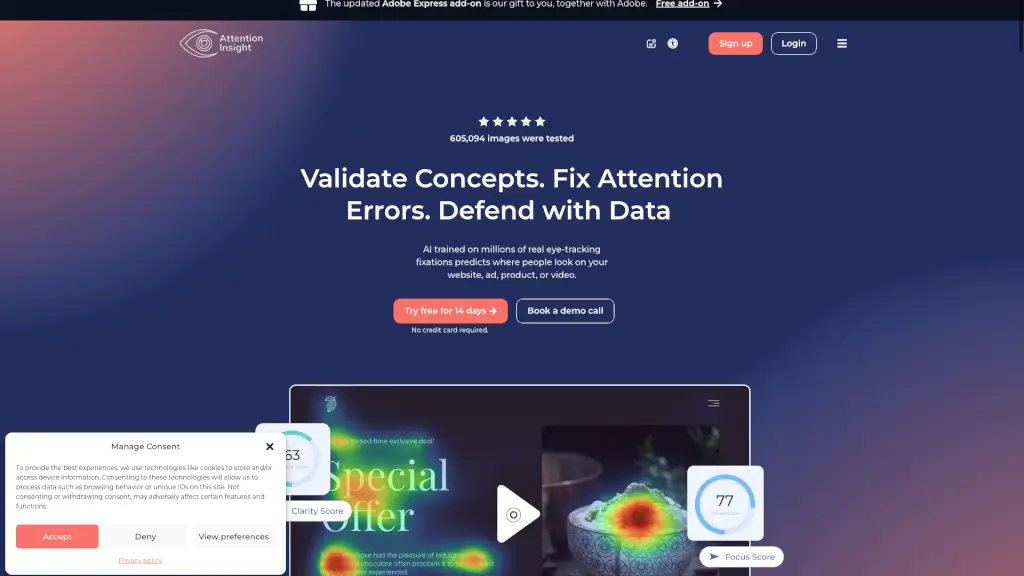
Attention Insight Heatmaps is an AI-powered pre-launch analytics tool that shows you exactly where people will look on your website, ad, app, or video—before you even publish it. Instead of guessing what grabs attention, you get instant, data-backed insights using predictive eye-tracking technology trained on millions of real human fixations.
Whether you're a designer tired of vague client feedback like “make the logo bigger” or a marketer trying to boost conversions, Attention Insight helps you validate designs quickly, fix visual hierarchy issues, and prove your choices with hard data. No more waiting weeks for user testing—just upload your file and get actionable results in seconds.
What are the features of Attention Insight?
- AI Attention Heatmaps: Instantly visualize where users’ eyes are predicted to go, based on a deep learning model with up to 96% accuracy compared to real eye-tracking studies.
- Clarity & Focus Scores: Get quantifiable metrics that measure how clearly your design communicates its message and whether key elements (like CTAs) stand out.
- Competitor Comparison: Test your design against competitors to spot missed opportunities and optimize for better performance.
- Video & Static Image Testing: Analyze everything from landing pages and social ads to short videos (up to 3 minutes) with the same AI engine.
- Figma & Adobe Integrations: Use the free Figma plugin, Adobe Express add-on, or Photoshop/InDesign plugins to test designs without leaving your workflow.
- Shareable Reports: Generate clean, professional reports with heatmaps, attention percentages, and AI recommendations to win stakeholder buy-in fast.
What are the use cases of Attention Insight?
- A UX designer tests two homepage layouts before usability testing to pick the version with stronger visual hierarchy.
- A marketing team validates a new email banner to ensure the CTA button gets enough attention—avoiding costly post-launch fixes.
- An agency uses Attention Insight to defend design decisions to clients with objective data instead of subjective opinions.
- A product manager compares mobile app screens to confirm that onboarding instructions are noticed by first-time users.
- A startup founder analyzes their landing page against top competitors to identify why conversion rates lag behind.
- A content creator checks thumbnail designs for YouTube videos to maximize click-through rates before publishing.
How to use Attention Insight?
- Sign up for a free 14-day trial (no credit card needed) at attentioninsight.com.
- Upload your image, URL, or short video directly or use the Figma/Adobe plugin for seamless testing.
- Review your AI-generated heatmap, Clarity Score, Focus Score, and percentage of attention on key elements.
- Compare multiple design variations side-by-side to choose the strongest performer.
- Share a link to your report or export insights to present to teammates or clients.
- Use AI recommendations to quickly fix attention errors—like low contrast or poor element placement.