
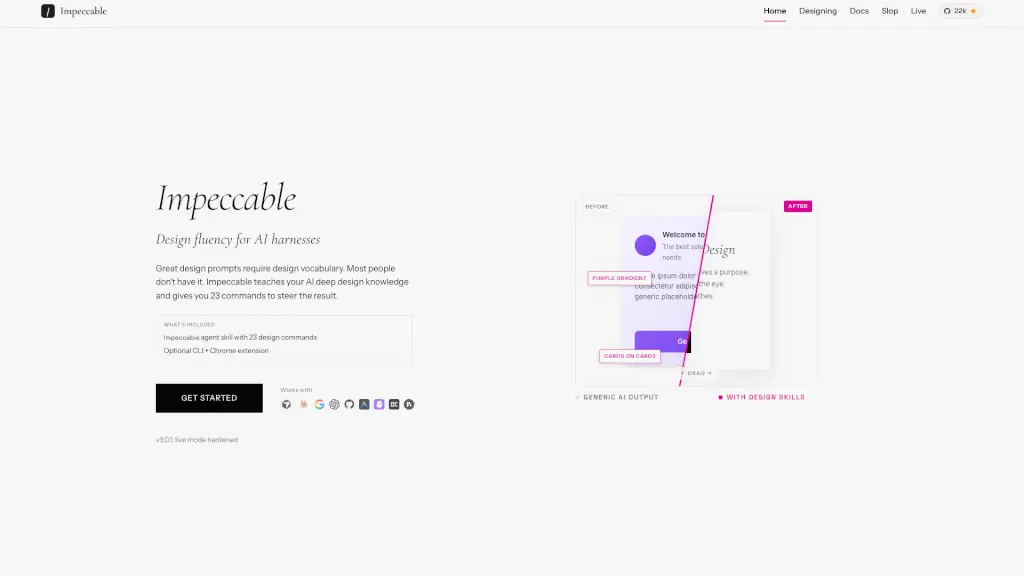
What is Impeccable?
Impeccable is a powerful tool designed to elevate your frontend design game. It's like having a seasoned designer by your side, guiding your AI to create stunning and functional interfaces. Whether you're a developer or a designer, Impeccable ensures that every element of your design serves a purpose, from typography to color, layout, and interaction. It's the missing upgrade to Anthropic's impeccable skill, offering 23 commands and curated anti-patterns to help you craft impeccable frontend designs.
What are the features of Impeccable?
- Design Commands: 23 commands that form a shared vocabulary between you and your AI, allowing you to steer the design with precision.
- Anti-Pattern Detection: Identifies and corrects common design mistakes, ensuring your UI is both visually appealing and user-friendly.
- Live Mode (Alpha): Iteratively refine your design in the browser, making real-time changes and seeing immediate results.
- Design System Integration: Reads and respects your existing design system, ensuring consistency across your project.
- Brand and Product Modes: Adjusts its approach based on whether you're designing for a brand or a product, ensuring the right design principles are applied.
- Chrome Extension: Detects and highlights design issues directly in the browser, making it easy to audit and improve your designs.
- CLI Support: Run anti-pattern scans and other commands from the command line, integrating seamlessly into your development workflow.
What are the use cases of Impeccable?
- Refining Typography: Use Impeccable to fix generic, inconsistent, or accidental typography, ensuring a cohesive and professional look.
- Improving Layout: Address spacing and visual rhythm issues, making sure your design feels balanced and harmonious.
- Adding Strategic Color: Introduce color to monochrome interfaces without going overboard, creating a visually engaging experience.
- Enhancing Interactions: Add purposeful motion and delightful micro-interactions that enhance the user experience.
- Ensuring Accessibility: Ensure your design is accessible by detecting and fixing low-contrast labels and other accessibility issues.
- Iterating in the Browser: Use Live Mode to make real-time changes and see the results instantly, streamlining your design process.
- Auditing Design Quality: Run comprehensive audits to check for technical quality and ensure your design meets high standards.
How to use Impeccable?
- Install the Skill: Use
npx skills add pbakaus/impeccableto install the skill in your project. - Run Commands: Type
/impeccablefollowed by a command, such as/impeccable polishor/impeccable audit, to apply specific design improvements. - Use Live Mode: Run
/impeccable liveto iterate on your design in the browser, making real-time changes and seeing immediate results. - Audit Your Designs: Use the Chrome extension to detect and highlight design issues directly in the browser.
- Generate DESIGN.md: Run
/impeccable documentto generate a spec-compliant DESIGN.md file, ensuring your visual system is consistent and portable. - Pin Favorite Commands: Use
/impeccable pin [command]to create shortcuts for your favorite commands, making them easier to access.