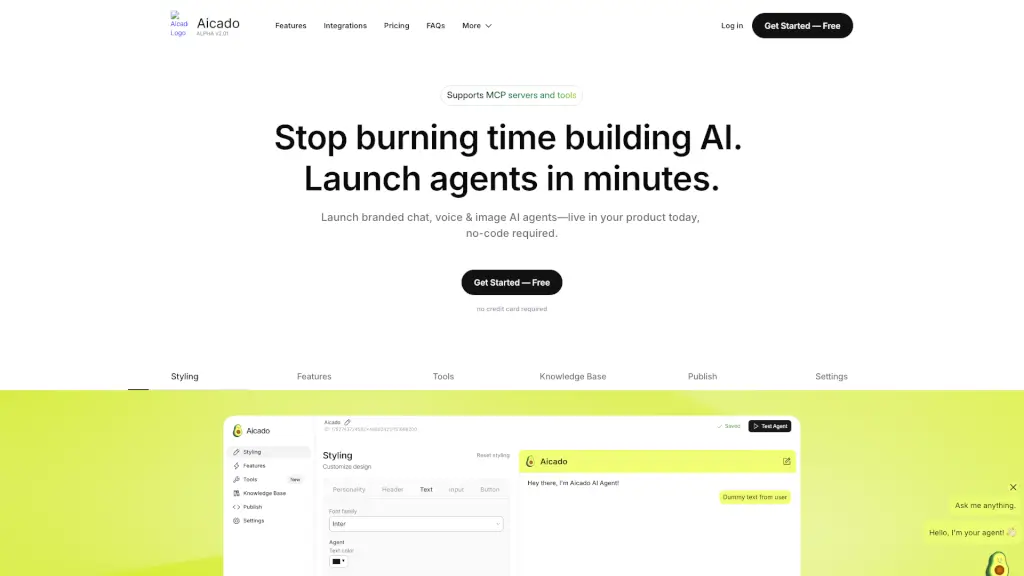
What is Aicado.ai?
Welcome to Aicado AI, the simplest way to integrate artificial intelligence into your business. Whether you're a tech-savvy entrepreneur or just starting out, Aicado offers no-code AI tools that let you customize and deploy your preferred models in minutes. Say goodbye to complex setups and hello to seamless integration. With Aicado, you can launch branded chat, voice, and image AI agents live on your product, all without writing a single line of code.
What are the features of Aicado.ai?
- No-Code AI Tools: Easily customize and deploy AI models without any coding knowledge.
- Branded Chat Agents: Create fully-branded chatbots that speak in your brand's tone and style.
- Voice Agent Integration: Add a voice to your AI agent in just two clicks, making it more interactive and engaging.
- Customizable Styling: Tailor the look and feel of your AI agents to match your brand’s identity.
- Webhooks & APIs: Gain total control with webhooks and APIs for advanced integrations.
- Data Security: Enjoy enterprise-grade protection with SOC 2 Type II certification and GDPR compliance.
- MCP Server Support: Seamlessly connect and use MCP servers and tools for enhanced functionality.
What are the use cases of Aicado.ai?
- Customer Support: Automate responses to common customer queries, improving response times and customer satisfaction.
- Lead Capture: Use AI agents to capture and qualify leads, streamlining your sales process.
- Data Analysis: Analyze large datasets and generate insights, helping you make informed decisions.
- Content Creation: Generate high-quality content for blogs, social media, and more, saving time and effort.
- Real-World Integrations: Connect your AI to platforms like Amazon, LinkedIn, and Instagram to automate workflows.
- Brand Consistency: Ensure consistent communication across all channels by using AI agents that speak in your brand's tone.
How to use Aicado.ai?
- Upload Your Data: Start by uploading your documents, web pages, or database entries to train your AI agent.
- Customize Styling: Adjust the look and feel of your AI agent to match your brand’s colors, fonts, and logos.
- Add Voice: If desired, add a voice to your AI agent in just a few clicks.
- Integrate Webhooks & APIs: Set up webhooks and APIs for advanced integrations and automation.
- Deploy Your Agent: Go live on your product or website with a simple snippet of code.
- Monitor and Optimize: Continuously monitor your AI agent’s performance and make adjustments as needed.