What is Town?
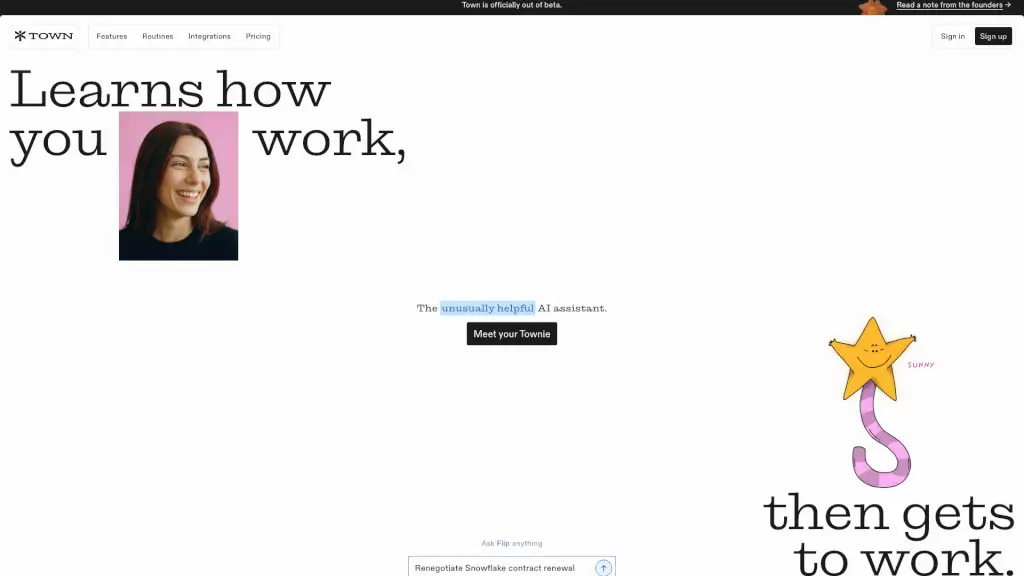
Meet Town, the personal AI assistant that quietly manages your inbox, schedules meetings, and handles the repetitive busywork so you can focus on what really matters. Unlike generic chatbots, Town learns exactly how you work—your writing style, your deadlines, your preferences—and then gets to work on your behalf. No prompts to perfect, no learning curve. It’s like having a super-organized co-worker who never drops the ball.
What are the features of Town?
- Learn-on-Day‑One SetupConnect your accounts and Townies (your personal AI agents) automatically learn from your existing work—emails, docs, and calendars—so they write and act just like you would.
- Smart To‑Do List ExecutionWrite down what needs to get done, and your Townie reads the list, works through the steps, and comes back with updates—emails drafted, RSVPs sent, calendar invites confirmed.
- Powerful RoutinesSet up recurring tasks like weekly client summaries, morning briefings, competitive intel scans, or expense logging. Town handles them on autopilot.
- Proactive SuggestionsYour Townie spots repetitive workflows you haven’t thought to automate (e.g., reviewing contracts) and offers to take them over.
- 50+ IntegrationsWorks natively with Gmail, Google Calendar, Slack, Notion, HubSpot, Salesforce, GitHub, Zoom, and many more—so Town can act across your whole tech stack.
- Enterprise‑Grade SecuritySOC 2 Type 2 audited, data encrypted in transit and at rest, and your data is never used to train AI models unless you opt in.
What are the use cases of Town?
- Busy Executive“Town drafts my morning briefing, scans competitor news, and optimizes my weekly calendar so I can start each day focused on high‑impact decisions.”
- Sales Professional“My Townie monitors HubSpot and Slack, writes deal recaps in my team’s style, and sends follow‑up emails—closing deals faster without me lifting a finger.”
- Recruiting Lead“Town declines cold outreach, logs candidate info to Google Sheets, and prepares interview briefings so my team stays efficient.”
- Small‑Business Owner“I wrote ‘send invoice reminder to late payers’ on my to‑do list. Townie drafted and sent the emails, then added a follow‑up task. Done.”
- Operations Manager“Town automatically detects airline bookings, extracts details, logs travel to a sheet, and creates calendar events—no more manual data entry.”
How to use Town?
- Sign upat town.com and connect your email, calendar, and any tools you use (Slack, CRM, etc.).
- Introduce your Townieby giving it a name (e.g., Buddy, Claus) and letting it scan your recent work to learn your voice and preferences.
- Start a Routinefrom the built‑in library (Morning Briefing, Auto‑inbox, Meeting Prep) or describe a custom workflow in plain English.
- Add tasks to your to‑do listnaturally—Townie will read them, work through each step, and report back with results.
- Review and approveany actions that require your sign‑off (draft emails, calendar changes) before Town sends them.