O que é Site24x7?
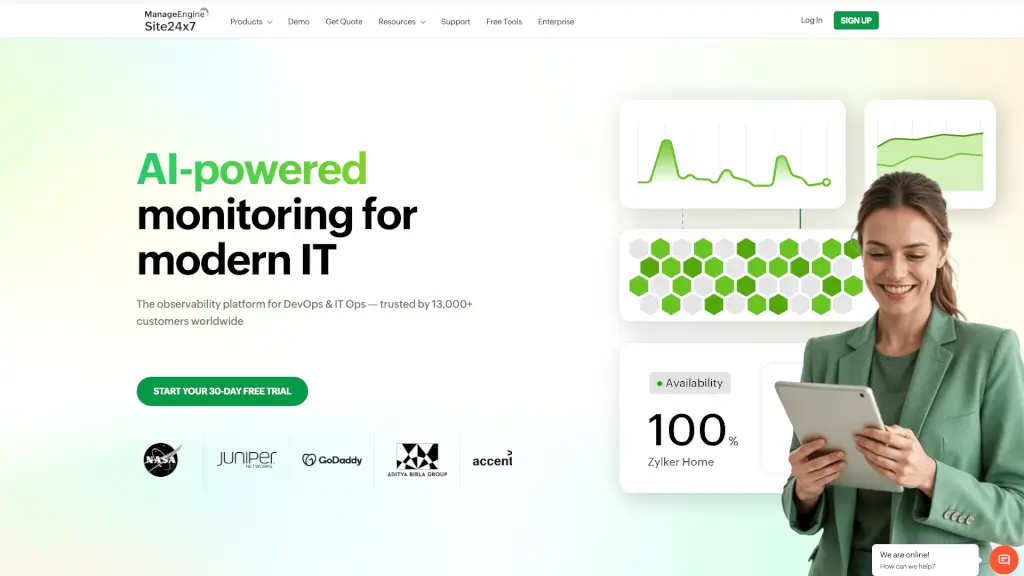
O Site24x7 é uma plataforma completa de monitoramento de websites e infraestrutura de TI projetada para empresas que querem garantir desempenho, disponibilidade e segurança 24 horas por dia. Com ele, você pode acompanhar desde sites simples até ambientes complexos em nuvem, servidores, redes e aplicações — tudo em um único painel intuitivo.
Além de oferecer um teste gratuito de 30 dias, o Site24x7 combina monitoramento sintético (simulando ações de usuários) com Real User Monitoring (RUM) para mostrar exatamente como seus visitantes reais estão experimentando seu site ou aplicativo. Se algo der errado, você recebe alertas imediatos por e-mail, SMS, Slack ou outras ferramentas — antes mesmo que seus clientes percebam o problema.
Quais são as características de Site24x7?
- Monitoramento de Websites: Verifique disponibilidade, tempo de resposta e desempenho de URLs, APIs REST, certificados SSL, DNS, SMTP e mais de 130 localizações globais.
- Real User Monitoring (RUM): Analise a experiência real dos usuários por navegador, dispositivo, localização geográfica e provedor de internet.
- Monitoramento de Nuvem: Acompanhe recursos em AWS, Azure, Google Cloud (GCP), Oracle Cloud e outros provedores com métricas detalhadas.
- APM (Application Performance Monitoring): Detecte gargalos e erros em aplicações Java, .NET, Node.js, PHP, Ruby e mobile.
- Gerenciamento de Logs: Centralize, pesquise e analise logs de servidores e aplicações para resolver problemas mais rápido.
- AIOps com IA: Use inteligência artificial para detectar anomalias, prever falhas e automatizar respostas a incidentes.
- Status Pages Públicas: Crie páginas de status profissionais para comunicar transparência durante interrupções.
- Ferramentas Gratuitas: Acesse testes rápidos como verificação de IP, velocidade de página, disponibilidade de site e análise DNS.
Quais são os casos de uso de Site24x7?
- Garantir que um e-commerce fique sempre online durante promoções sazonais, como Black Friday.
- Monitorar o desempenho de APIs usadas por aplicativos móveis para evitar falhas na experiência do usuário.
- Detectar automaticamente expiração de certificados SSL antes que causem erros de segurança no navegador.
- Reduzir custos em nuvem identificando recursos ociosos ou mal dimensionados no AWS ou Azure.
- Oferecer visibilidade total para MSPs (Provedores de Serviços Gerenciados) que gerenciam infraestrutura de múltiplos clientes.
- Melhorar a experiência do usuário analisando dados reais de carregamento de páginas por região ou operadora.
- Automatizar respostas a incidentes comuns, como reiniciar um serviço caído sem intervenção humana.
Como usar Site24x7?
- Crie uma conta gratuita no Site24x7 e inicie o teste de 30 dias sem necessidade de cartão de crédito.
- Adicione seu website ou URL de API no painel e escolha os locais de monitoramento (global ou rede privada).
- Configure alertas personalizados por e-mail, SMS, Microsoft Teams, Slack ou webhooks para notificações em tempo real.
- Instale o agente leve nos servidores (Windows/Linux) ou conecte sua conta da nuvem (AWS, Azure etc.) para monitoramento profundo.
- Use o RUM adicionando um pequeno snippet de código ao seu site para coletar dados de usuários reais.
- Explore relatórios pré-construídos e crie dashboards personalizados para acompanhar KPIs críticos da sua equipe.