What is Modelia?
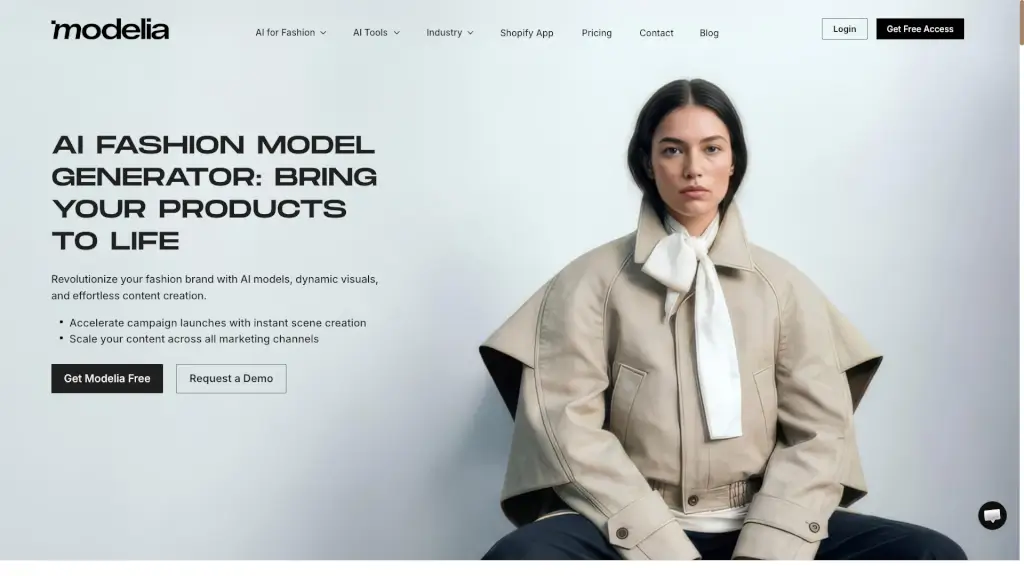
Modelia is a powerful AI fashion model generator that brings your fashion products to life with realistic and dynamic visuals. Whether you're a small e-commerce store or a large fashion brand, Modelia helps you create stunning images and videos without the need for expensive photoshoots. With Modelia, you can quickly generate on-model images, change poses, and even create short videos, all while saving time and reducing costs. This tool is perfect for anyone looking to elevate their fashion brand and boost sales with high-impact content.
What are the features of Modelia?
- AI Fashion Model Generation: Create realistic AI models wearing your designs in seconds.
- Pose Transformation: Transform a single image into multiple poses, keeping the same outfit and styling.
- Video Creation: Turn a single image into a short video by describing the motion, camera, or mood.
- Flatlay to Model Conversion: Convert flat apparel images into high-quality model photos ready for e-commerce.
- Accessory Styling: Style hats, shoes, bags, and glasses on any model with natural poses and proportions.
- Background Changer: Effortlessly change backgrounds to any setting, from urban streets to exotic paradises.
- Smart Styler: Restyle clothing and accessories with just a few clicks, ensuring consistent and professional visuals.
What are the use cases of Modelia?
- E-commerce Product Listings: Enhance your online store with high-quality, on-model images that attract more customers.
- Marketing Campaigns: Quickly generate a variety of visuals for social media, email campaigns, and advertising.
- Lookbook Creation: Create styled looks and complete outfits from your product catalog in seconds.
- Virtual Try-On: Allow customers to see how accessories like hats, shoes, and glasses look on a model.
- Content Refresh: Easily update your visuals with new poses, backgrounds, and styles without the need for reshoots.
- Cost Reduction: Save up to 50% on photography and travel costs by using AI-generated models instead of traditional shoots.
How to use Modelia?
- Upload your garment image: Select a high-resolution image of the garment you want to dress on an AI model.
- Set your specifications: Choose the desired pose, background, and any additional styling options.
- Generate and download: Click to generate the image and download it for use in your e-commerce store or marketing materials.
- Experiment with different features: Try out the various tools like Repose, Smart Styler, and Background Changer to create a variety of visuals.
- Integrate with your platform: Seamlessly integrate the generated images into your e-commerce platform, such as Shopify or Amazon.
- Collaborate with your team: Use the collaboration tools to share and review images, ensuring consistency and quality.