What is FlowUs AI?
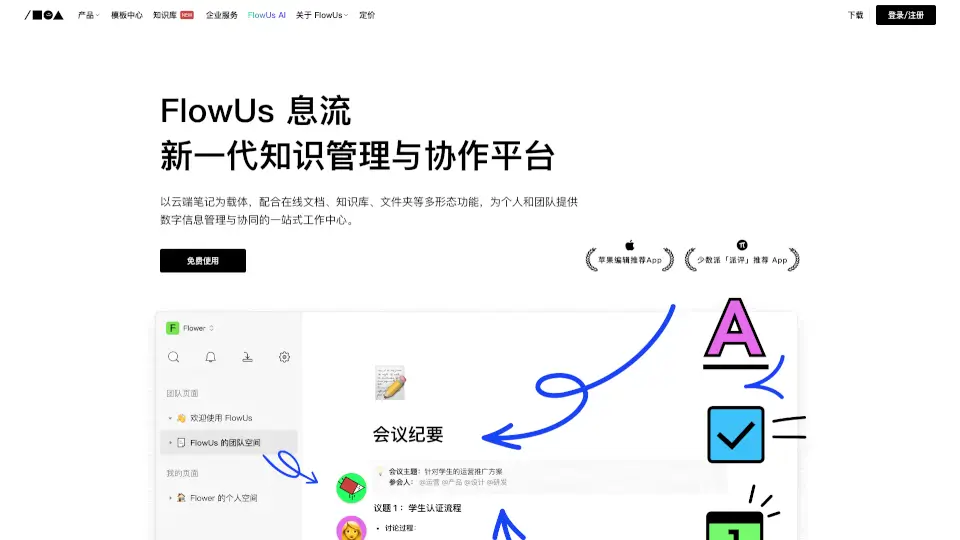
FlowUs 息流 is a next-generation knowledge management and collaboration platform that brings together the best of online documents, databases, and file storage. It's designed to help both individuals and teams organize their digital lives, from managing projects to building a comprehensive knowledge base. With FlowUs, you can create, share, and collaborate on all kinds of content, making it a one-stop solution for your work and personal needs.
What are the features of FlowUs AI?
- Cloud Documents: Say goodbye to scattered notes. Create, edit, and share documents with rich media like text, tables, code, audio, video, and web content. Plus, embed third-party services for a seamless experience.
- Multi-View Tables: Transform traditional spreadsheets into dynamic, interactive tools. Switch between different views, such as grid, board, or calendar, to manage your data in the way that suits you best.
- File Storage: Upload, download, and preview files in various formats. Access and collaborate on these files from anywhere, whether you're on a computer or a mobile device.
- Team Spaces: Build a centralized workspace for your team. Structure and manage workflows, and enable real-time collaboration across multiple devices.
- FlowUs AI: Get smart assistance with tasks, from generating content to automating processes. The built-in AI makes your work more efficient and enjoyable.
What are the use cases of FlowUs AI?
- Project Management: Keep track of tasks, deadlines, and progress with multi-view tables and real-time collaboration.
- Knowledge Base: Create a centralized repository of information, from how-to guides to company policies, making it easy for everyone to find what they need.
- Content Creation: Write, edit, and publish articles, reports, and more with rich media support and real-time collaboration.
- File Sharing and Collaboration: Share and collaborate on files, ensuring everyone has access to the latest versions.
- Workflows and Processes: Automate and streamline internal processes with the help of FlowUs AI and customizable templates.
How to use FlowUs AI?
- Sign up for a free account on the FlowUs website.
- Start by creating a new document or importing existing files.
- Organize your content into folders and spaces to keep everything tidy.
- Invite team members to collaborate on documents and projects.
- Use the multi-view tables to manage and visualize your data in different ways.
- Explore the AI features to get smart suggestions and automate tasks.