
What is Claid.ai?
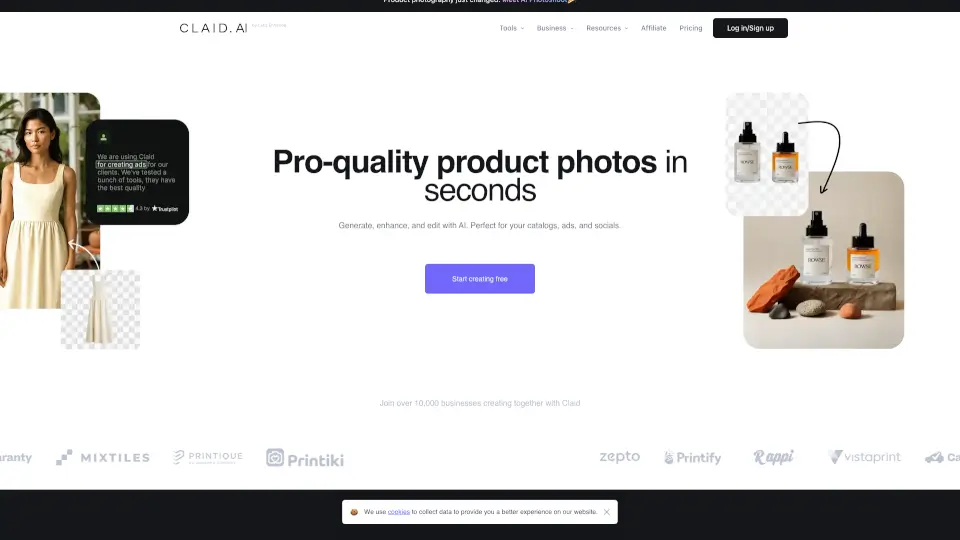
Tired of spending hours editing product photos or hiring expensive photographers? Claid is an AI-powered photo editor built specifically for product and fashion photography—so you get studio-quality results without the hassle. Whether you're running an online store, managing a marketplace, or creating content for print-on-demand, Claid turns simple snapshots into realistic, high-converting visuals in seconds.
What makes Claid different? It’s not a general-purpose AI tool—it’s laser-focused on e-commerce imagery. Trained since 2018 on millions of product photos, its AI preserves fine details like logos, textures, and labels while generating natural lighting, shadows, and lifelike backgrounds. Plus, everything renders in crisp native 4K, so your images look sharp everywhere—from mobile ads to billboards.
What are the features of Claid.ai?
- AI Photoshoot: Place products into realistic lifestyle or editorial scenes with accurate lighting and depth.
- AI Fashion Models: Generate professional on-model shots from flat garment photos using diverse, realistic AI models.
- Background Remover: Instantly create clean, transparent cutouts with pixel-perfect edges.
- Enhancer & Upscaler: Boost resolution, sharpen details, and fix colors for print-ready quality.
- Image-to-Video: Turn static product images into engaging short video clips for social media.
- Object Eraser & Image Expander: Remove unwanted elements or extend canvas seamlessly.
- Brand-Consistent Templates: Apply approved colors and backgrounds via templates or API for uniform catalogs.
What are the use cases of Claid.ai?
- An e-commerce brand creates 50+ lifestyle product shots from one plain photo for holiday campaigns.
- A print-on-demand store generates on-model visuals for custom t-shirts without photoshoots.
- An online marketplace auto-edits seller-uploaded images to meet platform quality standards.
- A food delivery app enhances restaurant dish photos for better menu appeal.
- An automotive site showcases used cars in ideal lighting and clean backgrounds.
- A fashion startup tests multiple model poses and skin tones before committing to production.
How to use Claid.ai?
- Upload a single product photo (even a phone snap works).
- Choose a tool: try “AI Photoshoot” for scenes or “AI Fashion” for model shots.
- Pick a template or let Claid auto-select the best background and lighting.
- Adjust settings if needed—like resizing, color tone, or model pose.
- Download in 4K or integrate via API for bulk processing.
- Use free credits to test workflows before scaling.