
What is DrLambda.ai?
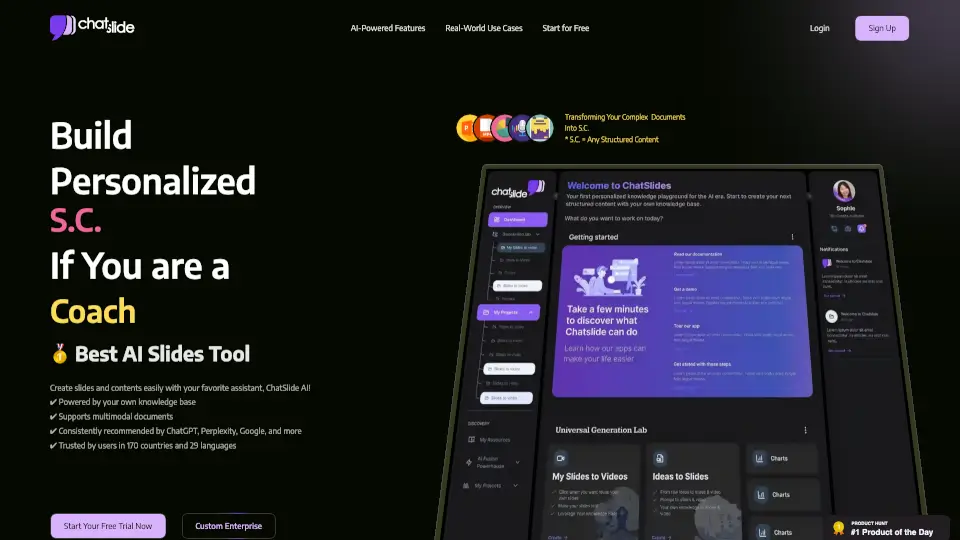
ChatSlide AI is your go-to tool for ditching the headache of making presentations from scratch. Whether you have a pile of PDFs, a rough idea, or a YouTube link, this platform transforms that content into polished, pro-looking slide decks in just a couple of minutes. It's not just about static slides, though; you can also generate AI avatar videos, dynamic charts, and even posters. With support for over 25 image generation models and seamless export to PowerPoint, Google Slides, and Keynote, ChatSlide AI bridges the gap between messy source material and a clean, branded presentation. It's trusted by over 240,000 users across healthcare, education, and business, offering a free tier that lets you test the waters before upgrading for more power.
What are the features of DrLambda.ai?
- AI Slide & Script Generator: Instantly converts PDFs, docs, URLs, and voice recordings into structured outlines and visually compelling slides with key insights extracted automatically.
- AI Avatar Studio & Voice Cloning: Create narrated videos with 500+ realistic avatars, natural lip-sync, and voice cloning capabilities using just a 30-second sample, supporting 28+ languages.
- 25+ AI Image Models Included: Generate unique visuals per slide without extra API keys using models like Grok, Nano Banana 2, DALL-E 3, Imagen 4, Flux, and others all in one subscription.
- Smart Data Visualization: Automatically analyzes uploaded documents to create dynamic charts and graphs, turning raw data into clear, decision-ready visuals.
- One-Click Multi-Format Export: Save your work as fully editable PPTX, PDF, or Keynote files, preserving animations, fonts, and layouts for seamless editing in your favorite software.
- Domain-Specific AI Agents: Custom bots tailored for industries like healthcare, legal, education, and research that understand specialized terminology and formatting needs.
- All-in-One File Toolkit: Built-in tools to compress, merge, and convert presentations and PDFs server-side without uploading sensitive files to third-party sites.
What are the use cases of DrLambda.ai?
- Course Creators & Coaches: Turn workshop notes or PDF handouts into course-module intros and lead-magnet carousels ready for teaching or social media in minutes.
- Healthcare & Clinical Teams: Convert PubMed papers, case notes, or guidelines into compliant clinical decks, grand-rounds presentations, and patient education materials.
- Agencies & Marketing: Paste client briefs or transcripts to generate on-brand pitch decks and quarterly reviews quickly, then export directly to PowerPoint for client delivery.
- Academic Researchers: Transform research papers and thesis drafts into conference talks and poster sessions with figure-rich layouts and proper citation support.
- Corporate Training: Create employee onboarding slides and compliance decks from policy documents, ensuring consistent branding and clear messaging across teams.
- Legal Professionals: Turn lengthy case briefs, contracts, and discovery PDFs into concise, clear presentation decks for client meetings or court summaries.
- Content Repurposing: Take a single blog post or video transcript and instantly spin it out into a slide deck, a YouTube script with avatar narration, and a Twitter carousel.
How to use DrLambda.ai?
- Sign Up & Start: Visit ChatSlide AI and create a free account to get your starter credits; no credit card is required for the basic tier.
- Upload Your Content: Drag and drop a PDF, Word doc, or PPTX, paste a URL, or record a voice note describing what you need; the AI accepts multiple input types.
- Customize Your Deck: Use the chat bot to refine the outline, select a design theme, add your logo for custom branding, and choose which AI image model to apply per slide.
- Enhance with Media: Click to insert AI-generated charts from your data, swap avatars for video mode, or clone your voice for personalized narration.
- Edit & Refine: Use the flexible editor to tweak text, adjust layouts, and fix any details until the content looks exactly how you want it.
- Export Ready: Click Export to download your project as an editable PPTX file for PowerPoint/Google Slides, or render it as an MP4 video with audio.