
What is Continua AI?
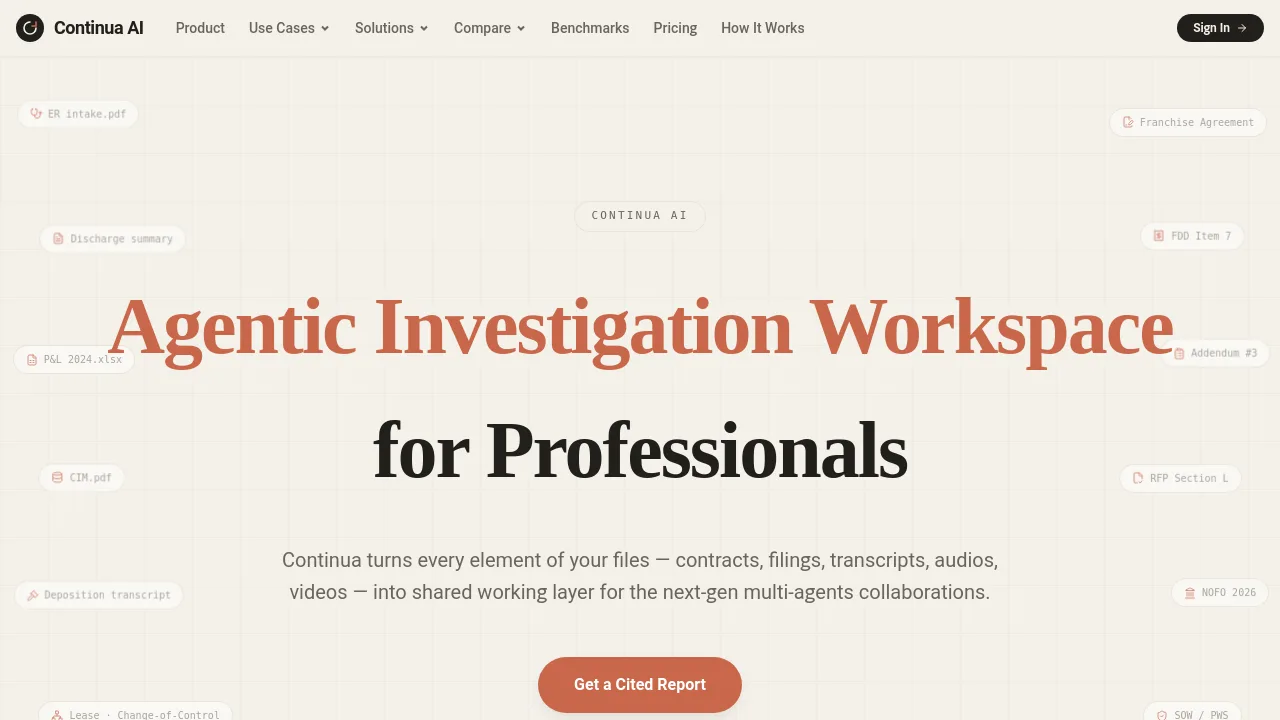
Continua AI is an AI-powered investigation workspace for professionals who need to analyze large document sets — contracts, financials, transcripts, audio, and video. It turns every file into a shared working layer for multi-agent collaboration, with a 1-billion-token context window and cited reports. Ideal for due diligence, audit, and legal review where accuracy and traceability matter.
What are the features of Continua AI?
- 1 Billion Token Context Window: Process entire document sets end-to-end without chunking or top-k blind spots, enabling full-context reasoning across thousands of pages.
- 100% Full-Context Reasoning: The AI reads every page of every file, not just summaries, so no critical detail is missed during analysis.
- Multimodal Inputs: Accepts documents, spreadsheets, databases, audio, and video files — turning them all into a single searchable analysis layer.
- Cited Report Generation: Every claim in the output is linked to the exact document and page, making it easy to verify findings.
- Zero Document Retention: Files are automatically deleted after the task is complete, supporting HIPAA-ready workflows and BAA availability.
- Agent-Native Artifacts: Outputs markdown and HTML-based reports built for next-gen agent collaboration and sharing.
What are the use cases of Continua AI?
- Due Diligence for SMB Buyers: Cross-check CIM claims against actual financials, tax returns, and leases under a 45-day exclusivity clock.
- Contract Review: Identify change-of-control clauses, termination triggers, and customer concentration risk across multiple vendor agreements.
- Medical Chronology: Reconstruct patient timelines from medical records, depositions, and audio transcripts with cited evidence.
- Transaction Audit: Verify effective terms and covenants in M&A data rooms by comparing disclosures against supporting documents.
- Policy Compliance: Distill months of operational history into a minimum context pack for investigating prior promises and constraints.
How to use Continua AI?
- Start by uploading your file pile — documents, sheets, audio, video — directly into the playground.
- Ask a hard question, such as "Where do the CIM numbers not match the financials?"
- Review the generated cited report, which links every finding to the exact document and page.
- Iterate with follow-up questions or refine your analysis by adding more files to the same workspace.
- Download the final report as an HTML or markdown artifact for sharing with your team.