O que é Arc Browser?
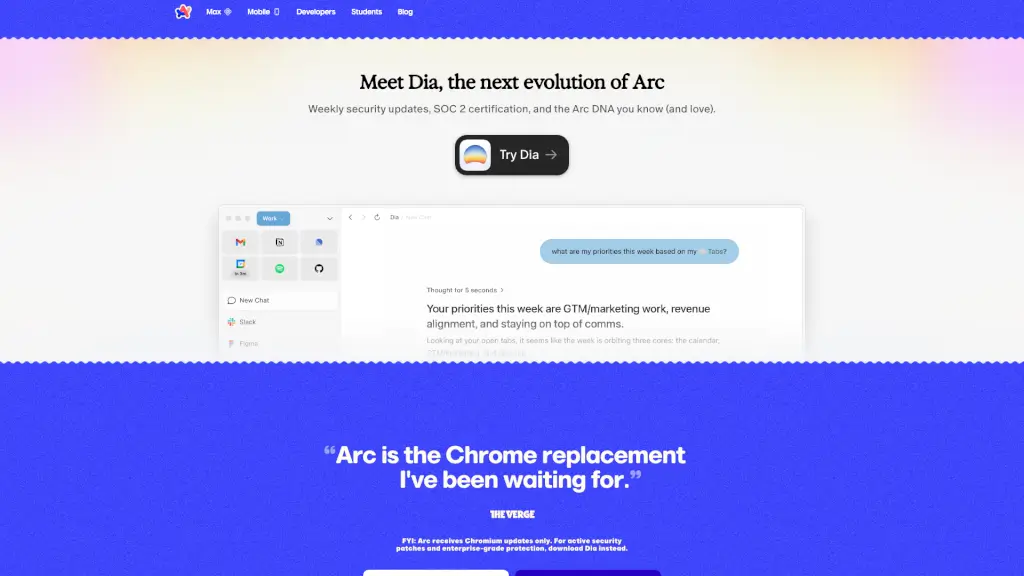
O Arc é um navegador web moderno criado pela The Browser Company para oferecer uma experiência mais calma, organizada e pessoal na internet. Em vez de sobrecarregar você com abas infinitas e distrações, o Arc foi projetado para se adaptar ao seu jeito de navegar — seja para trabalho, estudos ou lazer.
Com foco em privacidade, organização intuitiva e design limpo, o Arc ajuda você a deixar o caos da navegação tradicional para trás. Ele não apenas atende às suas necessidades, mas antecipa como você usa a web, transformando o navegador no seu verdadeiro "lar" online.
Quais são as características de Arc Browser?
- Spaces: Separe seus contextos de navegação (trabalho, estudos, hobbies) em espaços visuais distintos dentro de uma única janela.
- Split View: Divida a tela para ver dois sites lado a lado sem precisar de múltiplas janelas.
- Temas personalizáveis: Deixe o visual do navegador do seu jeito com temas que combinam com seu estilo.
- Privacidade reforçada: O Arc não rastreia os sites que você visita nem suas buscas — sua navegação fica entre você e seus dispositivos.
- Baseado no Chromium: Compatível com extensões do Chrome e atualizações do motor Chromium (embora patches de segurança ativos estejam disponíveis apenas no Dia).
- Organização por Perfis: Crie perfis diferentes para manter contas e atividades separadas com facilidade.
Quais são os casos de uso de Arc Browser?
- Estudantes organizando pesquisas, aulas online e redes sociais em Spaces diferentes.
- Profissionais que precisam alternar rapidamente entre e-mail corporativo, ferramentas de projeto e comunicação sem perder o foco.
- Criadores de conteúdo gerenciando várias contas de redes sociais e ferramentas de edição em um único ambiente limpo.
- Pessoas que querem reduzir distrações e ter uma navegação mais tranquila e produtiva.
- Quem cansou da bagunça das abas do Chrome e busca uma alternativa visualmente intuitiva.
Como usar Arc Browser?
- Baixe o Arc para Windows ou Mac no site oficial.
- Ao abrir pela primeira vez, crie Spaces para cada área da sua vida (ex: Trabalho, Pessoal, Estudos).
- Use o atalho
Cmd/Ctrl + Tpara abrir novas abas dentro do Space atual. - Ative o Split View arrastando uma aba para o lado da janela.
- Personalize cores e temas nas configurações para tornar a experiência mais agradável.
- Explore as integrações com apps populares para conectar seu fluxo de trabalho diretamente ao navegador.