
What is Alloy?
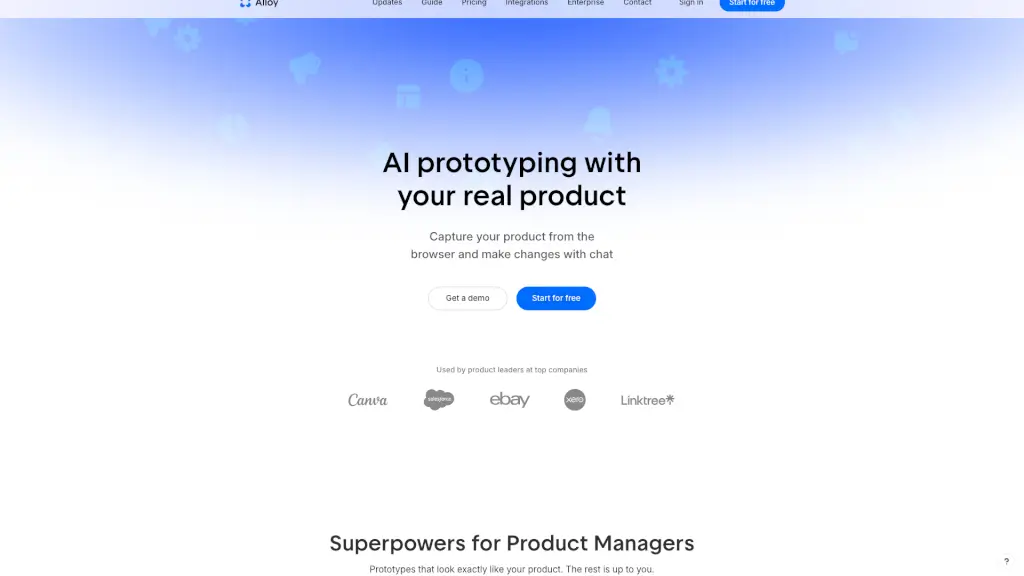
Alloy is a game-changing tool for product managers and teams who want to create AI prototypes that look exactly like their real products. With Alloy, you can capture any page from your web app instantly and start building interactive demos right away. This means no more fiddling with design systems or importing dependencies—just quick, on-brand prototypes that you can share with your team and customers in minutes.
Imagine being able to make changes to your product using simple chat commands and seeing those changes come to life in a prototype that looks just like the real thing. Whether you're testing new features, getting feedback, or just exploring ideas, Alloy makes it easy to bring your vision to life without any of the usual hassle. It’s like having a superpower for product development!
What are the features of Alloy?
- Instant Page Capture: Add the browser extension, open it on any page of your app, and capture the page instantly. You’ll see a preview and can start prototyping right away.
- Interactive Prototypes: Build interactive demos that look exactly like your real product. No need to paste in screenshots or worry about off-brand results.
- Chat-Based Changes: Make changes to your prototype using simple chat commands. It’s as easy as telling Alloy what you want to do, and it will handle the rest.
- Seamless Sharing: Share your prototypes with your team and customers instantly. Get feedback, iterate, and improve your product quickly and efficiently.
- Component Library Integration: Alloy understands your product, component library, and design system. Everything you prototype will look like something your designer made.
- Export to Figma: Export your Alloy prototype to Figma at any time by clicking the Figma button in the top right of your prototype. (Note: Importing from Figma is not currently supported but is in the works.)
- React App Export: Your Alloy prototype is a React app that can be exported. This feature requires the Pro plan.
What are the use cases of Alloy?
- Testing New Features: Quickly prototype and test new features before committing to full development. Get feedback from stakeholders and make adjustments on the fly.
- Client Presentations: Create professional, on-brand prototypes to present to clients. Show them exactly what the final product will look like and get their buy-in.
- Design Collaboration: Work closely with designers and developers to explore and refine ideas. Alloy ensures that everyone is on the same page and that the prototype matches the design system.
- User Feedback: Gather user feedback on your prototypes and use it to improve your product. Alloy makes it easy to iterate and incorporate user insights.
- Training and Onboarding: Use prototypes to train new team members or onboard customers. They can interact with the prototype and get a feel for how the product works.
- Sales and Marketing: Create compelling, interactive demos to showcase your product’s capabilities. Use these demos in sales pitches and marketing materials to drive conversions.
How to use Alloy?
- Install the Browser Extension: Add the Alloy browser extension to your web browser.
- Capture a Page: Open the extension on any page of your web app and click to capture the page.
- Start Prototyping: Use the chat-based interface to make changes and build your prototype. Preview your changes in real-time.
- Share Your Prototype: Click the share button to generate a link and send it to your team or customers for feedback.
- Iterate and Improve: Use the feedback to make further changes and improvements to your prototype.
- Export to Figma or React: When you’re ready, export your prototype to Figma or as a React app (Pro plan required for React export).