
What is Zoho Sheet?
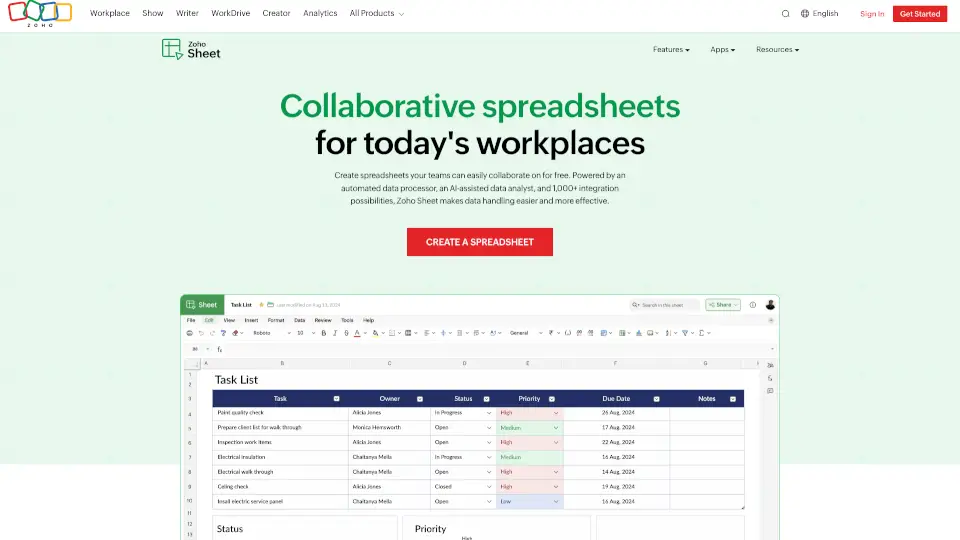
Zoho Sheet is a free online spreadsheet software that lets you create, edit, and collaborate on spreadsheets from anywhere—no matter what device you're using. Whether you're working solo or with a team, Zoho Sheet combines familiar spreadsheet functionality with smart AI tools, real-time collaboration, and seamless integration with other apps to make data work easier and more efficient.
Built for modern teams, it supports offline editing on desktop apps (Windows and macOS), syncs instantly across mobile and web platforms, and even imports your existing Excel files without losing formatting. With features like AI-powered analysis, automated data cleaning, and custom functions, Zoho Sheet goes beyond basic number-crunching to help you turn raw data into actionable insights.
What are the features of Zoho Sheet?
- Real-Time Collaboration: Multiple users can edit, comment, and discuss changes in the same sheet simultaneously—perfect for remote or hybrid teams.
- AI Assistant (Zia): Ask questions in plain English to generate charts, pivot tables, formulas, or even sample data using generative AI powered by ChatGPT.
- Excel Compatibility: Import and export Microsoft Excel files (.xlsx, .xls) with full formatting preserved—ideal for switching from Excel without disruption.
- Data Cleaning Tools: Remove duplicates, standardize entries, and fix inconsistencies with one-click automated cleanup.
- Custom Functions & Automation: Create your own formulas or connect to 1,000+ apps via Zoho Flow to automate workflows.
- Conditional Formatting & Interactive Elements: Add drop-downs, checkboxes, and color-coded rules to make sheets intuitive and user-friendly.
- Cross-Platform Access: Use on web, iOS, Android, Windows, macOS, or Chromebook—with offline support on desktop and Android apps.
- Data Connections: Pull live data from Zoho CRM, Books, Projects, and more, with scheduled auto-refreshes.
What are the use cases of Zoho Sheet?
- A marketing team tracks campaign performance across channels and uses Zia to auto-generate visual reports.
- Small business owners manage inventory and sales data while syncing with Zoho Inventory and Books for real-time financial insights.
- Remote project managers share task timelines with stakeholders, lock sensitive cells, and allow comments for feedback—all in one sheet.
- Educators create interactive gradebooks with dropdowns for assignments and conditional formatting to highlight at-risk students.
- Freelancers import client invoices from Excel, clean up inconsistent entries, and publish embedded dashboards for transparent reporting.
- HR teams build onboarding checklists with checkboxes and date pickers, then share securely with new hires and managers.
How to use Zoho Sheet?
- Sign up for free at Zoho Sheet and click "Create a Spreadsheet" to start fresh or upload an Excel file.
- Invite teammates via email to collaborate—set view-only, comment, or edit permissions per user.
- Use Zia (the AI assistant) by typing natural-language questions like “Show sales trend by region” to get instant charts.
- Clean messy data by selecting your range and clicking Data > Clean Data to remove duplicates or standardize formats.
- Add interactivity with Insert > Checkbox or Data Validation for drop-down lists to guide user input.
- Work offline on Windows, macOS, or Android apps—your changes sync automatically when you reconnect.