What is 小艺?
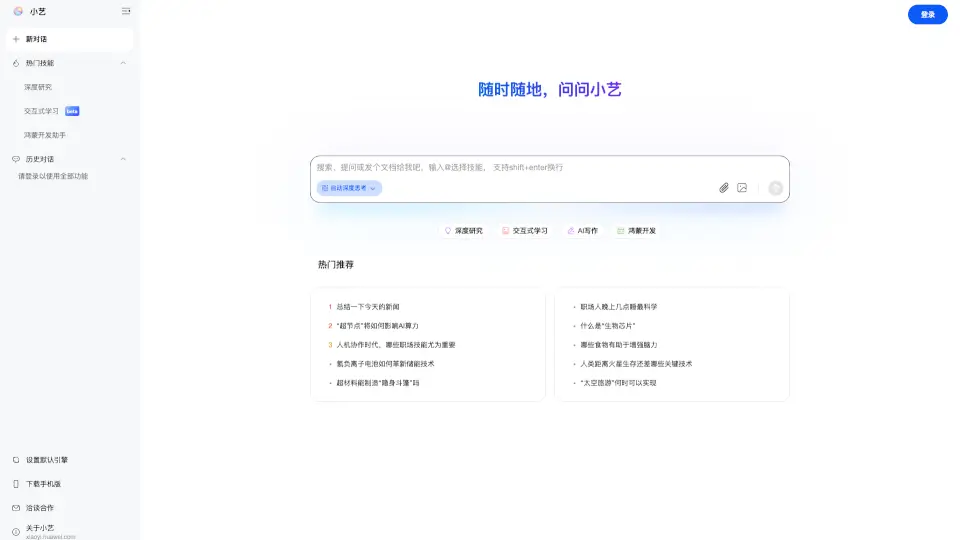
Meet Xiaoyi, the AI-powered smart assistant developed by Huawei. Designed to make your life easier and more efficient, Xiaoyi leverages the latest in artificial intelligence to provide a wide range of helpful features. Whether you need to answer a complex question, write a document, or even generate code for HarmonyOS, Xiaoyi is here to help. With its user-friendly interface and powerful capabilities, it's like having a personal assistant at your fingertips.
What are the features of 小艺?
- AI Knowledge Q&AGet instant answers to your questions on a variety of topics.
- AI WritingGenerate high-quality text, from essays to reports, with just a few clicks.
- Document AssistantRead, summarize, and extract key information from documents.
- Coding AssistantGet help with coding, including generating and debugging code for HarmonyOS.
- Interactive Learning (Beta)Engage in interactive learning sessions to enhance your skills.
- AI Image RecognitionIdentify and analyze images with advanced AI technology.
What are the use cases of 小艺?
- Quickly Summarizing NewsStay informed with concise summaries of the day's top stories.
- Writing AssistanceNeed help with a school essay or a work report? Xiaoyi can assist.
- Document ManagementEasily read, summarize, and organize your documents.
- Coding SupportGet help with coding projects, especially for HarmonyOS development.
- Learning New SkillsUse the interactive learning feature to pick up new skills or improve existing ones.
- Image AnalysisQuickly identify and analyze images for various purposes.
How to use 小艺?
- Start by visiting the Xiaoyi website.
- Log in to access all features.
- Choose the feature you need, such as AI Writing or Document Assistant.
- Follow the on-screen instructions to get started.
- For more detailed guidance, explore the tutorials and FAQs available on the site.