What is Voicemod?
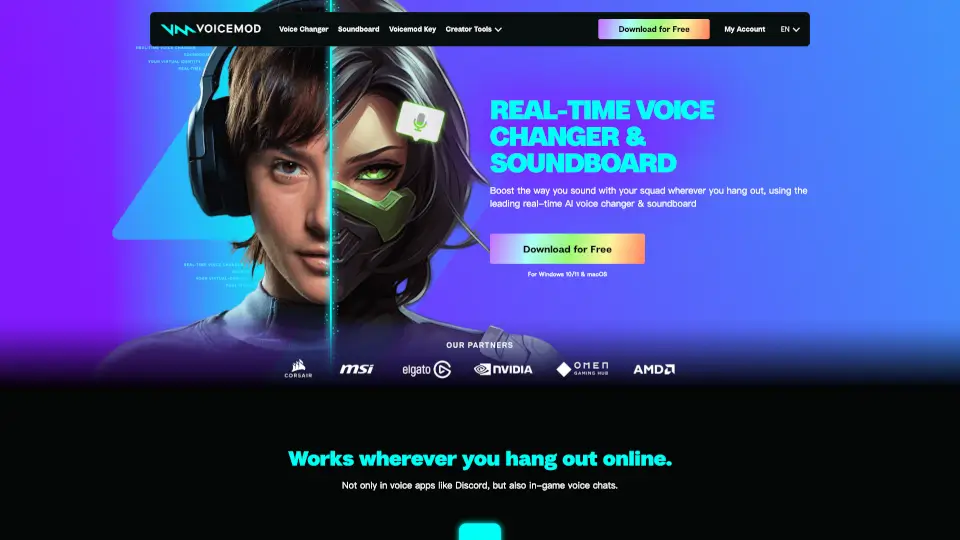
Looking to spice up your voice during gaming sessions, streams, or just casual chats with friends? Voicemod is a free real-time AI voice changer and soundboard built for PC and Mac that lets you transform your voice instantly—no fancy gear needed. Whether you want to sound like a robot, an anime character, or a walkie-talkie from a warzone, Voicemod has over 200+ voice effects ready to go.
Designed with gamers, streamers, and content creators in mind, Voicemod works seamlessly across popular platforms like Discord, Twitch, Zoom, and in-game voice chat. It’s not just about changing your voice—it also includes a powerful soundboard for dropping memes, sound effects, and custom audio clips with a single keypress. Plus, it runs with ultra-low latency so your voice stays perfectly synced.
What are the features of Voicemod?
- Real-Time AI Voice Changer: Instantly morph your voice into hundreds of styles—from cartoon characters to sci-fi robots—with zero delay.
- Built-In Soundboard: Trigger funny sounds, memes, or custom audio clips using customizable hotkeys during live chats or streams.
- Voicelab Customization: Create or tweak voices by mixing effects like reverb, pitch shift, delay, and more to design your perfect voice.
- Instant Replay & Recorder: Capture audio from any source (like YouTube or games) and use the 30-second rewind feature to grab missed moments.
- Virtual Microphone Driver: Automatically installs a virtual mic that routes your modified voice into any app without extra setup.
- Cross-Platform Compatibility: Works on Windows, macOS, mobile, and even consoles when paired with Voicemod Key.
- Partner Integrations: Syncs with Elgato Stream Deck, Razer Cortex, MSI Mystic Light, Corsair iCUE, and Qualcomm Snapdragon for enhanced control and lighting effects.
What are the use cases of Voicemod?
- Gamers using Discord can switch to a deep "demon lord" voice during roleplay sessions.
- Twitch streamers drop trending sound memes during live reactions to hype up chat.
- Content creators record voiceovers with unique AI voices for YouTube shorts or TikTok videos.
- Remote workers add fun filters to Zoom calls for team icebreakers (without disrupting meetings).
- Friends prank each other on voice calls using celebrity or cartoon imitations.
- Console players (via smartphone pairing) access voice changers on PlayStation or Xbox.
- Podcasters experiment with character voices for skits or intros using Voicelab.
How to use Voicemod?
- Download and install Voicemod for free on your PC or Mac from the official website.
- Set “Voicemod Virtual Microphone” as your input device in Discord, OBS, or any voice-enabled app.
- Open Voicemod, pick a voice from the library or create one in Voicelab, then start talking—your voice changes in real time.
- Add sounds to your soundboard and assign them to keyboard shortcuts for instant playback.
- Use the Recorder tab to capture external audio or replay the last 30 seconds with Instant Replay.
- For console use, pair your phone with Voicemod Key and route audio through your controller’s mic jack.