
What is Viggle AI?
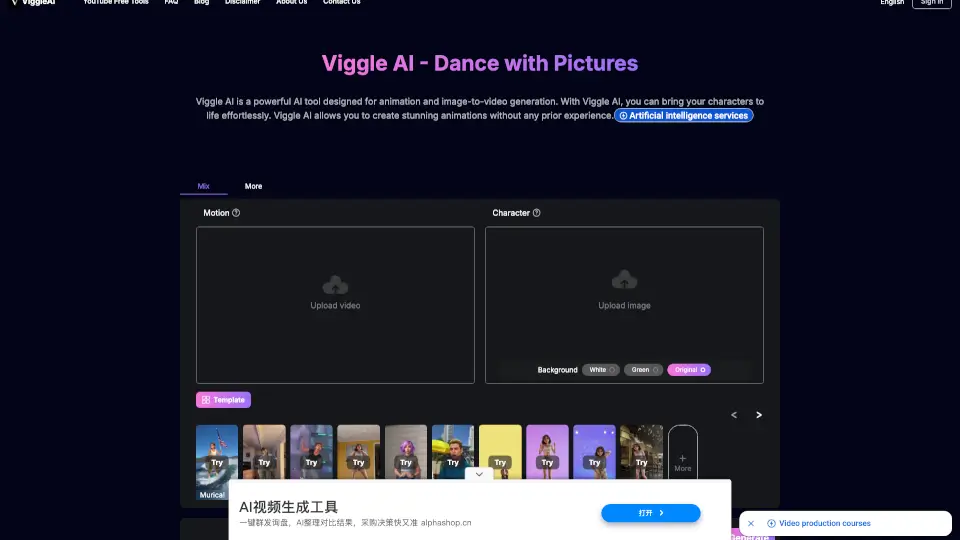
Viggle AI is a free, powerful animation tool that turns your static images into dynamic, moving videos. Whether you want to make a character dance, walk, or perform any motion, Viggle AI makes it easy by using your own photos and motion videos. No editing skills needed—just upload and watch your creation come to life.
What are the features of Viggle AI?
- Viggle AI Mix: Blend your character image into an existing motion video while choosing green or white backgrounds for seamless integration.
- Viggle AI Move: Animate your character while keeping its original background intact—perfect for turning personal photos into dance videos.
- Viggle AI Animate (Coming soon): Use preset motion templates and text descriptions to bring static images to life with precise movements.
- JST-1 Video-3D Foundation Model: Powered by real physics understanding, this model generates lifelike, physics-based character animations.
- Unfiltered Video Generator: Create videos with unrestricted visual customization for advanced creative projects.
- Text-Prompt to Animation: Simply describe the motion you want, and Viggle AI will generate the video for you.
What are the use cases of Viggle AI?
- Social Media Dances: Turn your selfie into a viral dance video using popular TikTok motion templates.
- Character Animation for Stories: Bring your comic or anime characters to life by mixing them into action clips.
- Fashion and Clothing Previews: Show off designs by animating a model walking or dancing with consistent outfit details.
- Music Video Creation: Create lip-synced performance videos by uploading a photo and a reference motion clip.
- Meme and Parody Content: Swap a friend’s face onto a funny dance move for a shareable meme.
- Corporate Presentations: Animate characters for explainer videos or brand mascots without hiring an animator.
How to use Viggle AI?
- Step 1: Go to the Viggle AI website and sign in with your Google account for free.
- Step 2: Choose a feature: Viggle AI Mix (motion video + new background) or Viggle AI Move (keep original background).
- Step 3: Upload a clear image with a visible character. Then upload a motion video showing the movement you want.
- Step 4: Select your background preference (green or white) and click "Generate."
- Step 5: Wait a few seconds for Viggle AI to process—your animated video is ready to download and share.
- Tip: For best results, use images with simple backgrounds and high-contrast characters.