
What is VidDay?
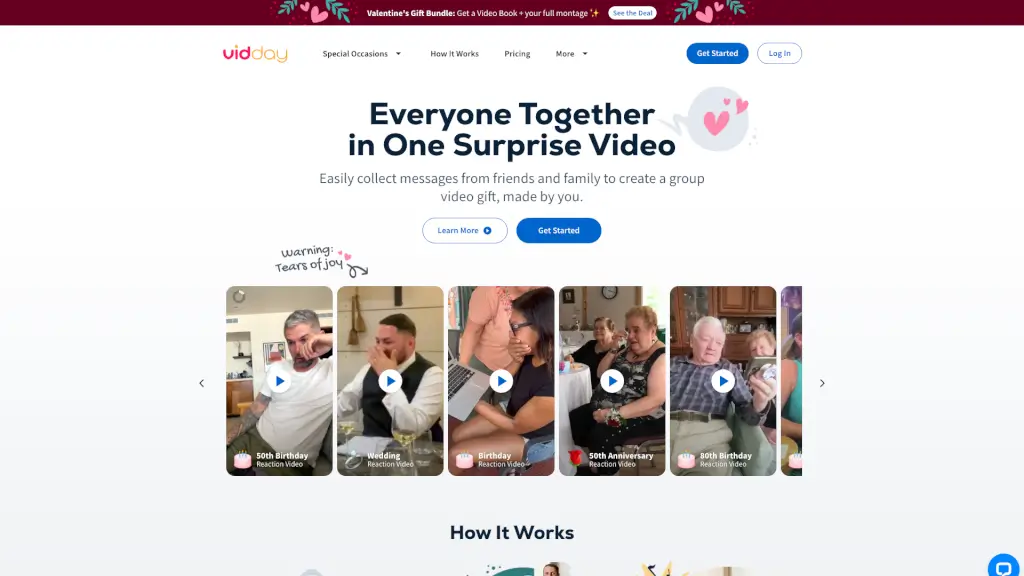
VidDay is your go-to video gift maker, perfect for creating heartfelt tribute and group videos. Whether you're celebrating a birthday, anniversary, or any special occasion, VidDay makes it easy to collect video messages and photos from friends and family. With VidDay, you can create beautiful video montages and even turn them into physical Video Books. It's a simple, user-friendly way to make memories that last a lifetime.
What are the features of VidDay?
- Easy Invitation: Quickly invite friends and family with a single link to record video messages or add photos.
- Auto-Reminders: Friendly reminders ensure more people contribute without you having to chase them.
- Drag-and-Drop Editor: Arrange collected clips, add music, and personalize your video with ease.
- Beautiful Keepsakes: Turn your video into a physical Video Book, postcard, or other keepsakes.
- Customer Support: Get real-time help from our live chat team, available 7 days a week.
- Custom Themes: Choose from ready-made designs or create your own custom theme for any occasion.
- Eco-Friendly: VidDay plants trees with every purchase, making your gift both personal and sustainable.
What are the use cases of VidDay?
- Birthday Celebrations: Create a surprise birthday video with messages from friends and family.
- Anniversaries: Celebrate a milestone anniversary with a touching video montage.
- Retirement Tributes: Honor a retiree with a meaningful tribute video from colleagues and loved ones.
- Wedding Videos: Capture the love story of a couple with a video montage for their wedding.
- Graduation Gifts: Commemorate a graduation with a video filled with well-wishes and memories.
- Teacher Appreciation: Gather students to send a big "Thank You" to a special teacher.
- Get Well Wishes: Send a heartwarming video to someone who needs a little extra support during a tough time.
- Farewell Messages: Say goodbye in style with a video full of fond memories and good wishes.
How to use VidDay?
- Choose an Occasion: Select the event you’re celebrating, like a birthday or anniversary.
- Invite Friends and Family: Share a single link to invite everyone to contribute videos and photos.
- Collect Messages: Let VidDay automatically gather all the contributions in one place.
- Personalize Your Video: Use the drag-and-drop editor to arrange clips, add music, and customize your video.
- Share Your Gift: Present your video online or at the party, and make it the highlight of the day.
- Add a Finishing Touch: Consider adding a virtual gift wrap or a prepaid Visa card as an extra surprise.