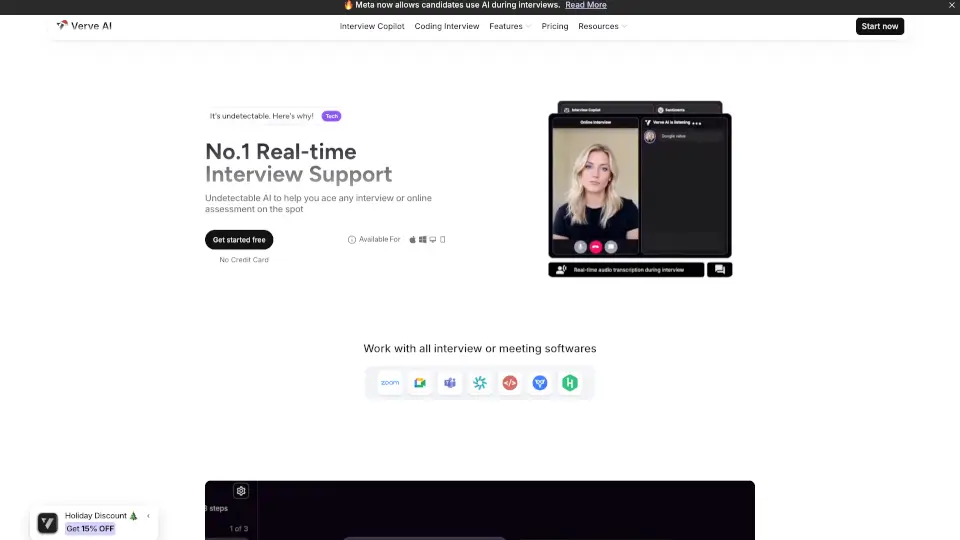
What is Verve AI?
Imagine walking into a live interview with a super-smart assistant sitting next to you that whispers the perfect answers while staying completely hidden. That's exactly what Verve AI does. It listens to interview questions in real-time, suggests responses based on your background, and even solves coding problems on your screen – all without being detected during screen sharing. Whether you're a nervous first-timer or a seasoned pro returning to the job market, Verve AI helps you stay calm, sound confident, and actually land the offer.
What are the features of Verve AI?
- AI Interview Copilot: Listens to live interview questions and instantly provides tailored responses based on your resume, job description, and company values.
- Coding Interview Copilot: Supports live technical rounds and LeetCode-style coding problems with on-screen hints and solutions.
- Stealth Mode: Works invisibly during screen sharing – only you see the copilot, interviewers see only your clean screen.
- Snap & Solve: Capture any question displayed on your screen and get instant AI-generated answers in real time.
- Mock Interviews: Practice unlimited AI-powered mock interviews with realistic questions and instant feedback.
- Post-Interview Reports: Get a detailed analysis of your interview – including your answers, scores for relevance/accuracy/clarity, and full transcripts.
- Multi-Language Support: Works with 55+ languages, so you can interview in your native language or practice a foreign one.
- Customizable AI Models: Choose from GPT-5.4, Claude 4.6, Gemini 3.1 Pro, and more – even upload your own prompts and materials.
What are the use cases of Verve AI?
- Live behavioral interviews: You're asked "Tell me about a time you led a project" – Verve AI instantly suggests a structured answer framed around your actual experience.
- Technical coding interviews: Facing a "Two Sum" problem on LeetCode? The coding copilot reads the problem and helps you code the solution step by step.
- HireVue or Mercor interviews: Verve supports these specific platforms, giving you real-time assistance during recorded or live assessments.
- Screen-share-heavy interviews: Nervous about sharing your screen? Stealth mode keeps the AI invisible while you navigate documents or coding environments.
- Post-interview improvement: After the call, review your performance report to see where you scored low on clarity or relevance, then practice that area.
- Non-native English interviews: If you're interviewing in Spanish, Japanese, or Arabic, Verve translates and responds in real time so you can communicate confidently.
How to use Verve AI?
- Download & Install: Get Verve AI from the official site – it works on Mac, Windows, and iPhone. For Mac, just drag the
.dmginto your Applications folder and open it. - Upload Your Documents: Before your interview, upload your resume, the job description, and any company values you know about. This helps the AI learn your background.
- Launch the Copilot: Start your interview meeting (Zoom, Google Meet, Teams, etc.). The copilot will automatically listen and detect questions.
- Use Snap & Solve (if needed): If a question appears on screen (like a multiple-choice or coding prompt), click the snap button to capture it – the AI will generate an answer instantly.
- Review Afterward: After the interview, open your Interview Report to see all questions, your answers, scores, and a full transcript. Use this to prepare better next time.