What is Kodo?
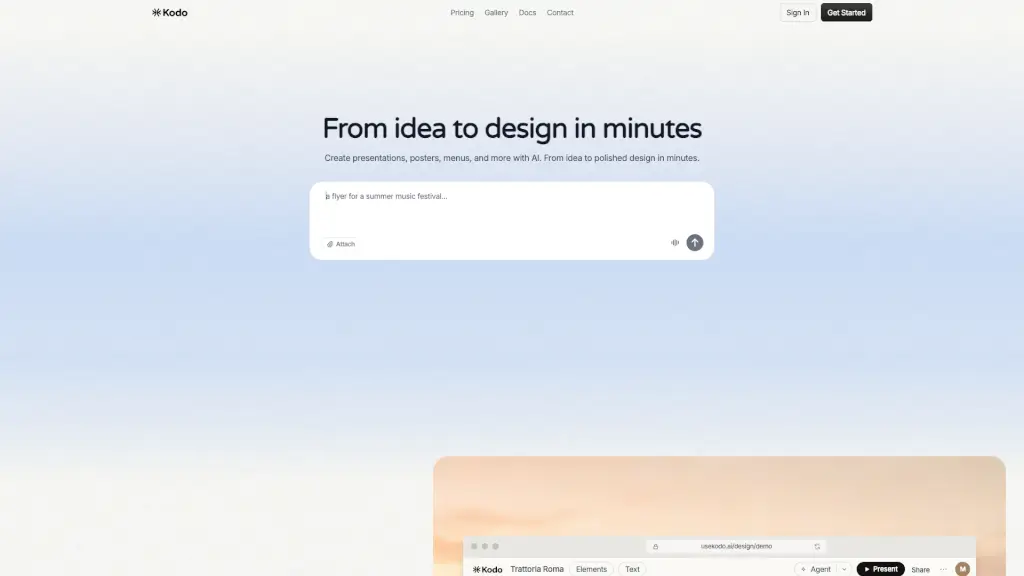
Tired of wrestling with design software just to make a simple menu or social post? Meet Kodo—an AI-powered design tool that turns your words into beautiful, ready-to-use visuals in seconds. Just type what you need (like “Italian restaurant menu” or “Instagram carousel for a coffee launch”), and Kodo generates a polished, professional design instantly.
Unlike traditional tools that demand design skills or hours of tweaking, Kodo combines smart AI with an intuitive editor so anyone—students, small business owners, marketers—can create stunning graphics without experience. Plus, it’s free to start, supports real-time collaboration, and works right in your browser. Think of it as your creative co-pilot for everything visual.
What are the features of Kodo?
- AI-Powered Design Generation: Describe your idea in plain English, and Kodo creates a complete, editable design in 1–2 minutes.
- Real-Time Collaboration: Work together with teammates on the same project live, just like in Google Docs.
- Multi-Format Export: Download your designs as PNG, JPG, PDF, PPTX, or DOCX—perfect for print, presentations, or social media.
- Full Visual Editor: Tweak layouts, colors, text, and layers manually or refine with AI prompts after generation.
- Free Plan Available: Start creating with 40 free credits—no credit card needed.
- Wide Template Range: Create presentations, posters, menus, social posts, flyers, business cards, and more from scratch or via AI.
What are the use cases of Kodo?
- A restaurant owner quickly designs a seasonal Italian menu without hiring a designer.
- A student builds a class presentation with consistent branding in minutes.
- A social media manager creates Instagram carousels and repurposes them into printable posters.
- A startup founder drafts investor pitch decks using AI-generated layouts.
- A local event organizer makes eye-catching flyers for a community fair.
- A blogger turns blog quotes into shareable social graphics through simple text prompts.
How to use Kodo?
- Go to usekodo.ai/design/demo and click “Get Started.”
- Type a clear description of what you want (e.g., “Create a rustic Italian menu for Trattoria Roma”).
- Wait 1–2 minutes while Kodo generates your design—watch the progress bar.
- Edit colors, fonts, or layout using the built-in tools or refine with new AI prompts.
- Collaborate by inviting team members via shareable link.
- Export your final design in your preferred format (PNG, PDF, PPTX, etc.) and use it anywhere.