What is Unlayer?
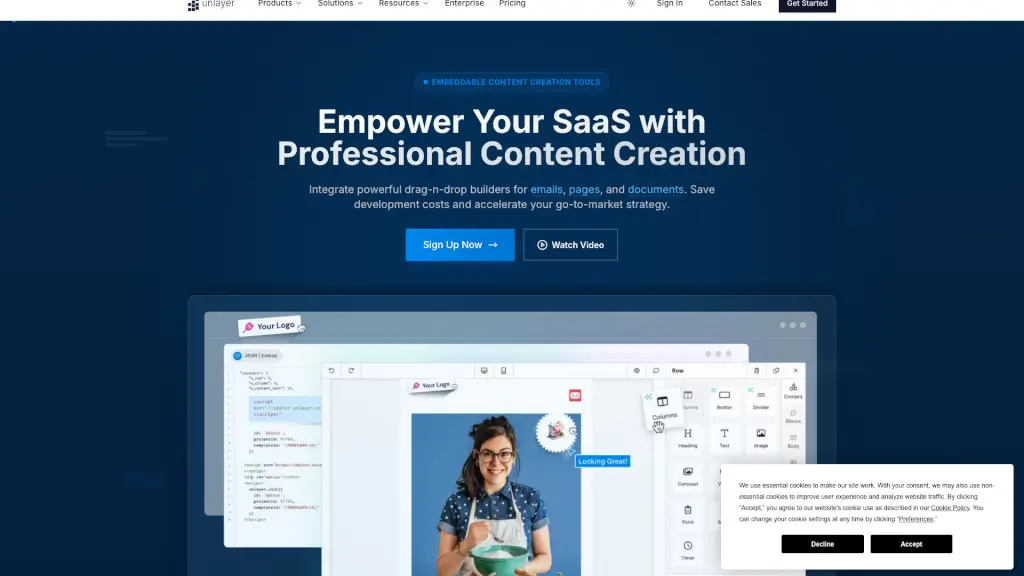
Unlayer is a powerful, embeddable content creation tool designed to help SaaS platforms and businesses build professional emails, pages, and documents without any coding. It’s like having a team of expert designers at your fingertips, but with the convenience of drag-and-drop simplicity. Whether you’re a small business or a large enterprise, Unlayer can help you save time and money by providing a seamless, white-label solution that integrates easily into your existing systems.
What are the features of Unlayer?
- Drag-and-Drop Builders: Create stunning emails, landing pages, and documents with an intuitive, no-code interface.
- Responsive Templates: Choose from a wide range of pre-designed, responsive templates that look great on any device.
- Cross-Client Compatibility: Ensure your emails look perfect across all email clients, including Gmail, Outlook, and more.
- White-Label Solution: Customize the interface to match your brand, ensuring a seamless user experience.
- Enterprise Security: Enjoy bank-grade security with SOC 2 compliance, 256-bit encryption, and continuous monitoring.
- Developer-Friendly API: Integrate Unlayer with any modern JavaScript framework or vanilla JS project, thanks to its comprehensive API and TypeScript support.
- Rapid Deployment: Get up and running in minutes with well-documented SDKs, examples, and starter templates.
What are the use cases of Unlayer?
- Email Marketing Campaigns: Design and send beautiful, responsive emails that engage your audience and drive conversions.
- Landing Page Creation: Build high-converting landing pages for your marketing campaigns, product launches, and more.
- Document Generation: Generate dynamic, customizable documents and PDFs for reports, invoices, and other business needs.
- SaaS Integration: Embed Unlayer into your SaaS platform to provide your users with advanced design tools, enhancing their experience.
- Small Business Solutions: Help small businesses create professional-looking content without the need for expensive design software or expertise.
- Internal Communication: Design internal newsletters, memos, and other communication materials that align with your company’s branding.
How to use Unlayer?
- Sign Up and Log In: Create an account on the Unlayer website and log in to access the builder.
- Choose Your Builder: Select the type of content you want to create (email, page, or document).
- Select a Template: Browse through the available templates and choose one that fits your needs.
- Customize Your Content: Use the drag-and-drop editor to add, remove, and customize elements like text, images, and buttons.
- Preview and Test: Preview your design to ensure it looks great on all devices and email clients.
- Export or Integrate: Export your design as HTML, or integrate it directly into your SaaS platform using the API.