What is Diagrimo?
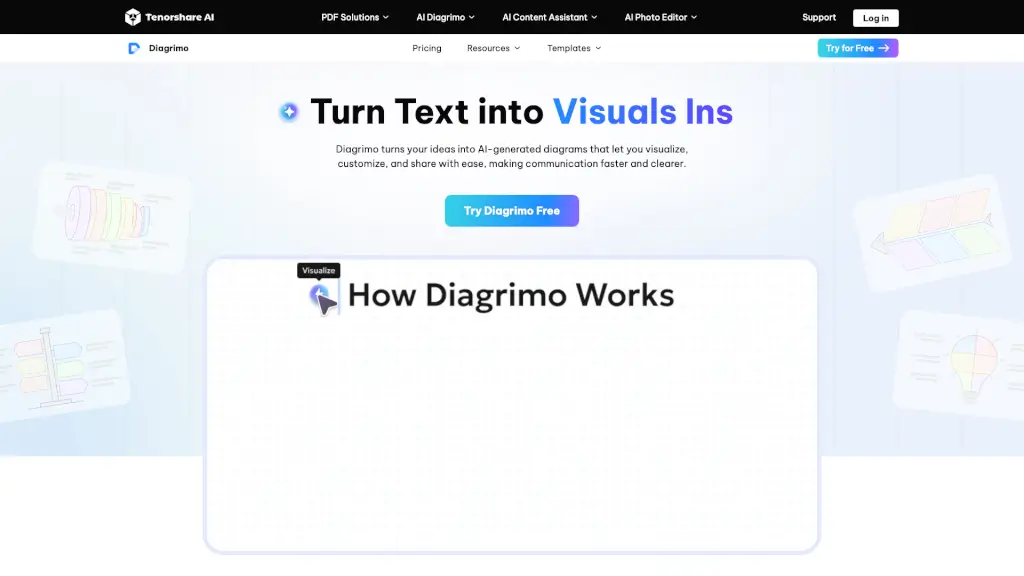
Tenorshare AI Diagrimo is a free, AI-powered diagram generator that transforms your ideas and text into clear, professional diagrams and infographics. Whether you're working on a school project, creating a business presentation, or just need to visualize complex information, Diagrimo makes it easy to turn plain text into engaging visuals. With its intuitive interface and powerful AI, you can customize, collaborate, and share your diagrams with ease, making communication faster and clearer.
What are the features of Diagrimo?
- AI-Powered Diagram CreationInstantly turns your text into well-structured diagrams, charts, or infographics.
- Customization OptionsAdjust templates, colors, and layouts to fit your needs.
- Real-Time CollaborationWork with your team in real-time to create and edit diagrams together.
- Export and ShareShare your visuals with a link or export them in multiple formats for various uses.
- AI Writing AssistantBuilt-in AI helps polish your writing, correct grammar, and adjust tone.
- Template LibraryAccess a wide range of templates designed for different scenarios and use cases.
What are the use cases of Diagrimo?
- School ProjectsCreate flowcharts, mind maps, and other diagrams to explain concepts and organize information.
- Business PresentationsVisualize data, processes, and strategies to make your presentations more engaging.
- Team CollaborationCollaborate with colleagues to brainstorm and plan projects using interactive diagrams.
- Marketing CampaignsDesign sales funnels, customer journey maps, and other marketing diagrams to plan and execute campaigns.
- Research PapersIllustrate research findings with clear, professional diagrams and infographics.
- Educational MaterialsDevelop teaching aids and visual learning materials for students.
How to use Diagrimo?
- Enter Your TextPaste or type your text into Diagrimo, or let the AI assistant help you generate it.
- Generate VisualsClick the AI Visualize icon to turn your text into a diagram.
- CustomizeAdjust the template, colors, and layout to match your preferences.
- CollaborateInvite team members to collaborate in real-time.
- Share or ExportShare your diagram with a link or export it in various formats like PDF or image files.