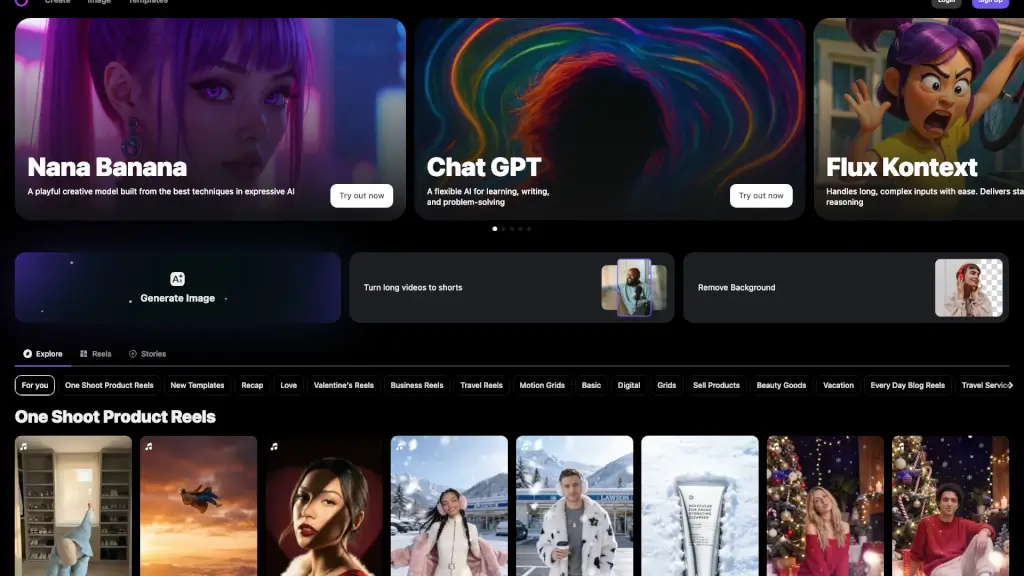


What is Summrs?
Summrs is your shortcut to creating scroll-stopping social media content—no editing skills needed. Just upload a photo or video, pick a trending AI template (like “Marlon Push Up” or “Coconut Water”), and let the AI do the heavy lifting. Whether you’re a TikTok creator, small business owner, or just having fun, Summrs turns everyday moments into viral-ready posts in seconds.
Built for speed and simplicity, Summrs taps into what’s hot right now—AI portraits, face swaps, dance transfers, color grading, and impossible visual effects—so you don’t have to chase trends manually. With new templates added weekly and professional-grade results at your fingertips, it’s like having a full creative studio in your pocket.
What are the features of Summrs?
- Trending AI Templates: Choose from dozens of viral-ready formats like “Dance Transfer,” “Gender Swap,” or “Central Cee Wagwan” that mirror what’s blowing up on TikTok and Reels.
- Zero Editing Skills Required: No sliders, layers, or confusing tools—just upload, pick a look, and download. Perfect for beginners and pros alike.
- AI-Powered Effects: Automatically apply professional color grading, object removal, face swapping, and even AI-generated animations to photos and videos.
- Cross-Platform Ready: Create content optimized for TikTok, Instagram Reels, YouTube Shorts, Stories, Threads, and more—all in one place.
- Batch Editing: Edit multiple photos at once with consistent AI styles, saving time for creators managing high-volume content.
- Free Starter Credits: Get 50 free credits instantly upon sign-up—no credit card needed—to test popular templates risk-free.
What are the use cases of Summrs?
- A fitness influencer uses the “Marlon Push Up” template to turn a simple gym clip into a viral workout trend.
- A small e-commerce brand creates AI-enhanced product photos by placing items in realistic hands or lifestyle scenes using “Person Holding Product.”
- A travel vlogger applies cinematic AI color grading to make sunset clips pop without Lightroom knowledge.
- A meme page swaps faces in group photos using “Person Swap Video” for hilarious, shareable content.
- A family user restores and colorizes old black-and-white photos of grandparents with one click.
- A pet lover generates a dancing cat video using the “AI Cat Dance Videos” template for instant engagement.
How to use Summrs?
- Sign up for free at Summrs and claim your 50 starter credits.
- Browse the template library and select a trending effect (e.g., “Video On The Radar” or “AI Pet Portrait”).
- Upload your photo or video—no need to crop or prep it.
- Let the AI process your content (usually just seconds for photos, slightly longer for video).
- Preview your result, then download and post directly to TikTok, Instagram, or YouTube.
- Top up credits as needed (from $5 for 50 credits) or subscribe for heavy usage ($15/month for 300 credits).