
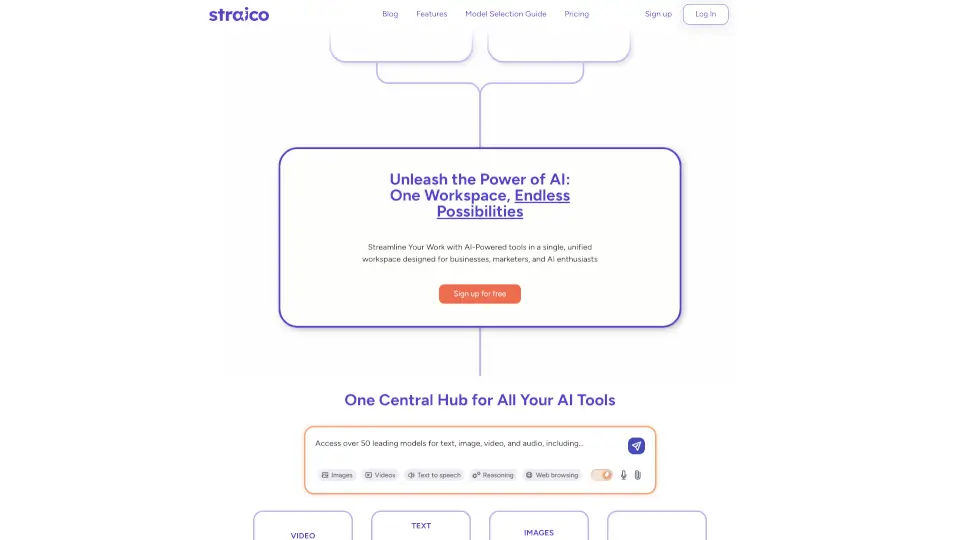
What is Straico?
Straico is your all-in-one AI workspace that brings together 50+ top generative models for text, image, video, and audio—no more juggling separate subscriptions or logins. Whether you're a marketer, entrepreneur, or AI enthusiast, Straico simplifies your workflow by unifying the best tools in one intuitive platform.
Instead of paying for multiple services like OpenAI, Claude, Runway, and ElevenLabs individually (which can cost over $160/month), Straico offers everything in a single plan starting at $16.99/yearly. Plus, with smart features like side-by-side model comparison, reusable templates, and visual workflow mapping, you get more control and creativity without the clutter.
What are the features of Straico?
- 50+ Integrated AI ModelsAccess leading models like GPT-5.2, Claude Opus 4.5, Google Veo 3, Flux 2 Pro, and ElevenLabs V3—all in one place.
- Smart Model ComparisonCompare outputs from up to four AI models side by side in real time and merge the best parts using Smart Merge.
- Custom Templates & FoldersSave and organize your best prompts and model combos into folders; choose from 130+ community-curated templates.
- Visual Workflow TreeSee how your inputs and AI responses connect through an intuitive tree layout that maps your entire creative process.
- Model CombosUse pre-built or custom groups of AI models to tackle complex tasks with precision—switch between them instantly.
- Full API & IntegrationsConnect Straico to your existing tools via a robust API, with support for n8n, SEO automation, and more.
- Multimodal Chat HubGenerate and manage text, images, video, and audio in a unified multimedia workspace.
What are the use cases of Straico?
- A YouTube creator uses Runway Gen-4 Turbo and Google Veo 3 in Straico to storyboard and generate short-form video clips without switching apps.
- A marketing team standardizes client email campaigns using saved prompt templates and shares them across folders for consistent branding.
- An indie developer integrates Straico’s API with n8n to automate SEO audits and content generation based on live data.
- A designer experiments with Flux 2 Pro vs. Ideogram v3 side by side to pick the best AI-generated visuals for a pitch deck.
- A startup founder builds a custom AI assistant trained on their company docs to answer customer FAQs instantly.
- Teams collaborate in the Straico Discord community, sharing templates and troubleshooting prompts together.
How to use Straico?
- Sign up for a free account to explore all features—no credit card required.
- Use the Model Selector to filter AI models by task (e.g., “video,” “translation,” “reasoning”) and view strengths/limitations.
- Start a new chat and click the model icon to enable multimodal mode—add up to four models for parallel responses.
- After generating outputs, use Smart Merge to combine the best parts or highlight differences with a custom prompt.
- Save effective prompts as templates and organize them into folders for quick reuse.
- Check the Public Roadmap and Changelog to stay updated on new models and features.