What is Somio AI?
Somio AI is an AI music generator designed for creators, musicians, and beginners who want to turn text or lyrics into full-length songs without any music production skills. Instead of searching through stock music libraries or composing from scratch, users simply enter a short description or paste lyrics, adjust optional settings like mood, genre, and vocal gender, then generate a complete track in seconds. The platform is aimed at video editors, podcasters, game developers, social media managers, and hobbyists who need original, copyright-free background music or complete songs quickly. Somio AI also offers instrumental-only generation, a lyric copy feature, and secure private storage for all generated tracks.
What are the features of Somio AI?
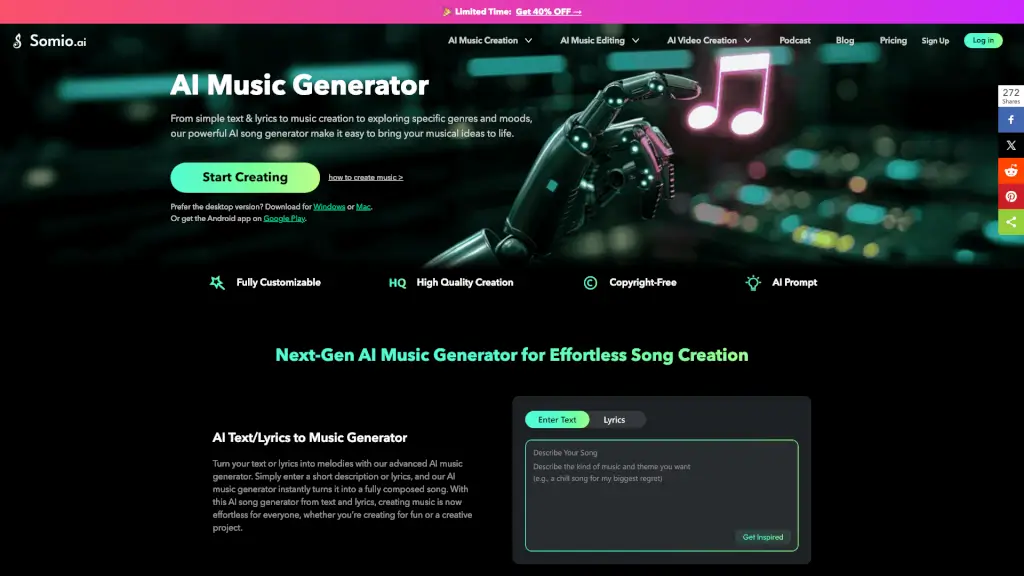
- Text/Lyrics to Music Generation: Enter a descriptive prompt (e.g., “an energetic EDM track for a workout video”) or paste your own lyrics. The AI generates a fully composed song with vocals and melody, not just a short loop. Users can choose between text-to-music or lyrics-to-music modes.
- Customizable Mood, Genre, and Vocal Settings: Before generating, users can select from moods (happy, mysterious, etc.), genres (pop, Latin, etc.), and vocal gender. There is also an option to produce an instrumental-only version. This control helps the AI produce results closer to the user’s creative direction.
- Full-Length Track Output: Unlike many AI music generators that produce 30-second clips, Somio AI creates complete songs that flow naturally from start to finish. The output is a full-length track suitable for videos, podcasts, or games.
- MP3 Download and Full License: Every generated song comes with a full license for personal and commercial use. Users can download the track as an MP3 file and use it on YouTube, TikTok, ads, or any other platform without copyright concerns.
- AI Prompt Optimization: After a user submits a prompt, the system helps clarify the idea before generating music. This reduces the chance of getting a mismatch between the prompt and the final track.
- Private and Secure Creation: All prompts, lyrics, and generated songs remain private to the user’s account. The platform uses advanced encryption to protect user data, and tracks are not shared or reused without permission.
What are the use cases of Somio AI?
- Game Developer – Generate ambient loops or background music for indie game projects without licensing fees. For example, a developer can type “mysterious forest ambient” and get a royalty-free track ready for gameplay.
- Content Creator (YouTube, TikTok, Reels) – Quickly create mood-matched background music for videos. A travel blogger can describe a “relaxing acoustic guitar for tropical scenery” and download the MP3 in seconds, avoiding copyright strikes.
- Podcast Producer – Produce short intro or outro music for podcast episodes. The producer can type “upbeat tech podcast intro” and get a full-length instrumental track that fits the show’s tone.
- Marketing Specialist – Create custom music for short promotional clips or social media ads. The team can generate a track with a specific mood (e.g., “energetic and modern for a product launch”) and use it across campaigns without worrying about royalties.
- Hobby Musician – Experiment with song ideas without knowing music theory. A user can enter a few lines of lyrics or a genre description and hear a complete song that can inspire further production or just be shared for fun.
- Café or Small Business Owner – Generate relaxing background tracks for a physical space. The owner can describe “soft piano with a warm jazz feel” and get original music that doesn’t require a license fee.
How to use Somio AI?
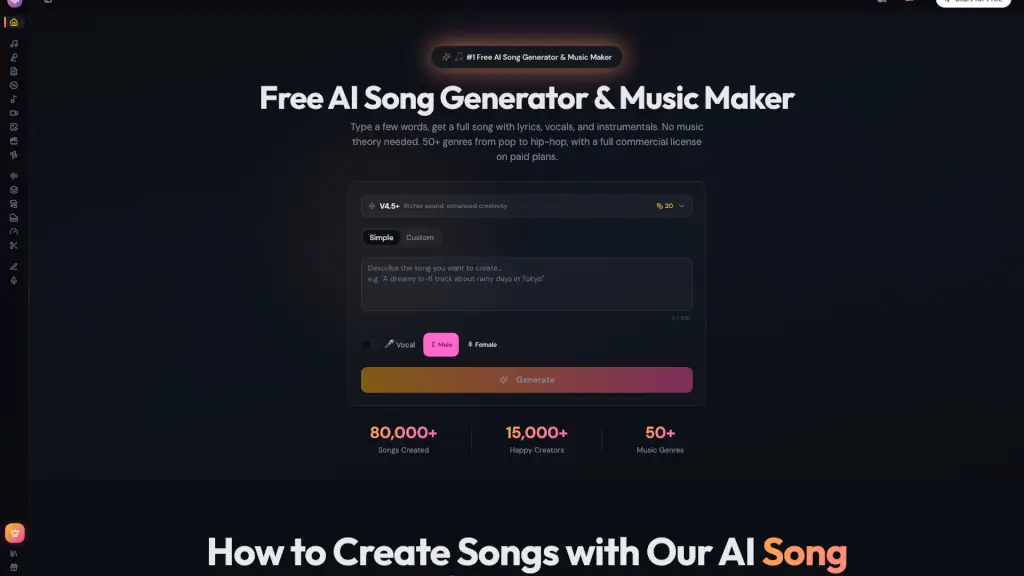
- Enter Your Text or Lyrics: Go to the Somio AI music generator and choose either “Enter Text” or “Lyrics”. Write a short prompt describing the style, theme, or mood you want (e.g., “a dreamy pop song about summer nights”). Alternatively, paste your own lyrics directly into the input box.
- Adjust AI Music Settings (Optional): Before generating, you can personalize the song by selecting a mood (happy, sad, mysterious), genre (pop, EDM, Latin), and vocal gender. To create an instrumental track, toggle the “Instrumental” option in the advanced settings.
- Generate the Song: Click the “Create” button. The AI will process your request, which typically takes a few seconds. Your generated song will appear on the right side of the screen.
- Preview, Download, and Share: Listen to the track. If satisfied, click the download button to save an MP3 file. You can also copy the generated lyrics with one click for reuse or editing. The song is yours to use in personal or commercial projects.