What is Recapo.ai?
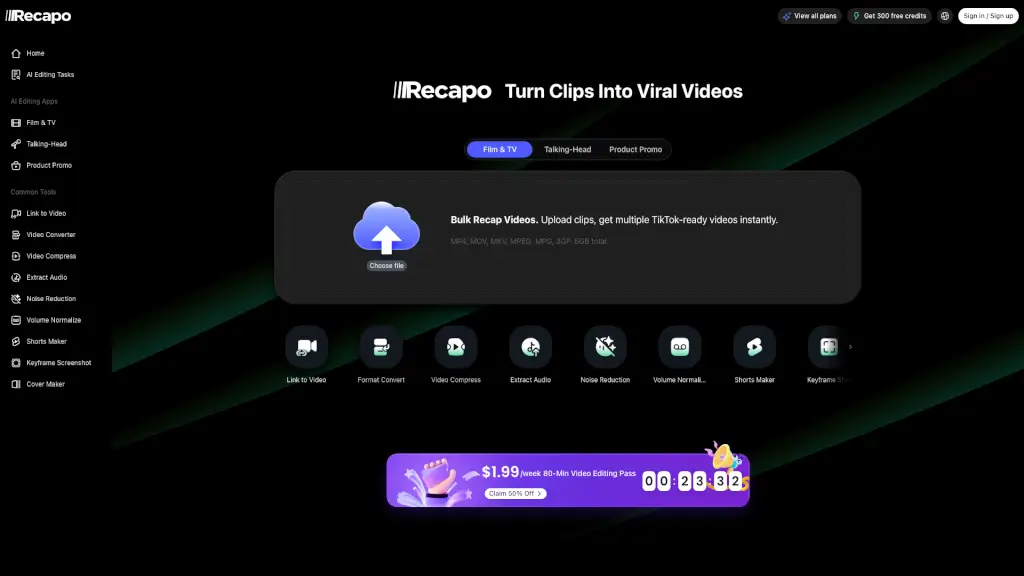
Recapo.ai is an all-in-one studio designed for video recap creators. It turns long footage into polished, TikTok-ready recap videos with minimal manual work. You can import videos from links or files, convert formats, generate subtitles, write recap scripts, add AI voiceovers, clip short vertical videos, and export everything in one workflow. It’s built to save creators hours of hunting for highlights and writing scripts from scratch.
What are the features of Recapo.ai?
- AI Recap Script GenerationUpload a long video and get a plot summary, scene breakdown, hooks, and twist endings automatically. Choose a direction and polish the script.
- Short-Video Clipping & FormattingAuto-detect highlight clips, quotes, and story turns, then crop them into 9:16 vertical videos for TikTok, Reels, and Shorts.
- AI Voiceover & Background MusicChoose from film narrator styles or suspense beds. The voiceover draft is generated from your recap script.
- Multi-Format Import & ExportSupports MP4, MOV, MKV, MPEG, MPG, 3GP, and links. Export in various resolutions and aspect ratios.
- Bulk ProcessingUpload multiple clips (up to 6GB total) and get multiple TikTok-ready videos at once.
- Subtitle & Caption ToolsGenerate auto captions, burn subtitles into video, add styled subtitles, and convert between SRT and VTT.
- All-in-One Workflow HubChains summary, subtitles, AI voiceover, cover maker, and export – ideal for batch content production.
What are the use cases of Recapo.ai?
- Movie Recap CreatorsCut a 3-hour film into a 3-minute suspense recap with a twist ending, complete with narrated voiceover and vertical format.
- Talking-Head EditsConvert interview or podcast recordings into quote clips with auto-detected captions, ready for RedNote, Channels, and Reels.
- Product Promo VideosTurn long product demos or livestream replays into short promotional clips with sales hooks and highlight extraction.
- Livestream ClippersAutomatically split replay footage into segments by topic or highlight, then export candidate shorts per platform ratio.
- Podcast & Interview DistributorsSurface the most shareable moments from long audio/video content and publish directly to YouTube Shorts.
- Faceless Channel CreatorsGenerate recap scripts, AI voiceovers, and cover art without ever showing your face – perfect for movie or documentary recaps.
How to use Recapo.ai?
- Upload VideoClick “Choose file” or paste a link. Supports MP4, MOV, MKV, and more – up to 6GB total.
- Configure SettingsSet output language (e.g., Chinese), duration (e.g., 3 min), number of clips (e.g., 4), genre (e.g., Movie/Suspense recap), and enable Pro 5x acceleration for faster processing.
- Edit RequirementsAdd editing instructions like “cut Interstellar footage into a 3-min recap with a suspense hook and twist ending.”
- Confirm Script & StoryboardReview AI-generated recap script and storyboard; rewrite or polish as needed.
- Export Final OutputView results in 9:16 or other ratios with subtitles, voiceover, and background music applied.