
What is Pulsetic?
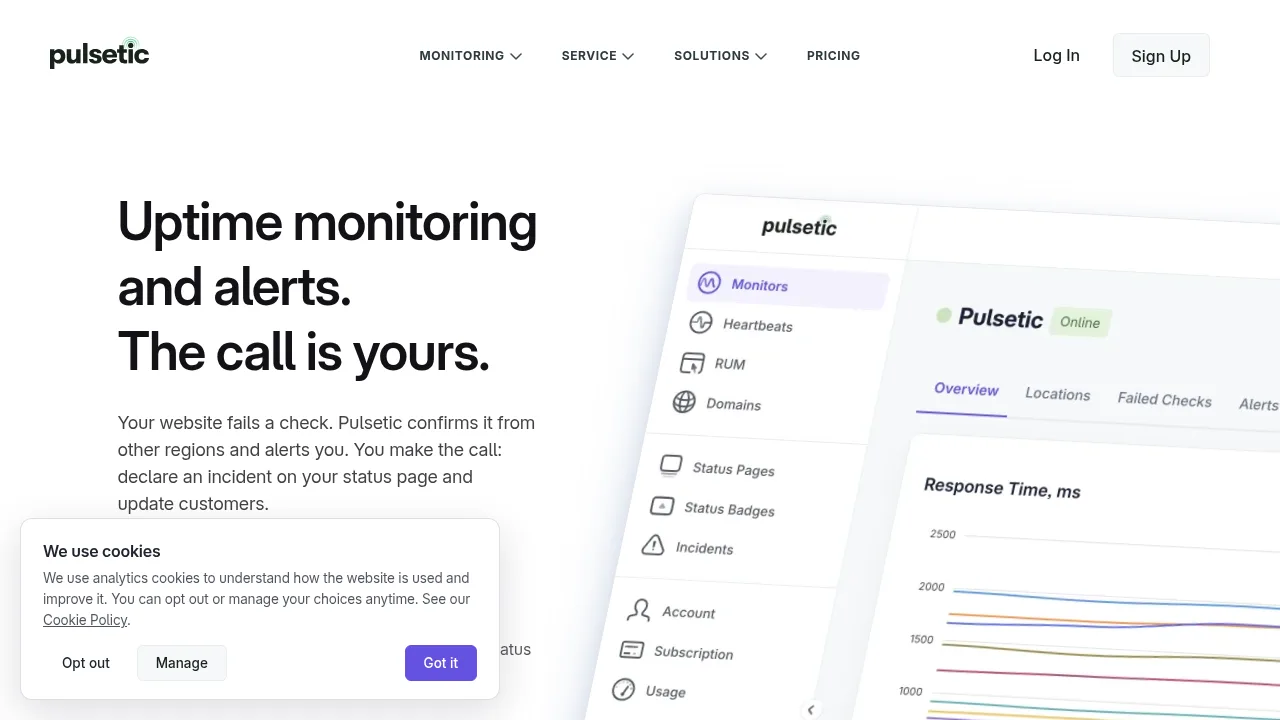
Pulsetic is a website uptime monitoring service that checks endpoints from up to 15 global regions and confirms failures before sending alerts. It provides status pages on custom domains, real user monitoring, and notifications via phone call, SMS, email, and chat tools. A free plan covers 10 monitors indefinitely without requiring server-side installation.
What are the features of Pulsetic?
- Multi-region failure confirmationChecks run from up to 15 data centers worldwide; a failed check is re-verified from other regions before any alert fires, reducing false positives from single-route issues.
- Real user monitoringAn asynchronous script measures LCP, CLS, INP, FCP, DNS, connection time, and total load time per page, while recording uncaught JavaScript exceptions with stack traces and failed fetch requests.
- AI-powered browser monitoringUsers describe a checkout or login flow in plain English, and an AI agent executes the steps in a real browser on a schedule.
- Custom-domain status pagesPublish branded incident pages on your own domain with password or SSO protection, supporting 50 languages for labels and status messages.
- Dependency trackingSends email notifications when third-party services like Stripe or GitHub open, update, or resolve incidents across 4,300+ tracked providers.
- Conversational assistantReads live account data to answer plain-language questions about downtime causes, create monitors, pause them during deployments, or open incidents after user confirmation.
What are the use cases of Pulsetic?
- Agency client reportingCreate unlimited status pages under one account so each client has a dedicated branded page, using the API to automate maintenance windows based on external events.
- E-commerce checkout reliabilityDescribe a purchase flow in plain English for scheduled AI browser testing to catch broken checkouts before customers encounter them.
- DevOps deployment trackingMark deploys or configuration changes as annotations on response-time charts to correlate performance shifts with specific releases.
How to use Pulsetic?
- Paste a URLEnter the web address to monitor in the dashboard.
- Choose alert destinationsSelect where notifications should be sent, such as email, SMS, phone call, or chat tools.
- Start checksMonitoring begins immediately without installing software or changing server configurations.
Pulsetic Pricing Information:
- Free planNo stated price; includes 10 monitors, 3 status pages on a custom domain, unlimited email alerts, and 1,000 real user monitoring page views per month, available indefinitely.
- Paid plansSpecific prices are not listed in the source; advanced settings like required response text and response timeframes are included on every paid plan.