
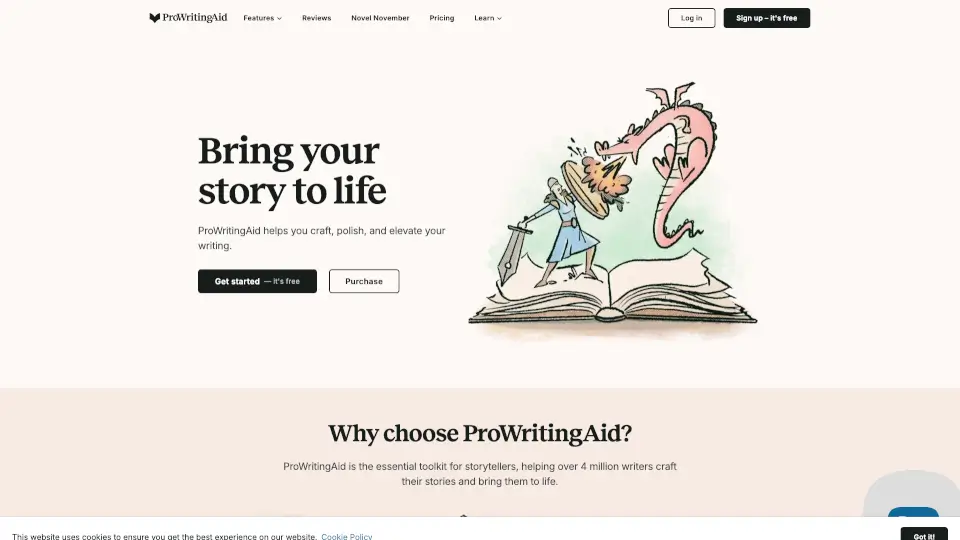
What is ProWritingAid?
ProWritingAid isn’t just another grammar checker—it’s your personal writing coach designed specifically for storytellers. Whether you're drafting your first novel or polishing your fiftieth, it goes beyond basic spellcheck to help you strengthen plot, deepen characters, and refine your prose with actionable feedback.
Used by over 4 million writers, including USA Today and New York Times bestselling authors, ProWritingAid combines style editing, manuscript analysis, and creative inspiration tools into one powerful platform. It works seamlessly in apps you already use—like Google Docs, Microsoft Word, and Scrivener—so you can write and improve without switching tabs.
What are the features of ProWritingAid?
- Grammar Checker: Catches grammar, spelling, and punctuation errors while explaining why they matter.
- Manuscript Analysis: Scans your entire story for pacing, dialogue balance, clichés, and structural issues.
- Character Analysis: Evaluates character development, consistency, and dialogue uniqueness.
- Chapter Critique: Gives instant, detailed feedback on individual chapters for quick improvements.
- Virtual Beta Reader: Simulates reader reactions to highlight confusing or dull sections.
- Sparks Writing Prompts: Beats writer’s block with AI-powered prompts tailored to your genre.
- Story Canvas: Visual tool to map plot arcs, themes, and character journeys.
- Marketability Analysis: Offers insights into how your book might perform based on genre trends.
What are the use cases of ProWritingAid?
- A novelist refining their debut manuscript before querying agents
- A student polishing a creative writing assignment with professional-level feedback
- A blogger enhancing narrative flow and engagement in long-form posts
- A nonfiction author ensuring clarity and readability in complex topics
- A screenwriter checking dialogue authenticity and pacing
- An indie author self-editing between drafts without hiring an expensive editor
- A hobbyist writer building confidence through guided, real-time suggestions
How to use ProWritingAid?
- Sign up for a free account at prowritingaid.com to access core features instantly.
- Install the browser extension or desktop app to use ProWritingAid in Google Docs, Word, or Scrivener.
- Paste or upload your document, then run specific reports like “Style,” “Pacing,” or “Dialogue.”
- Review color-coded suggestions and click “Explain” to understand each edit.
- Use Sparks when stuck—select a prompt type (character, setting, conflict) for fresh ideas.
- Save revised drafts securely—your work is protected with bank-level encryption and never used to train AI.