What is Newor Media?
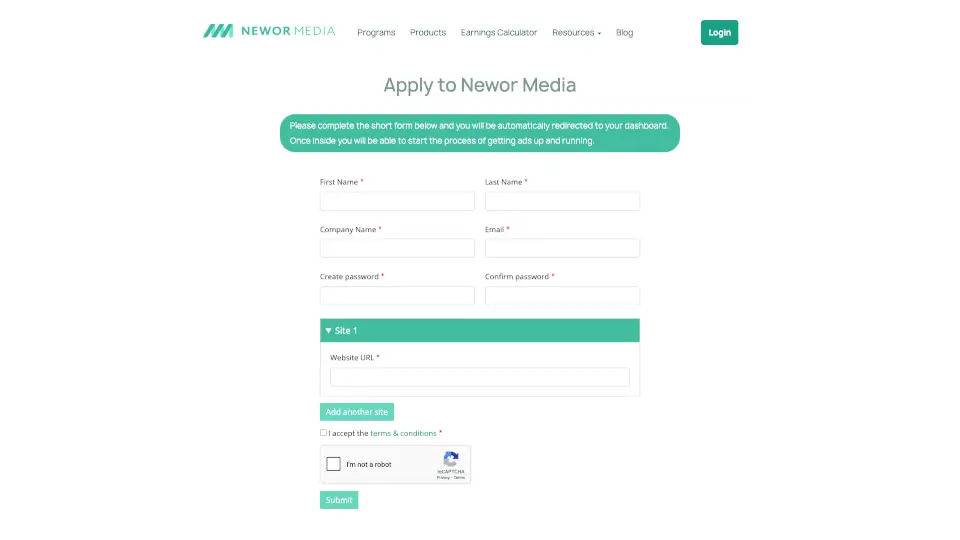
Newor Media is a straightforward ad management platform designed for publishers who want to monetize their websites with minimal hassle. Instead of dealing with complex setups or waiting for approvals, you can fill out a short application form and get redirected straight to your publisher dashboard. From there, the platform walks you through getting ads live on your site quickly. Whether you are a seasoned blogger or just starting out with affiliate marketing, Newor Media focuses on making the onboarding process simple and accessible for everyone.
What are the features of Newor Media?
- Simple Application Process: Just complete a short form to access your dashboard immediately. No unnecessary delays or lengthy paperwork.
- Centralized Publisher Dashboard: Manage your ad settings, track performance, and review earnings all from one place after you log in.
- Earnings Calculator: A built-in tool that helps you project potential revenue based on your site traffic and niche before you fully commit.
- Educational Resources: Access a library of blogs, case studies, eBooks, and an ad policy guide to help you optimize ad placement and understand best practices.
- Affiliate Program: An opportunity for publishers to earn additional income by referring other site owners to the platform.
What are the use cases of Newor Media?
- A blogger who wants to quickly enable ads on their site without dealing with a complex approval queue or technical setup.
- A medium-sized publisher evaluating ad networks and using the Earnings Calculator to compare potential revenue with other platforms.
- A new affiliate marketer looking for educational content, like case studies and the "Best Website Niche for Affiliate Marketing" guide, to improve ad strategy.
- A publisher with multiple sites who needs a single dashboard to manage ad campaigns and earnings across all properties.
How to use Newor Media?
- Step 1: Visit the Newor Media application page and fill out the short form with your basic site and contact information.
- Step 2: After submitting the form, you will be automatically redirected to your publisher dashboard.
- Step 3: Inside the dashboard, follow the platform's guided steps to configure ad placements and begin the process of getting ads running.
- Step 4: Use the Earnings Calculator under the "Programs" menu to estimate your revenue potential based on your traffic data.
- Step 5: Review the Resources section, including the Ad Policy blog and FAQs, to ensure you comply with best practices for monetization.