What is Miro?
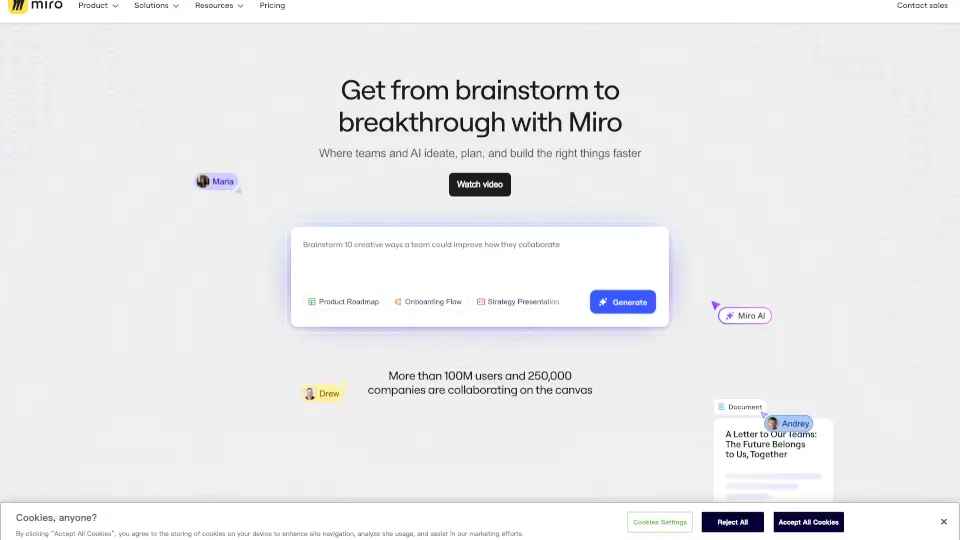
Miro’s AI Innovation Workspace is a visual collaboration platform that brings your whole team — plus their AI agents — into one infinite canvas. It’s designed to speed up product development from the first idea to launch, helping you break down tool silos, align cross-functional teams, and ship what customers actually need. Think of it as the missing collaboration layer for your AI tools: a place where people and AI think, plan, and build together.
What are the features of Miro?
- AI Workflows & PlaybooksAutomate repetitive planning steps and run proven playbooks so your team can move faster with less friction.
- Intelligent CanvasAn infinite, multiplayer canvas where you can brainstorm, map out ideas, and connect everything visually in real time.
- Smart FormatsQuickly turn loose ideas into structured docs, tables, slides, diagrams, and more — no manual reformatting needed.
- BlueprintsStandardize key processes (like sprint planning or customer journey mapping) to make them repeatable and efficient at scale.
- 250+ IntegrationsConnect with tools like Slack, Jira, Confluence, and NotebookLM so work flows seamlessly between your favorite apps.
- Enterprise-Grade SecurityISO 42001, SOC 2, GDPR compliant with features like Enterprise Guard and access controls — built for scale.
What are the use cases of Miro?
- Turning research into a shared directionPull outputs from Claude, NotebookLM, or any research tool into one canvas. Your team reviews findings together, surfaces what matters, and commits to a direction — then flows insights back to roadmaps, specs, or your next AI prompt.
- Product planning & roadmappingGet from messy brainstorming to clear roadmaps 50% faster. Teams at ASOS use Miro to align initiatives and ship customer-wanted features on time.
- Design workshops & prototypingRun collaborative design sprints, customer journey mapping, and wireframing sessions without switching tools.
- Agile engineering planningTranslate specs into technical plans and planning documents that everyone can see and edit in real time.
- Cross-team alignment for strategic initiativesUse Miro’s OKRs, portfolio views, and planning templates to keep product, engineering, and leadership on the same page.
How to use Miro?
- Start with a templateChoose from 6,000+ templates in Miroverse — for roadmaps, brainstorming, user story mapping, or research synthesis — to skip the blank-canvas paralysis.
- Add AI collaboratorsUse Miro’s AI to help generate ideas, summarize sticky notes, or suggest next steps. You can also pull in outputs from external AI tools like Claude or NotebookLM by pasting links or using connectors.
- Build your canvas visuallyDrag in content, create diagrams, attach files, and use sticky notes. Invite your team to collaborate in real time or async.
- Connect to your tool stackIntegrate with Jira, Slack, Confluence, and 250+ other apps so updates flow automatically between Miro and your existing workflows.
- Lock in processes with BlueprintsFor recurring activities (like sprint retro or design critique), save a Blueprint to keep the process consistent and scalable across teams.