
What is Lucidchart?
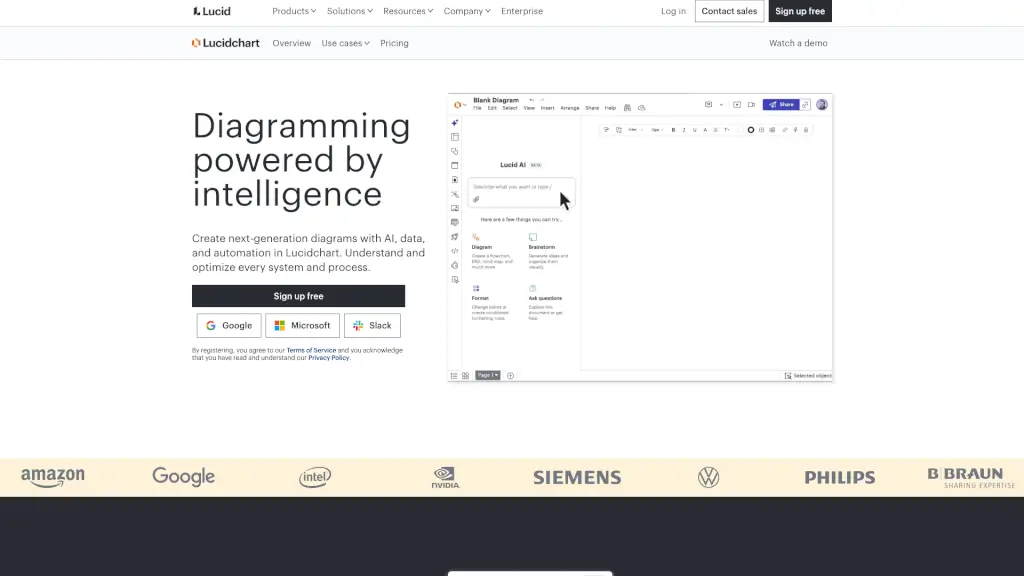
Lucidchart is an intelligent diagramming platform that helps teams visualize, understand, and improve their systems and processes. Instead of just dragging shapes onto a canvas, Lucidchart uses AI, real-time collaboration, and live data to turn complex ideas into clear, actionable visuals. Whether you're mapping workflows, designing software architecture, or planning org changes, Lucidchart makes it faster and smarter.
Built for everyone—from engineers to HR pros—Lucidchart replaces clunky tools like Visio with a modern, cloud-based experience. It connects directly to apps you already use (like Google Workspace, Microsoft Teams, Jira, and Slack), so your diagrams stay up to date and accessible to the whole team.
What are the features of Lucidchart?
- AI-Powered Diagramming: Generate flowcharts, org charts, and more from simple text prompts using Lucid AI.
- Real-Time Collaboration: Multiple people can edit, comment, and brainstorm on the same diagram simultaneously.
- Data Linking & Conditional Formatting: Connect diagrams to live data sources (like Google Sheets) to auto-update visuals based on changing info.
- Smart Integrations: Works seamlessly with 100+ tools including Jira, Confluence, Slack, Microsoft Teams, Notion, and AWS.
- Template Library: Jumpstart projects with hundreds of ready-made templates for BPMN, UML, ERD, roadmaps, and more.
- Diagram-as-Code Support: Use markup languages like UML or C4 to create technical diagrams faster.
- Cloud Infrastructure Libraries: Drag-and-drop AWS, Azure, and GCP shapes to map your cloud architecture accurately.
What are the use cases of Lucidchart?
- Mapping business processes to identify bottlenecks and standardize documentation
- Creating dynamic org charts that update automatically when team structures change
- Designing system architecture or network diagrams for IT and engineering teams
- Visualizing user journeys, product backlogs, or agile workflows for product and UX teams
- Replacing Microsoft Visio with a collaborative, cloud-native alternative
- Building interactive learning materials for education or onboarding
- Planning cloud migrations with accurate infrastructure diagrams
How to use Lucidchart?
- Sign up for a free account at lucidchart.com and log in with Google, Microsoft, or Slack.
- Choose a template or start from scratch—use the search bar to find relevant diagram types.
- Use Lucid AI by typing a prompt (e.g., “Create a customer onboarding flow”) to auto-generate diagrams.
- Import data from Google Sheets or CSV files to auto-populate org charts or process maps.
- Invite teammates to collaborate in real time using shareable links or app integrations.
- Embed or link your diagram directly into Confluence, Jira, Teams, or Notion for seamless visibility.