
What is Locofy.ai?
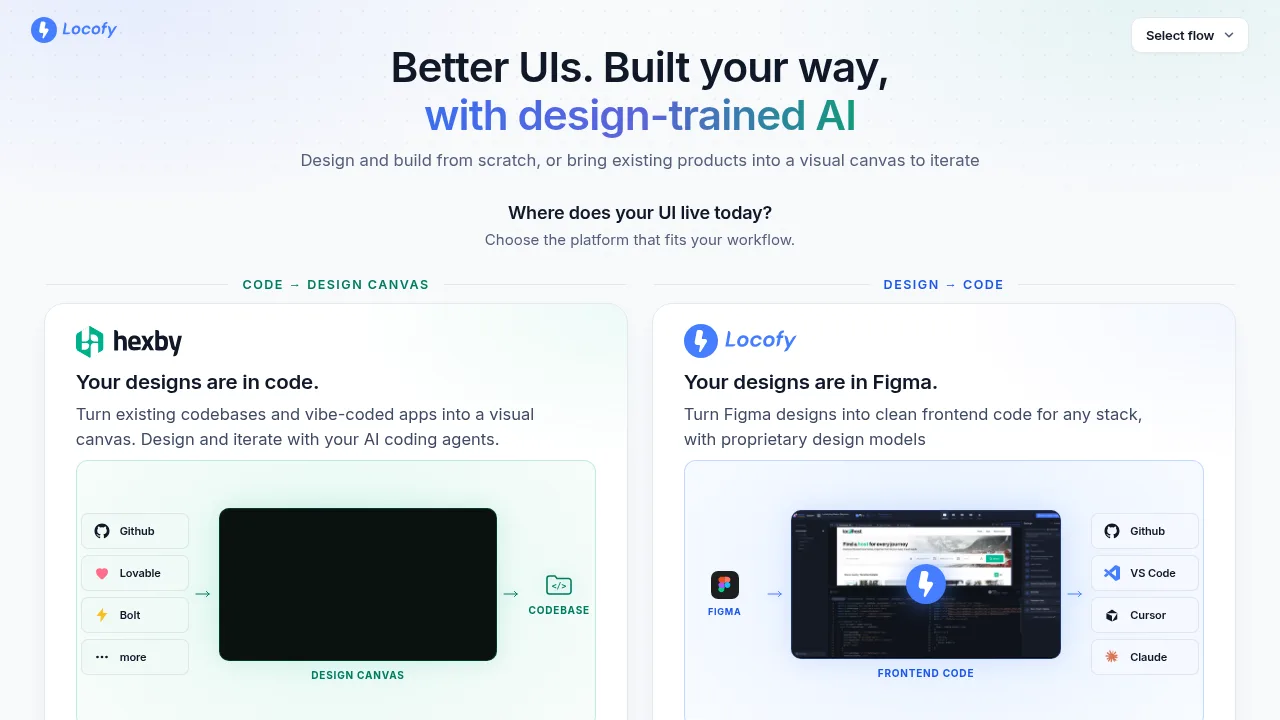
Locofy.ai converts designs from Figma, Penpot, or Adobe XD into frontend code for web and mobile frameworks. It uses proprietary Large Design Models to process layouts and integrates with AI code editors through an MCP server. Enterprise customers can deploy the platform on a dedicated private cloud or self-hosted infrastructure.
What are the features of Locofy.ai?
- Design-to-code conversionTransforms Figma, Penpot, or Adobe XD designs into React, Next.js, Vue, Angular, Gatsby, HTML/CSS, React Native, Flutter, SwiftUI, or Jetpack Compose code.
- Large Design Models (LDM)Proprietary multi-modal and heuristic models trained on millions of designs to interpret structure, constraints, and design systems.
- MCP integrationConnects generated frontend code to AI coding agents such as Cursor, GitHub Copilot, Windsurf, Claude Desktop, and Gemini CLI.
- Codebase importTurns existing codebases or apps built with tools like Lovable and Bolt into a visual canvas for iteration.
- Component reuseImports custom components and design systems via CLI and GitHub, supporting libraries like Material UI, Bootstrap, Ant Design, and Chakra.
- Export optionsDelivers output through a VS Code extension, direct GitHub push, or plain zip download.
What are the use cases of Locofy.ai?
- Building on existing design systemsTeams import their own components from CLI or GitHub so generated code reuses established UI libraries instead of producing fresh markup.
- Extending UI with AI agentsDevelopers generate baseline frontend code first, then use the MCP connection to let AI assistants add business logic in Cursor or Copilot.
- Launching cross-platform productsOrganizations convert a single design file into both web frameworks and mobile outputs like React Native or Flutter.
How to use Locofy.ai?
- Select source platformChoose where the UI currently lives, such as Figma, an existing codebase, or tools like Lovable and Bolt.
- Tag interactive elementsUse the Figma, Penpot, or Adobe XD plugin to handle styling, layout, responsiveness, and interactive tagging.
- Generate frontend codeRun the conversion using the plugin, Agent Mode, or CLI to produce framework-specific output.
- Extend with AI agentsConnect the code to AI editors like Cursor or GitHub Copilot through the MCP integration to add logic.
- Export to workflowDownload the code as a zip, pull it into VS Code using the extension, or push directly to a GitHub repository.
Locofy.ai Pricing Information:
- EnterpriseOffers SaaS shared cloud, dedicated private cloud, or self-hosted/on-premise deployment with SAML SSO authentication; specific pricing is not stated.
(Not available)