What is Kami?
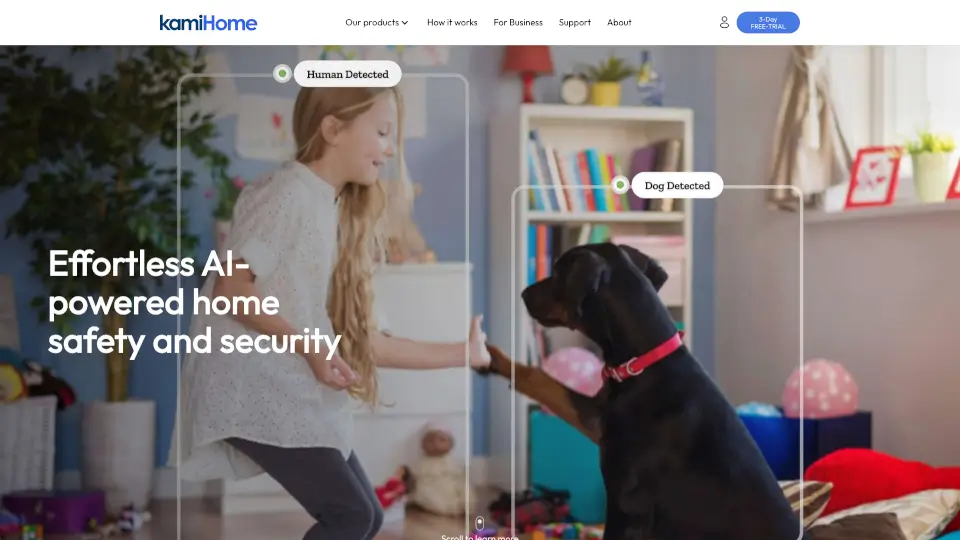
Kami Fall Detect is a smart safety solution that uses AI-powered cameras to automatically detect when someone falls. Once a fall is spotted, the system sends instant alerts to designated contacts and can trigger a response, helping seniors, people with mobility issues, or anyone at risk get help fast. It's built on Kami Vision's advanced edge-AI technology, so detection happens locally on the camera for privacy and speed — no cloud processing needed for the initial alert.
What are the features of Kami?
- Real-time Fall Detection: Uses edge-based AI to identify falls in under 50 milliseconds, even in low light or when the person is partially out of frame.
- Instant Notifications: Sends alerts via the Kami app, push notification, or SMS to family members, caregivers, or a monitoring service.
- Local Privacy Processing: All fall detection analysis happens on the device itself — no video is uploaded to the cloud unless you choose to save clips, keeping sensitive moments private.
- Works Offline: Core AI fall detection continues to run even if your internet goes down, ensuring protection when you need it most.
- Multimodal Cloud Retrieval (Optional): With a Kami Cloud subscription, you can use natural language to search recorded footage (e.g., "show me when Mom fell last Tuesday") thanks to integrated vision-language models.
- 24/7 Monitoring Add-on: For an extra layer of safety, you can pair Fall Detect with Kami Pro's professional security monitoring service.
What are the use cases of Kami?
- Elderly parents living alone: Get immediate alerts if your mom or dad takes a spill, even when you're not home.
- Independent seniors in assisted living: Let residents maintain privacy while ensuring staff are notified of falls without needing wearable devices.
- Rehabilitation or post-surgery patients: Monitor recovery at home without intrusive cameras — the system detects falls automatically and alerts family.
- Daycare or senior centers: Keep watch over multiple rooms with edge-based detection that doesn't rely on constant internet bandwidth.
- Remote vacation homes for aging relatives: Stay connected and worry less when your loved one is far away.
How to use Kami?
- Step 1: Purchase a compatible Kami, Yi, or Yunyi IP camera (with KamiOS edge operating system) and set it up in the room where falls are most likely (bedroom, bathroom, hallway).
- Step 2: Download the Kami app, create an account, and add the camera to your account.
- Step 3: Subscribe to Kami Fall Detect through the app or Kami Cloud subscription page — choose a plan (Flash, Standard, or Pro) based on your storage and alert needs.
- Step 4: In the camera settings, enable "Fall Detection" and set your emergency contacts (family, neighbor, or monitoring service).
- Step 5: Adjust detection zone and sensitivity if needed, then test the system by simulating a fall (or use the built-in test mode) to confirm alerts arrive correctly.