
What is Jobsolv?
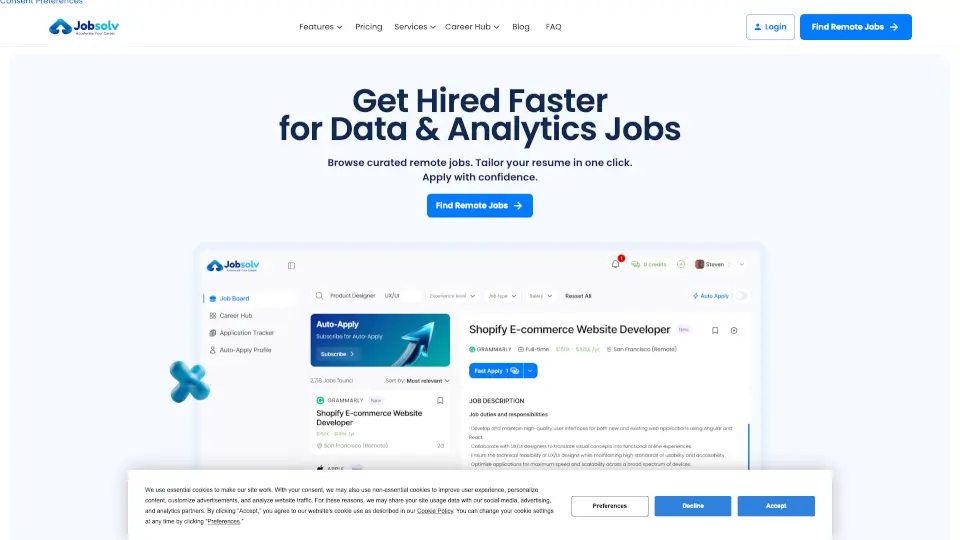
JobSolv is an AI-powered job search platform designed to simplify the process of finding the right job. It uses intelligent algorithms to match your skills and experience with relevant openings, helps you optimize your resume for applicant tracking systems (ATS), and can even automate applications to save you time. Whether you're a fresh graduate or a seasoned professional, JobSolv aims to reduce the stress of job hunting and get you in front of hiring managers faster.
What are the features of Jobsolv?
- AI Resume Matching: Automatically analyzes your resume against job descriptions to show your fit score and suggest improvements.
- One-Click Apply: Submit applications to multiple jobs that match your profile with a single click, without re-entering data.
- Smart Job Alerts: Get real-time notifications for new postings that align with your career goals and location preferences.
- Cover Letter Generator: Creates personalized cover letters tailored to each job listing using your experience and keywords.
- Interview Prep Tools: Provides practice questions and tips based on the specific roles you're targeting.
- Salary Insights: Shows average pay ranges for similar positions in your area to help you negotiate confidently.
What are the use cases of Jobsolv?
- A recent college graduate uploading their first resume and instantly finding entry-level roles that match their major.
- An experienced manager looking to switch industries – using JobSolv to highlight transferable skills and auto-apply to new opportunities.
- A busy professional who wants to passively search for better jobs while working full-time, relying on smart alerts and automated applications.
- A freelancer seeking contract work – using the platform to filter for remote, project-based gigs with flexible hours.
How to use Jobsolv?
- Step 1: Sign up at jobsolv.com using your email or LinkedIn account.
- Step 2: Upload your resume or paste your LinkedIn profile – the AI will parse your experience and skills.
- Step 3: Set your job preferences (role, location, salary range) and turn on smart alerts.
- Step 4: Browse matched jobs, view fit scores, and click “Apply” for any opportunity that interests you.
- Step 5: Use the resume optimization tool to tweak your resume for higher match rates before applying.