
What is Hemingway Editor?
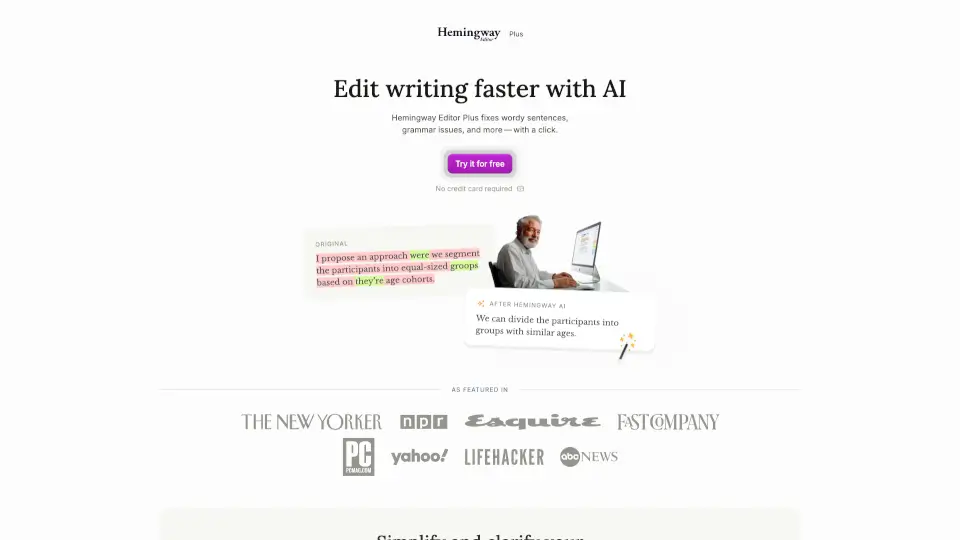
Hemingway Editor Plus is an AI-powered writing assistant designed to help you write clearly, confidently, and quickly. Whether you're drafting an email, polishing a blog post, or editing a report, it spots confusing sentences, weak phrasing, and grammar mistakes—then offers smart, one-click fixes. Built by writers for writers, it’s trusted by over 15 million users and 400+ teams who want their message understood by real people, not just experts.
Unlike basic grammar checkers, Hemingway Editor Plus focuses on readability—making sure your writing matches how most adults actually read (around an 8th-grade level). It doesn’t just correct errors; it rewrites clunky sentences, replaces jargon with plain language, and helps you cut clutter so your ideas shine through.
What are the features of Hemingway Editor?
- AI-Powered Rewrites: Instantly simplifies complex, passive, or wordy sentences with clear, natural alternatives.
- Readability Scoring: Shows your text’s grade level and highlights issues like long sentences or adverbs that hurt clarity.
- Grammar & Spelling Fixes: Catches tricky errors like tense shifts, misspellings (“work a lone” → “work alone”), and awkward phrasing.
- Tone Adjustment: Lets you shift between casual, professional, or polished styles while keeping your core message intact.
- Passive Voice Detection: Flags and rewrites passive constructions to make your writing more direct and engaging.
- Privacy-First AI: Your data is never sold or used to train AI models—editing stays secure and private.
- Team Collaboration Tools: Role-based admin controls, shared billing, and priority support for group workflows.
What are the use cases of Hemingway Editor?
- A student cleaning up a research paper to remove academic jargon and improve flow.
- A marketer simplifying product descriptions so customers instantly understand key benefits.
- A manager rewriting team emails to be clearer, shorter, and more actionable.
- A non-native English speaker checking tone and grammar before sending client proposals.
- A blogger boosting readability to keep online readers engaged longer.
- A nonprofit crafting donation appeals that resonate with a broad audience.
How to use Hemingway Editor?
- Paste or type your draft into Hemingway Editor Plus—no formatting lost.
- Review highlighted issues: yellow = complex sentence, red = very hard to read, purple = passive voice, etc.
- Click suggested rewrites to accept AI improvements or tweak them manually.
- Use the tone slider to adjust formality without changing your core message.
- Check your readability grade in real time and aim for Grade 8 or lower for maximum reach.
- Export your polished text directly to your document or CMS when done.