
What is Voilà?
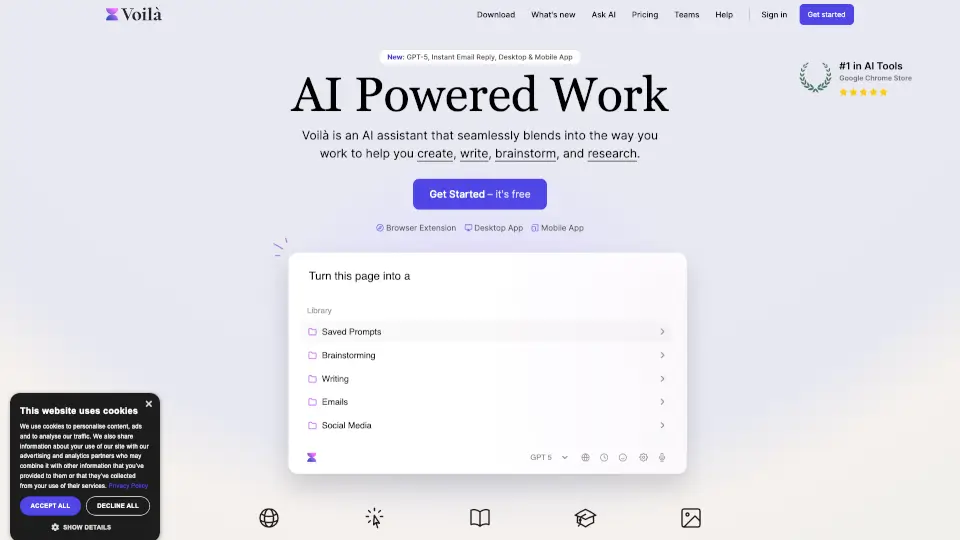
Voilà AI Assistant is your all-in-one productivity sidekick that works right where you do—whether you're browsing the web, writing emails, or analyzing documents. Designed to blend seamlessly into your daily workflow, Voilà helps you create, write, brainstorm, research, and automate tasks without switching between apps or tabs.
Unlike generic AI chatbots, Voilà understands the context of whatever you’re working on—be it a webpage, PDF, email thread, or even an image—and gives you smart, instant help. From drafting professional content to summarizing YouTube videos, it’s built for real-world use by students, creators, marketers, and teams who want to work faster and smarter.
What are the features of Voilà?
- Works Anywhere: Use Voilà directly on any website, document, or app via browser extension, desktop app (Mac/Windows), or mobile (iOS/Android).
- Instant Email Reply: Get AI-drafted responses to emails in seconds—review, edit, and send with one click.
- Chat with Content: Upload or link to websites, PDFs, spreadsheets, or images and ask questions or request summaries, translations, or rewrites.
- Expert Prompt Library: Access pre-built, battle-tested prompts for resumes, blog posts, ad copy, LinkedIn content, and more.
- GPT-5.5 Powered: Leverage advanced AI for more accurate, nuanced, and creative outputs.
- Image Generation & Analysis: Create visuals from text or upload images for instant analysis and discussion.
- YouTube Transcript Tools: Summarize, transcribe, or repurpose video content effortlessly.
- Team Collaboration: Share prompts, templates, and workflows with your team for consistent, efficient output.
What are the use cases of Voilà?
- Drafting a compelling landing page copy that converts visitors into leads
- Turning a dense Wikipedia article into a quiz for classroom use
- Generating personalized recruiting emails that reflect your company culture
- Summarizing a product page into a blog post for content marketing
- Creating SEO-optimized blog content tailored to your niche and keywords
- Writing professional cover letters and resumes that stand out
- Analyzing a spreadsheet of customer feedback to extract key insights
- Replying to a full inbox with AI-powered email drafts in minutes
How to use Voilà?
- Install the Voilà browser extension (Chrome, Firefox, Edge) or download the desktop/mobile app
- Highlight text on any webpage or open a document, then click the Voilà icon to ask questions or rewrite content
- Use the Prompt Library to jumpstart projects like social media posts, essays, or ad campaigns
- Enable Instant Email Reply in your email client to get AI-suggested responses automatically
- Save your favorite prompts to your personal library for quick reuse later
- Upload images or PDFs directly into the chat to extract insights or generate summaries