
What is Flot AI?
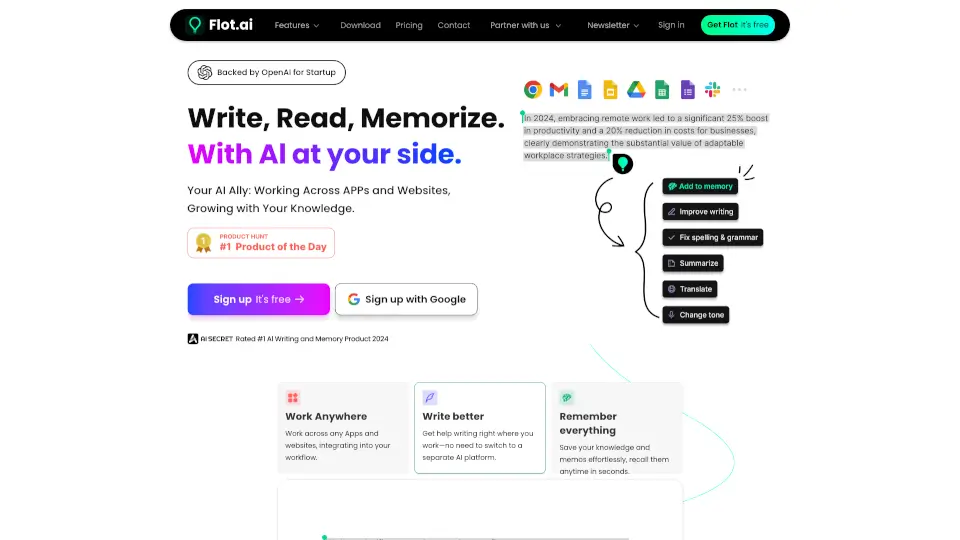
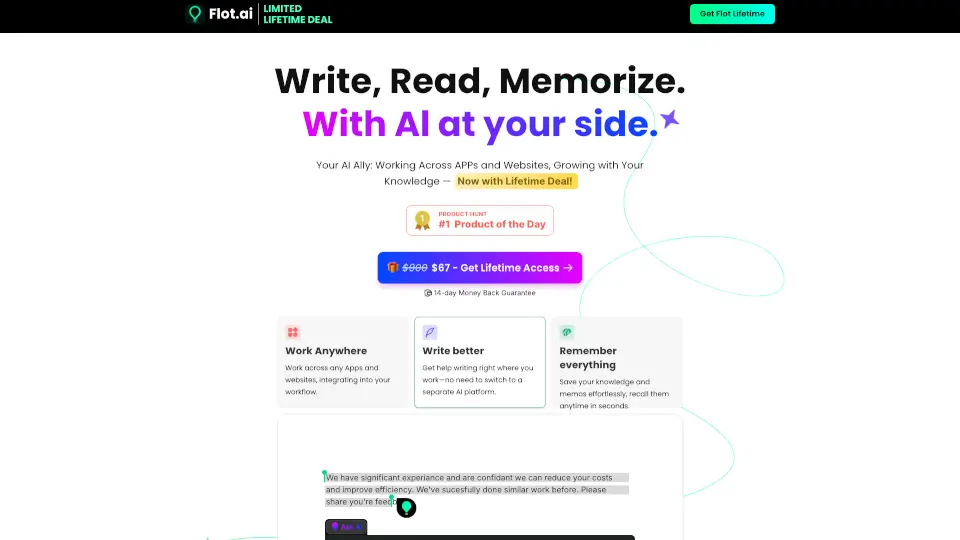
Tired of juggling between apps just to get AI help while writing, reading, or saving important info? Meet Flot.AI—your all-in-one AI sidekick that works right where you already are: Gmail, Google Docs, Slack, Notion, and even your browser. No more copying text into a separate chat window. Flot blends seamlessly into your daily workflow so you can write better, remember everything, and stay focused—all without switching tabs.
With the Flot.AI Lifetime Deal, you get permanent access for just $67 (normally $900). That’s one payment for forever—plus a 14-day money-back guarantee. Whether you're drafting emails, summarizing research, or saving meeting notes, Flot uses powerful AI like GPT-4 and Microsoft Azure to help you work smarter across any app or website.
What are the features of Flot AI?
- Works Everywhere: Use Flot in any desktop app or website—from Gmail and Excel to Slack, Notion, WordPress, and even coding tools like VS Code.
- AI Memory System: Save memos, snippets, reports, or meeting notes with one click. Flot organizes them automatically and lets you recall anything instantly.
- Smart Writing Assistant: Get real-time help with grammar, tone, translation, email replies, outlines, and rewriting—right where you type.
- 1,000+ One-Click Prompts: Skip the guesswork with expert-crafted templates for common tasks like summarizing, simplifying, or sounding more professional.
- Desktop App Included: Access Flot directly on Windows and Mac with a dedicated app powered by ultrafast, secure enterprise-grade AI.
- 250 Monthly Credits + 1,200 Memory Units: Plenty of room to write, save, and recall without worrying about limits.
- Multi-Language Support: Write and translate in over 200 languages, including Spanish, Japanese, German, and more.
What are the use cases of Flot AI?
- Job seekers quickly draft polished cover letters or tailor resumes using tone-adjustment prompts.
- Students highlight textbook passages and save key concepts to their AI memory for instant review before exams.
- Remote teams capture meeting minutes from Zoom or Teams with one click and retrieve decisions later by asking Flot.
- Freelancers respond to client emails faster using context-aware reply suggestions—no more staring at a blank compose window.
- Content creators generate blog outlines, simplify complex drafts, or translate posts for global audiences without leaving their CMS.
- Researchers save article snippets, data points, or quotes across websites and pull them together later with AI-powered search.
How to use Flot AI?
- Install the Flot desktop app (Mac/Windows) and log in once—then it works everywhere.
- Highlight any text on a webpage or document, right-click, and choose “Ask Flot” for instant AI help.
- Press your custom keyboard shortcut (like Cmd+Shift+F) to summon Flot anywhere and start typing a memo or query.
- Click the Flot icon in your toolbar to save highlighted content to your AI memory—no folders or tags needed.
- Use one of the 1,000+ prompt templates to rewrite, summarize, or translate with a single click.
- Ask Flot to “find my notes about Q3 budget” or “show me that email draft from last week”—it remembers everything you’ve saved.