
What is grok imagine video 1.5?
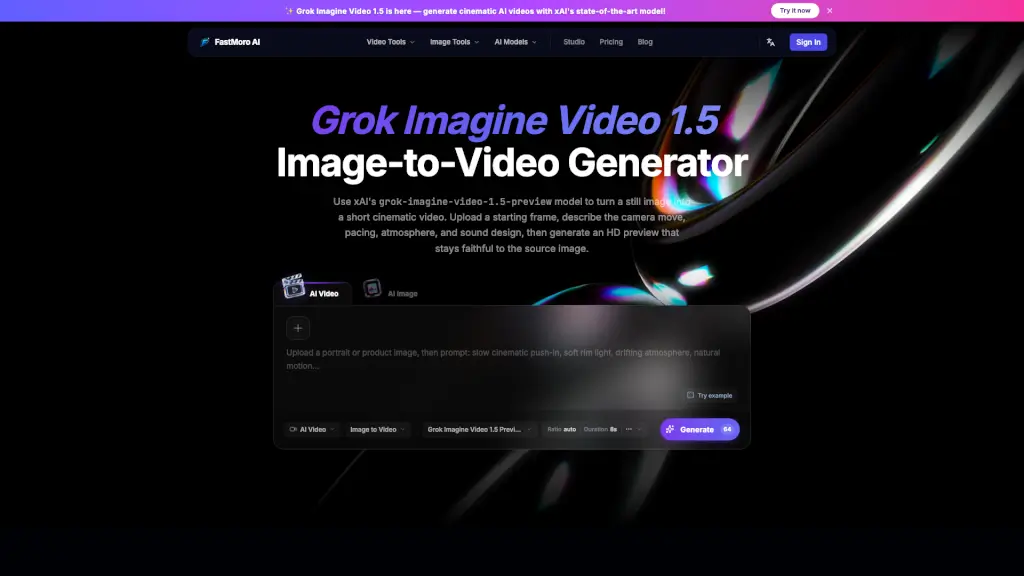
Grok Imagine Video 1.5 by FastMoro AI is an image-to-video generator that turns your static images into dynamic, 720p HD video clips—all in your browser. Just upload a photo, describe how you want it to move with a simple motion prompt, and let the AI do the rest. It’s designed for creators who want to add life to still visuals without needing complex editing software or technical skills.
Whether you're making social media content, concept art previews, or just experimenting with AI creativity, Grok Imagine Video 1.5 offers a fast, intuitive way to generate short animated clips. The tool leverages advanced diffusion models to interpret both your image and motion instructions, producing smooth, coherent results in seconds.
What are the features of grok imagine video 1.5?
- Image-to-Video Generation: Transform any uploaded image into a short HD video using AI.
- Motion Prompting: Guide animation style and movement with natural language prompts (e.g., “gentle breeze blowing through trees”).
- 720p HD Output: Creates crisp, high-definition video clips ready for sharing online.
- Browser-Based Processing: Runs directly in your web browser—no downloads or installations required.
- Fast Rendering: Generates videos quickly, ideal for rapid prototyping or content creation on tight deadlines.
- Free Online Access: Available at no cost through FastMoro AI’s web platform.
What are the use cases of grok imagine video 1.5?
- Social media creators animating profile pictures or artwork for Instagram Reels or TikTok
- Concept artists previewing how a character or scene might move in a game or film
- Marketers bringing product mockups to life with subtle motion effects
- Educators creating engaging visual aids from diagrams or illustrations
- Hobbyists experimenting with AI-generated art and animation
- Designers testing motion ideas before investing in full animation production
How to use grok imagine video 1.5?
- Go to https://fastmoroai.com/video-model/grok-imagine-video
- Upload a clear, high-quality starting image (JPG or PNG recommended)
- Enter a descriptive motion prompt that explains how elements in the image should move
- Click “Generate” and wait a few moments for processing
- Download or share your resulting 720p HD video clip
- If you see a client-side error, try refreshing the page, clearing cache, or using Chrome/Firefox for best compatibility