
What is Dynobase?
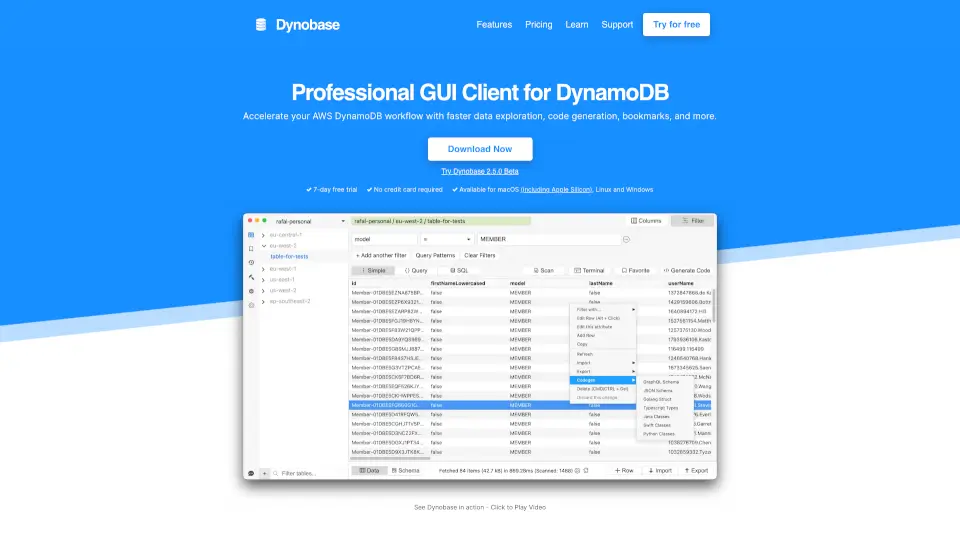
Dynobase is a professional GUI client designed to supercharge your AWS DynamoDB workflow. Whether you're a developer, data engineer, or AWS enthusiast, Dynobase offers a sleek, intuitive interface that makes working with DynamoDB faster and more efficient. Available for Mac, Windows, and Linux, it’s the ultimate tool for managing your DynamoDB tables with ease.
What are the features of Dynobase?
- Visual Query Builder: Create queries and scans effortlessly, with support for SQL-like syntax.
- Code Generation: Automatically generate production-ready code snippets in JS/TS, Rust, Golang, and Python.
- Data Import/Export: Easily import and export data in CSV or JSON formats, with type conversion included.
- Offline Support: Works seamlessly with DynamoDB Local and LocalStack.
- Multi-Factor Authentication: Enhanced security with support for AWS SSO and aws-vault.
- Dark Mode: Reduce eye strain with a sleek, dark-themed interface.
What are the use cases of Dynobase?
- Data Exploration: Quickly explore and analyze DynamoDB tables without the hassle of the AWS Console.
- Code Snippet Generation: Generate ready-to-use code snippets for your projects with just a few clicks.
- Data Migration: Migrate data to DynamoDB effortlessly, eliminating the need for complex scripts.
- Query Optimization: Automatically use Queries instead of Scans where possible, improving performance.
How to use Dynobase?
- Download and Install: Get Dynobase from the official website and install it on your preferred platform.
- Connect to DynamoDB: Use your AWS credentials to connect to your DynamoDB tables.
- Explore and Edit Data: Use the intuitive interface to explore, edit, and manage your data.
- Generate Code: Use the built-in code generator to create snippets for your projects.
- Import/Export Data: Easily move data in and out of DynamoDB using CSV or JSON formats.