
What is Supreme AI Writer?
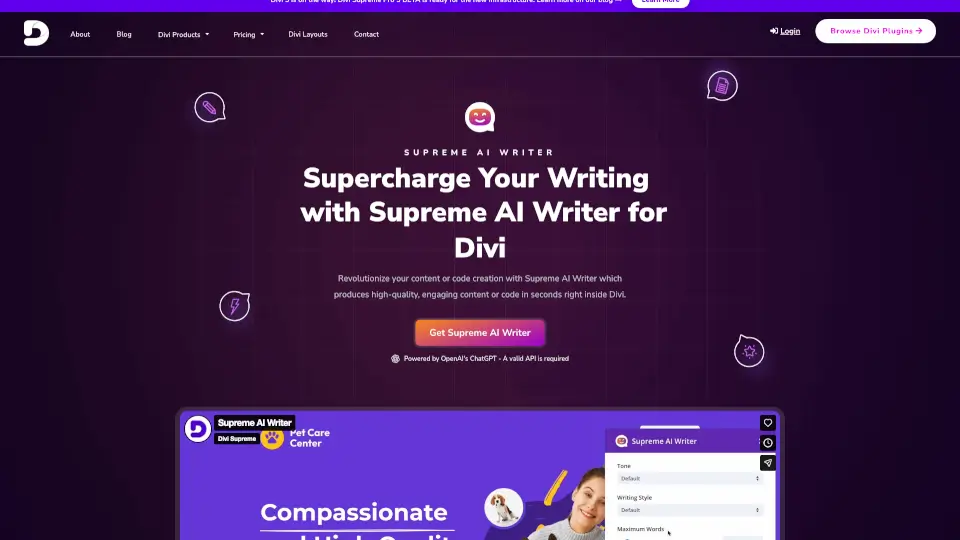
Tired of staring at a blank screen while building your Divi website? Supreme AI Writer for Divi changes everything. This powerful plugin brings AI-powered writing and coding right into the Divi Builder—no switching tabs, no extra tools. Whether you're crafting blog posts, product descriptions, or even custom code snippets, Supreme AI Writer generates high-quality, engaging content in seconds using top AI models like OpenAI’s ChatGPT, Google’s Gemini, and Anthropic’s Claude.
Designed specifically for Divi users, it works seamlessly with Divi 4 and Divi 5, plus most third-party modules. You stay inside your familiar visual editor while AI does the heavy lifting—saving you hours, cutting costs, and boosting creativity without sacrificing control.
What are the features of Supreme AI Writer?
- AI-Powered Content Generation: Create compelling copy or functional code instantly using OpenAI, Gemini, or Claude—right inside any Divi content field.
- 20+ Tones & 19+ Writing Styles: Match your brand voice with options like “professional,” “friendly,” “urgent,” or “inspirational.”
- Temperature Control: Adjust AI creativity—from precise and factual to imaginative and bold—with a simple slider.
- Regenerate Anytime: Not happy with the output? Click “Regenerate” for fresh, unique results as many times as you need.
- Works in Any Content Field: Compatible with all native Divi modules, Divi Supreme modules, and many third-party modules (like Divi Booster’s Password Box).
- Edit & Improve Existing Text: Highlight any text and use AI to rewrite it for clarity, grammar, tone, or SEO—without losing your original intent.
- Zero Frontend Bloat: No extra scripts load on your live site, so your page speed stays lightning-fast.
What are the use cases of Supreme AI Writer?
- A freelancer quickly drafts client homepage copy without hiring a writer.
- An e-commerce store owner generates unique product descriptions in minutes instead of hours.
- A developer creates custom JavaScript or CSS effects (like a typing animation) without manual coding.
- An SEO specialist rewrites meta descriptions and blog intros to boost click-through rates.
- A blogger overcomes writer’s block by generating article outlines or full drafts based on a short prompt.
- A web designer builds client sites faster by auto-generating placeholder content that’s already on-brand.
How to use Supreme AI Writer?
- Install the Supreme AI Writer plugin and activate it on your Divi site.
- Add your valid API key from OpenAI, Gemini, or Claude in the plugin settings.
- Open any module with a content field (Text, Blurb, Code, etc.) in the Divi Builder.
- Click the Supreme AI button that appears in the settings panel.
- Choose your preferred tone, style, and creativity level, then enter a brief prompt.
- Click Generate—and refine with “Regenerate” until you’re satisfied.