
What is Datature?
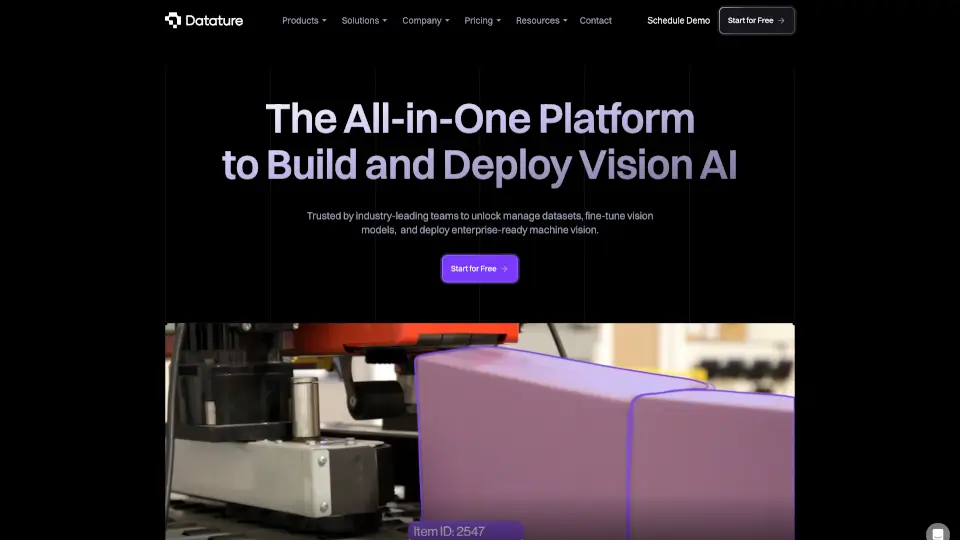
Datature is an end-to-end computer vision AI platform built for both enterprises and developers who want to build, train, and deploy vision models—fast. Instead of juggling multiple tools for labeling data, training models, and getting them into production, Datature brings everything together in one intuitive workspace. Whether you're detecting defects on a factory floor or segmenting medical scans, the platform cuts through complexity so you can focus on solving real-world problems.
What makes Datature stand out is how it accelerates the entire vision AI pipeline—from raw images to deployed model—without requiring deep coding expertise. With AI-assisted labeling, no-code training workflows, and flexible deployment options (cloud or edge), teams ship production-ready computer vision solutions in a fraction of the usual time.
What are the features of Datature?
- AI-Assisted Data Labeling: Reduce manual annotation time by up to 10x with smart tools like auto-segmentation, SAM-assisted labeling, and multi-annotator consensus for pixel-perfect datasets.
- No-Code Model Training: Train, evaluate, and fine-tune vision models using a drag-and-drop interface—no coding needed. Easily adjust hyperparameters like batch size, epochs, and model architecture.
- Multi-Task Vision Support: Build models for classification, object detection, keypoint estimation, and pixel-level segmentation—all within the same platform.
- One-Click Deployment: Go from trained model to live API in minutes, with support for cloud, edge devices (like Raspberry Pi), and secure enterprise environments.
- Collaborative Workflows: Built-in review, approval, and version control tools help teams maintain data quality and consistency across large-scale annotation projects.
- DICOM & Medical Imaging Ready: Specialized support for medical image formats like DICOM, including MPR viewing and 3D segmentation—critical for healthcare AI applications.
What are the use cases of Datature?
- Medical diagnostics: Annotate and segment DICOM scans to detect tumors, fractures, or organ boundaries with high accuracy.
- Retail inventory management: Automatically count stock, detect out-of-shelf items, or verify product placement using shelf-scanning cameras.
- Smart city traffic monitoring: Track vehicle flow, detect illegal parking, or monitor pedestrian crossings in real time.
- Agricultural yield analysis: Use drone imagery to assess crop health, estimate harvest volume, or detect pest infestations.
- Manufacturing quality control: Identify surface defects, misaligned parts, or assembly errors on production lines.
- Utility infrastructure inspection: Analyze aerial or ground-level images to spot cracks in pipelines, corrosion on towers, or vegetation encroachment.
How to use Datature?
- Start by uploading your image or video dataset—Datature supports common formats plus specialized ones like DICOM.
- Use AI-assisted labeling tools (e.g., bounding boxes, polygons, or segmentation masks) to annotate your data quickly and accurately.
- Launch a no-code training job by selecting your model type, adjusting parameters via drag-and-drop, and hitting “Train.”
- Evaluate model performance visually against ground truth labels to spot weaknesses before deployment.
- Deploy your model as a production-ready API—choose cloud hosting or edge deployment based on latency and privacy needs.
- Monitor model performance in real-world use and retrain with new data as needed, all within the same platform.