
What is Conductor?
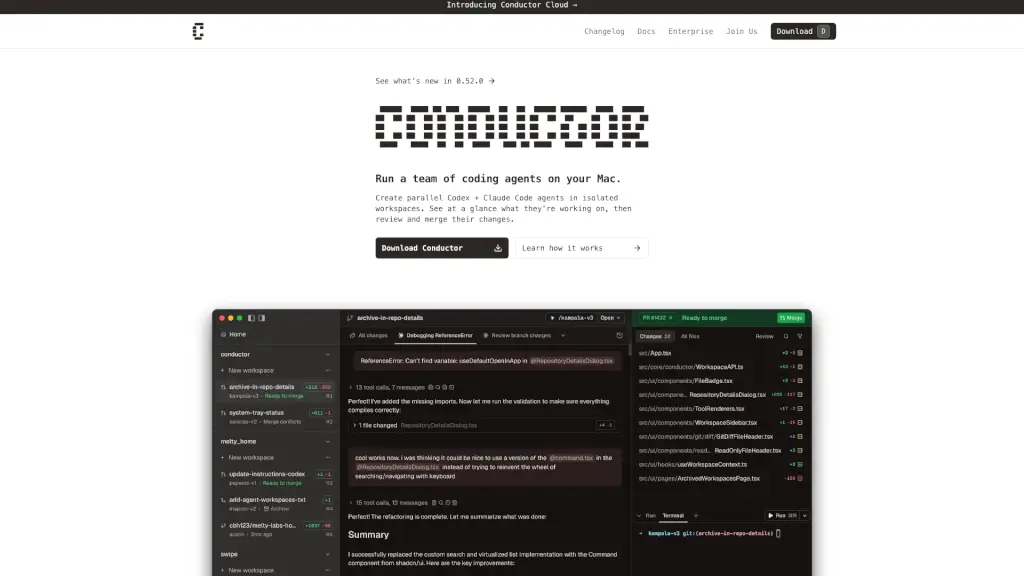
Conductor is a powerful Mac app that lets you run multiple AI coding agents—like Claude Code and Codex—at the same time, each in its own isolated workspace. Instead of juggling tabs or contexts alone, you get a whole team of AI collaborators working in parallel on your codebase, all while staying local on your machine.
It’s built for developers who want to supercharge their workflow without sacrificing control. Conductor handles the messy parts—like Git worktrees and environment isolation—so you can focus on reviewing, merging, and shipping great code faster than ever.
What are the features of Conductor?
- Parallel AI Agents: Run multiple Claude Code and Codex agents simultaneously, each in its own sandboxed workspace.
- Isolated Workspaces: Every agent gets a dedicated Git worktree, so changes never interfere with your main branch or each other.
- Real-Time Overview: See at a glance what each agent is working on, which tasks need review, and where progress is being made.
- Local-First Workflow: Your code stays on your Mac—Conductor clones your repo locally and works entirely offline unless calling AI APIs.
- Seamless Git Integration: Automatically manages Git worktrees so you don’t have to worry about branching conflicts or manual setup.
- Unified Review & Merge: Easily compare, accept, or reject changes from any agent before merging into your main codebase.
What are the use cases of Conductor?
- Rapidly prototype multiple features at once by assigning each to a separate AI agent.
- Compare different implementation approaches (e.g., React vs. Svelte) using isolated workspaces.
- Debug complex issues by having one agent reproduce bugs while another builds fixes.
- Onboard junior developers by letting them observe how AI agents solve real problems in clean environments.
- Maintain multiple client projects or repos side-by-side without context switching fatigue.
- Experiment with breaking changes safely, knowing your main branch remains untouched.
How to use Conductor?
- Add your Git repository—Conductor clones it locally and sets up your first workspace.
- Deploy as many Claude Code or Codex agents as you need; each gets its own isolated worktree.
- Monitor progress in the dashboard: see active tasks, pending reviews, and code diffs in real time.
- Review changes visually, leave feedback, or merge directly into your target branch.
- Switch between workspaces instantly—no terminal commands or manual Git management required.
- Use your existing Claude Pro, Max, or API key login—Conductor inherits your current authentication.