What is Clumi AI?
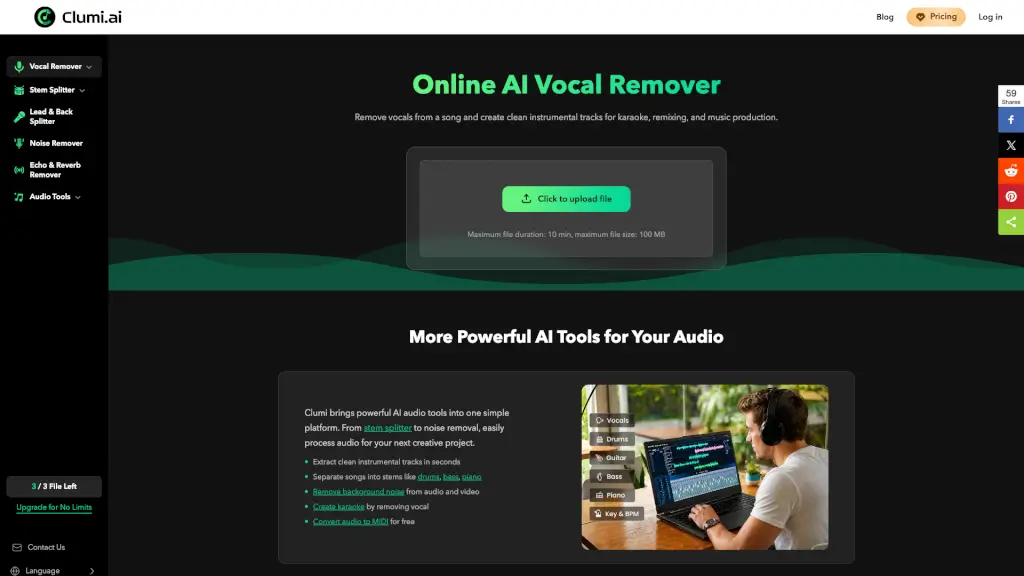
Clumi is an AI-powered vocal remover and audio separation tool designed for musicians, content creators, karaoke lovers, and audio engineers. It helps you isolate vocals, instrumental tracks, and individual stems (drums, bass, piano, guitar) from any song directly in your browser. The tool works online with no software installation, supports common audio formats like MP3, WAV, M4A, and FLAC, and processes files up to 10 minutes in length and 100 MB in size. Whether you need clean acapellas for remixing, background music for videos, or isolated stems for music analysis, Clumi fits into your workflow as a quick, no-account-required audio splitter.
What are the features of Clumi AI?
- AI Vocal Remover / Acapella Extractor: Automatically separates lead vocals from music, producing clean vocal and instrumental tracks. Ideal for DJs, producers, and karaoke hosts who need isolated vocals for edits or sing-along tracks.
- Stem Splitter (Drums, Bass, Piano, Guitar): Separates songs into individual stems like drums, bass, piano, and guitar. Useful for music learners who want to hear each instrument clearly, or for producers who need to remix specific parts.
- Lead & Back Splitter: Extracts lead vocals and backing vocals into separate tracks. Helps in vocal arrangement analysis and creating layered vocal edits.
- Background Noise Remover: Removes unwanted sounds like echo, reverb, breath, white noise, crowd noise, wind noise, static noise, and mouth clicks. Useful for podcasters and audio engineers cleaning up recordings.
- Audio Tools (Key & BPM Finder, Audio to MIDI, Pitch Changer, Audio Cutter, Slowed+Reverb Generator, Nightcore Maker): Additional utilities for music production – detect key and tempo, convert audio to MIDI, change pitch, trim audio, and create slowed/reverb or nightcore effects.
- Multi-Format Support & Fast Processing: Upload MP3, WAV, M4A, or FLAC files. The AI analyzes and separates most files within minutes, with preview and download options for both vocal and instrumental tracks.
What are the use cases of Clumi AI?
- DJ and Music Producer: Isolate vocals from a song to create mashups, transitions, or remixes without needing rare acapella packs. Use stem separation to break down reference tracks and understand arrangement choices.
- Karaoke Lover: Turn any song into a karaoke track by removing vocals. Host parties at home, practice singing, or record covers with clean instrumental backing.
- Music Learner: Study song arrangements by listening to drums, bass, piano, or guitar separately. Focus on melody, lyrics, and production details without vocal distraction.
- Language Learner: Improve pronunciation by hearing the voice clearly – isolate vocals to follow rhythm, tone, and phrasing. Practice repeating lines with the vocal track alone.
- Content Creator (Short-form video): Quickly extract background music without vocals for TikTok, Reels, or YouTube videos. Fast editing without searching for instrumental versions.
- Audio Engineer: Isolate stems for mix analysis, review track details, or clean up audio by removing noise, echo, or reverb before final production.
How to use Clumi AI?
- Upload your audio file: Click the "Upload file" button or drag and drop a song (MP3, WAV, M4A, FLAC) onto the homepage. The maximum file duration is 10 minutes, and size limit is 100 MB.
- Wait for AI processing: The vocal remover automatically analyzes the audio and separates vocals from music. Most files are processed within minutes.
- Preview and download: Listen to the isolated vocals and instrumental tracks. If satisfied, click "Download" to save them as MP3 files. You can also download both tracks together.
- Adjust settings (optional): Change download format (MP3 by default) and use the export CSV option to manage multiple files if needed.
- Rate your result: After separation, you can provide feedback on satisfaction and suggest improvements.