
What is Circleboom?
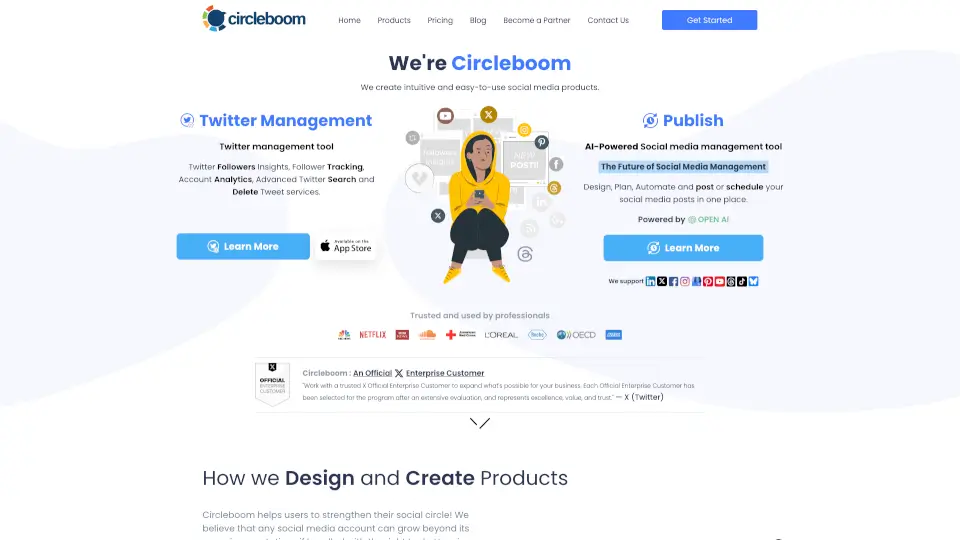
Circleboom is an AI-powered social media management tool designed for brands, creators, and SMBs to schedule, design, and publish content across Twitter, Instagram, LinkedIn, Facebook, Pinterest, Threads, and more. It is an Official X Enterprise Developer, offering capabilities beyond native X tools. The platform helps users manage multiple accounts, automate posts, and analyze performance from one place, making it suitable for professionals who need growth, reach, and control without complexity.
What are the features of Circleboom?
- Multi-Platform Publishing: Schedule and publish content to Twitter, Instagram, LinkedIn, Facebook, Pinterest, Threads, and Google Business Profile from a single dashboard.
- AI Social Media Manager: Generate, automate, and schedule posts using AI, including smart timing for optimal reach.
- Twitter Followers & Following Management: Identify who unfollowed you, delete unwanted services, and search for engaging accounts to grow your network.
- Account & Post Analytics: View detailed analytics for your accounts and individual posts to measure performance and engagement.
- RSS Feed to Social Media: Automatically post content from RSS feeds to your social media channels, ideal for news curators and bloggers.
- Smart Account Search & Export: Search for and export engaging Twitter accounts based on specific criteria to build targeted followings.
What are the use cases of Circleboom?
- Social media managers scheduling posts for multiple client accounts across Twitter, Instagram, and LinkedIn.
- Brands and creators analyzing Twitter follower growth, unfollows, and engagement to refine strategy.
- Content curators using RSS-to-social automation to share blog posts or news updates without manual posting.
- Small business owners managing a single or few social profiles with AI-assisted scheduling and analytics.
- Twitter growth specialists identifying and exporting engaging accounts to build a relevant follower base.
How to use Circleboom?
- Start by signing up for a Circleboom account and connecting your social media profiles (Twitter, Instagram, LinkedIn, etc.).
- Use the AI Social Media Manager to generate or schedule posts, choosing the best time for each platform.
- For Twitter growth, navigate to the Followers & Following Management tool to analyze unfollowers and discover engaging accounts.
- Monitor performance through the Account & Post Analytics section to adjust your content strategy.
- Set up RSS feeds to automatically publish new blog posts or curated content to your chosen social channels.