
What is Brandmark?
Brandmark is a smart, AI-powered design platform that helps you create standout logos and visual identities—fast and free. Whether you're launching a startup, refreshing your brand, or just exploring ideas, Brandmark gives you professional-grade tools without needing design experience or even an account.
What makes Brandmark special? It doesn’t just spit out generic templates. Its AI analyzes design principles to suggest color schemes, font pairings, and logo structures that actually work together. Plus, with tools like Logo Rank and Logo Crunch, you can test and optimize your logo for real-world use across websites, apps, and social media.
What are the features of Brandmark?
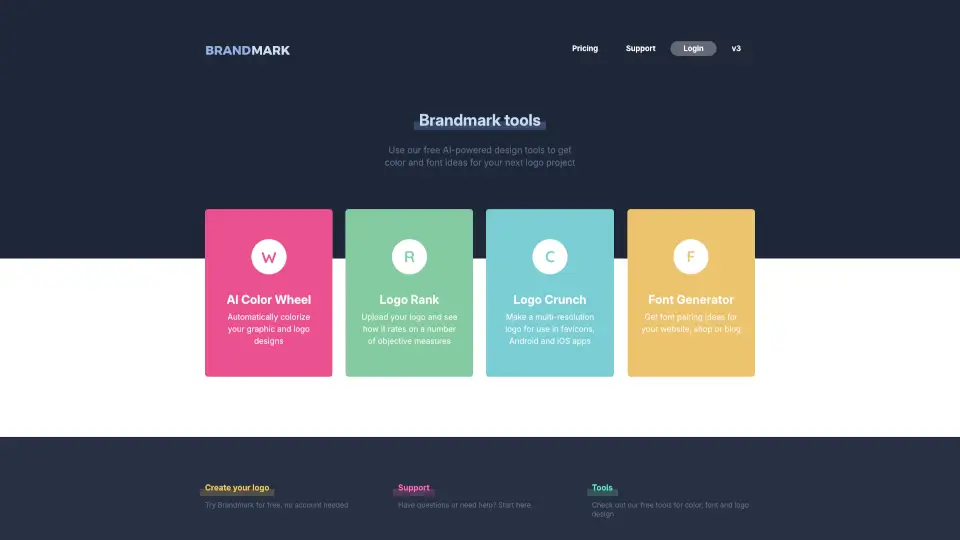
- AI Color Wheel: Automatically generates harmonious color palettes tailored to your logo or graphic.
- Logo Rank: Upload your logo and get an objective score based on contrast, simplicity, scalability, and other design best practices.
- Logo Crunch: Instantly creates multi-resolution versions of your logo optimized for favicons, iOS, Android, and more.
- Font Generator: Suggests stylish, readable font pairings perfect for websites, online stores, or blogs.
- Free Logo Maker: Design a custom logo from scratch using intuitive AI tools—no signup required.
- No Account Needed: Jump right in and start creating without entering your email or payment info.
What are the use cases of Brandmark?
- A solopreneur building their first business website and needing a professional logo fast.
- A small shop owner refreshing their brand identity with modern colors and fonts.
- A blogger looking for cohesive typography and accent colors for their site design.
- A developer preparing app assets and needing correctly sized logos for iOS and Android.
- A student working on a class project who wants design feedback before submitting.
- A marketer testing multiple logo variations to see which performs best visually.
How to use Brandmark?
- Visit the Brandmark website and click “Create your logo” to start instantly—no login needed.
- Use the AI Color Wheel to find complementary colors if you’re stuck on your palette.
- After designing your logo, run it through Logo Rank to spot weaknesses like poor contrast or complexity.
- Export your final logo with Logo Crunch to get ready-to-use files for web and mobile platforms.
- Pair your logo with suggested fonts using the Font Generator for a complete brand look.
- Save or download your creations directly—everything is free to use for personal and commercial projects.