
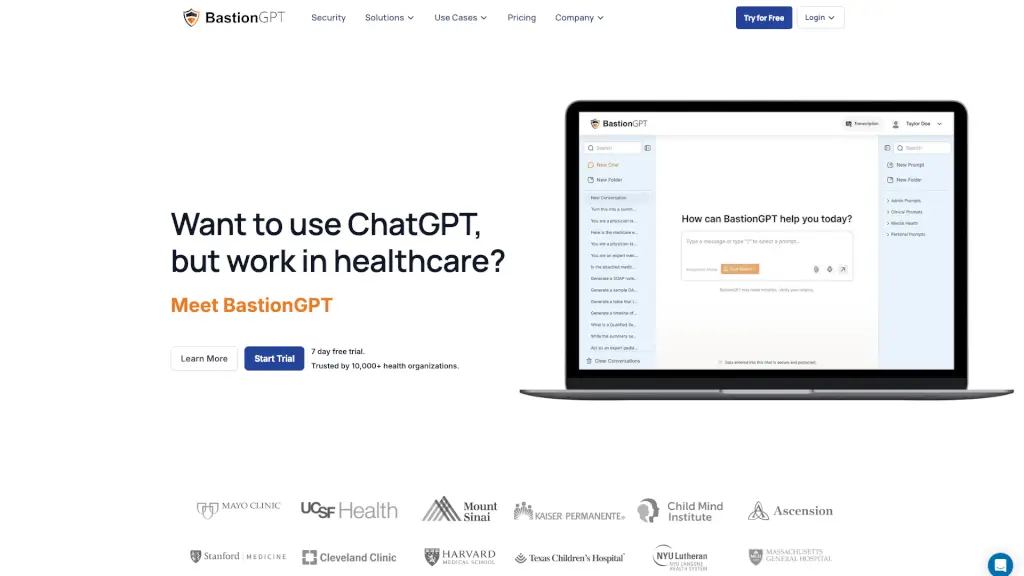
What is BastionGPT?
BastionGPT is an AI medical scribe and clinical assistant tool built for healthcare professionals who need to work with protected health information (PHI) while staying HIPAA-compliant. It gives physicians, therapists, nurses, and clinical teams a secure alternative to general ChatGPT by offering a private, isolated environment where PHI never trains public AI models. The tool includes a signed Business Associate Agreement (BAA) on every plan, even the free trial, and supports compliance with HIPAA, PIPEDA (Canada), and Australian APP. BastionGPT fits into existing clinical workflows by letting clinicians copy patient context from their EMR, draft notes, and paste output back—no IT installation required.
What are the features of BastionGPT?
- AI Medical Scribe: Records live sessions or uploads audio from in-person, telehealth, or phone visits. Joins Zoom, Teams, and Google Meet without a visible bot. Captures sessions up to 240 minutes with up to 10 participants, identifies up to 10 speakers using acoustic fingerprinting, and generates SOAP, DAP, BIRP, H&P, and progress notes. Supports custom templates matching your formatting and style.
- Multi-Model AI Selection: Automatically selects the best model (GPT-5.5, Claude, or Gemini 3 Pro) for each clinical task. Users can also manually switch models with one click. Reduces pseudoscience by tuning responses on medical literature rather than general web data.
- Document Upload & Analysis: Upload multiple documents up to 1,000 pages each (PDF, Word, TXT, images, spreadsheets, PowerPoint, HTML). References across documents for tasks like summarizing 1,000-page reports or drafting patient-facing discharge summaries.
- HIPAA-Compliant Infrastructure: Every plan includes a signed BAA. PHI stays in a private, isolated environment. AES-256 + TLS 1.3 encryption protects data in transit and at rest. Independent third-party security audits and vulnerability scanning are performed continuously.
- Saved Prompts & Writing Styles: Clinicians can save custom prompts, instructions, and writing styles to match their own documentation tone. Share prompts with teammates. Helps maintain consistency and reduces repetitive typing.
- EMR Workflow Integration: Works with 50+ EMR and EHR systems. No setup steps for IT—copy patient context, draft with BastionGPT, paste output back. Supports copy-paste workflow without custom integrations.
What are the use cases of BastionGPT?
- Physician creating SOAP notes: After a patient visit, the clinician uploads case notes and clinical history, and BastionGPT drafts a formatted SOAP note including a plan for follow-up imaging, mimicking the doctor’s writing style.
- Therapist summarizing session recordings: Upload a 60-minute therapy session audio file. The AI scribe transcribes, identifies speakers (clinician, patient, family), and generates a progress note or DAP note in the therapist’s preferred format.
- Clinical psychologist generating parent-friendly reports: Upload a multi-page psychological assessment report. BastionGPT rewrites it into a clear, easy-to-read summary for parents, keeping the clinical accuracy while simplifying language.
- Nurse coordinator drafting discharge summaries: After a hospital stay, the nurse attaches clinical history and progress notes. BastionGPT drafts a patient-facing discharge summary with follow-up instructions, based on the documented care plan.
- Billing and coding specialist reviewing claim letters: Use the AI to check insurance claim letters for errors, under/over coding, and vague language. The tool identifies mistakes and suggests corrections, reducing errors compared to human-only drafting.
- Rehab and sports medicine team documenting group visits: During a group session with up to 10 participants, the AI scribe captures dialogue, labels each speaker by role, and generates a group progress note that covers all participants.
How to use BastionGPT?
- Start by signing up for a 7-day free trial (no credit card required for the Professional plan). The trial includes a signed BAA, so you can immediately test with real patient data.
- After logging in, choose your preferred AI model (or let BastionGPT auto-select). Upload a patient document (PDF, Word, or text) or paste clinical notes into the chat window.
- To use the AI scribe, record a session live or upload an audio file. The tool will transcribe, identify speakers, and generate a structured note (SOAP, DAP, etc.) based on your chosen template.
- Review the output carefully. The AI can make mistakes—always verify names, pronouns, dates, and clinical recommendations before finalizing.
- For multi-document workflows, upload up to 1,000 pages per document and reference them all in one conversation. Use the “Saved prompts” feature to store your preferred writing style and instructions.