What is Arvin?
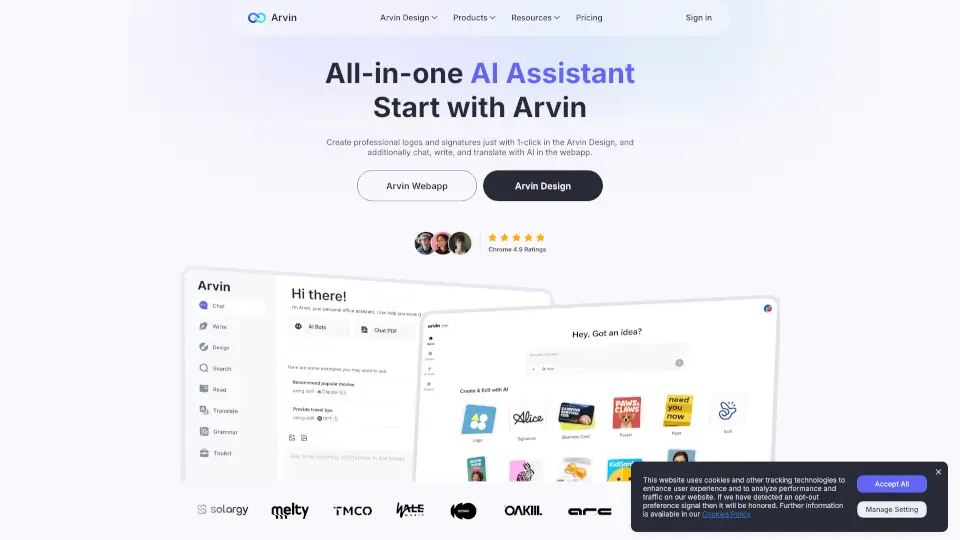
Arvin AI is a free Chrome extension powered by GPT-4o that brings a powerful AI assistant right into your browser. Whether you're writing emails, creating social media posts, designing logos, or summarizing long articles, Arvin helps you get things done faster—without switching tabs. It works seamlessly on sites like Gmail, LinkedIn, Twitter, Google Docs, and more.
More than just a chatbot, Arvin combines AI writing, image generation, translation, and design tools into one easy-to-use sidebar. From students to freelancers and small business owners, users worldwide rely on Arvin to boost productivity, spark creativity, and simplify everyday digital tasks—all with a single keyboard shortcut.
What are the features of Arvin?
- GPT-4o-Powered ChatGet fast, smart responses from advanced AI models like GPT-4o, Claude, and Gemini directly in your browser.
- One-Click Logo & Design ToolsInstantly generate professional logos, signatures, business cards, posters, and headshots using AI.
- Smart Writing AssistantCreate articles, emails, or social posts in seconds, then polish them with grammar checks and style improvements.
- PDF & Webpage SummarizerHighlight any text or upload a PDF to get concise summaries—perfect for research or quick reading.
- AI Image EditorRemove or change backgrounds, upscale images, or generate custom visuals with simple prompts.
- 25+ Language TranslatorTranslate entire webpages or selected text instantly while browsing.
- Universal Hotkey AccessOpen Arvin anytime with Alt/Option + A, no matter where you are online.
What are the use cases of Arvin?
- A small business owner creates a custom logo and business card in minutes for their new bakery.
- A student summarizes a 20-page research PDF and translates key sections from Spanish to English.
- A marketer drafts engaging social media posts and generates matching visuals for Instagram and Facebook.
- A job seeker uses the AI headshot generator to create a professional profile picture without a photoshoot.
- A blogger rewrites rough drafts with improved grammar and tone, then translates the final post for international readers.
- A freelancer quickly generates email replies in multiple tones (friendly, formal, urgent) based on client needs.
How to use Arvin?
- Install the Arvin AI Chrome extension from the Chrome Web Store.
- Press Alt + A (Windows) or Option + A (Mac) to open the Arvin sidebar anywhere online.
- Click the Arvin button that appears on supported sites like Gmail, LinkedIn, or Twitter for quick actions.
- Use the AI Chat tab to ask questions, summarize text, or brainstorm ideas.
- Switch to Arvin Design to create logos, signatures, or other graphics with one click.
- Upload PDFs or images to chat directly with your files and extract key insights.