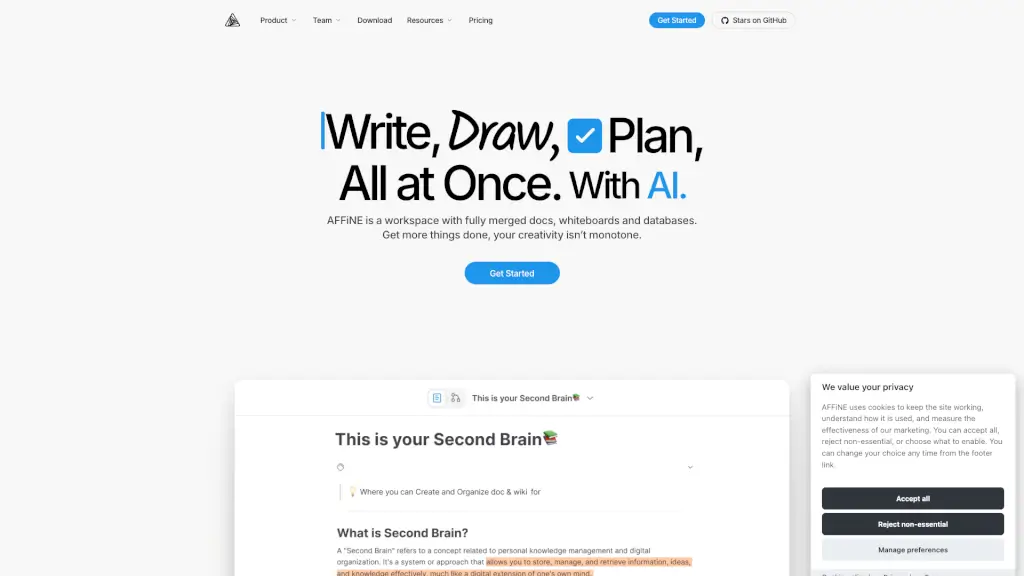
What is AFFiNE Pro?
AFFiNE is an open-source knowledge base software that brings together documents, whiteboards, databases, and AI into one seamless, privacy-focused workspace. Designed for teams, creators, students, and professionals, it eliminates the need to juggle multiple apps by unifying writing, drawing, planning, and collaboration in a single platform.
Unlike traditional tools that force you to switch between note-taking apps, project boards, and design canvases, AFFiNE offers a hyperfused workspace where everything connects naturally. With its local-first architecture, you stay in full control of your data—ideal for those who value privacy without sacrificing powerful features.
What are the features of AFFiNE Pro?
- All-in-One Workspace: Combine docs, whiteboards, Kanban boards, and databases on a single infinite canvas.
- AI Integration: Get smart suggestions for writing, planning, and organizing with built-in AI assistance.
- Local-First & Privacy-Focused: Your data stays under your control—sync locally or choose your own cloud.
- Open-Source Foundation: Built transparently on GitHub, allowing community contributions and trust.
- Edgeless Mode: Freely connect ideas across pages and blocks without rigid page boundaries.
- Real-Time Collaboration: Work together with teammates instantly, whether brainstorming or managing tasks.
- Ready-to-Use Templates: Jumpstart projects with templates like Cornell Notes, Vision Boards, Itineraries, and more.
- Cross-Platform Support: Use AFFiNE on desktop (Mac/Windows), web, iOS, and Android.
What are the use cases of AFFiNE Pro?
- A marketing team uses AFFiNE’s whiteboard and Kanban boards to plan campaigns, visualize content calendars, and track deliverables—all in one place.
- A student builds a personal knowledge base using edgeless mode to link lecture notes, research, and handwritten sketches seamlessly.
- A freelancer organizes client projects with databases and task boards while sketching concepts directly on the canvas.
- A startup CEO creates a secure, internal wiki for company processes, decisions, and roadmaps without relying on third-party servers.
- A working parent manages household chores, kids’ schedules, and work deadlines using customizable Kanban boards.
- A graphic designer collaborates in real time with clients on mood boards and wireframes using the infinite whiteboard.
How to use AFFiNE Pro?
- Download and install the AFFiNE app for Mac, Windows, iOS, or Android—or use it directly in your browser.
- Create a new workspace and choose from templates like “Digital Planner” or start with a blank canvas.
- Switch freely between modes: type in document view, draw on the whiteboard, or drag blocks into a Kanban board.
- Invite teammates to collaborate in real time by sharing workspace links (cloud sync required for team features).
- Enable AI features to help draft content, summarize notes, or generate ideas based on your existing work.
- Back up your data locally or connect to your preferred cloud service for added security and portability.