
What is Workflow?
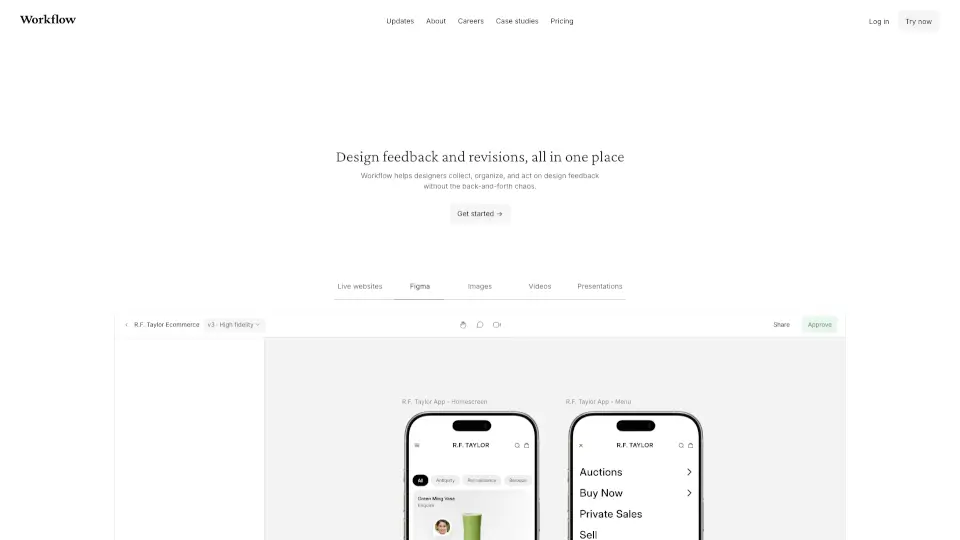
Workflow is a minimalist collaboration platform designed for creative teams. It helps manage tasks, get AI reviews, and share work all in one place. Whether you're working on design, web, video, or other creative assets, Workflow streamlines the process, making it easier to collaborate and get feedback.
What are the features of Workflow?
- Task Management: Easily assign and track tasks with statuses, due dates, and labels.
- AI Reviews: Get instant feedback on creative assets with AI-powered checks for spelling, readability, and brand consistency.
- Version Control: Keep track of all versions of your work, compare changes, and save progress.
- Feedback Loop: Share work with a link, allowing reviewers to leave comments without signing up.
- Project Organization: Organize projects with clear overviews, timelines, and priority settings.
What are the use cases of Workflow?
- Design Teams: Collaborate on wireframes, mockups, and final designs with seamless feedback.
- Video Production: Share video edits, get color grading feedback, and manage project timelines.
- Marketing Campaigns: Organize tasks for campaigns, from concept to execution, with clear deadlines.
- Web Development: Review website designs, check responsiveness, and ensure brand consistency.
How to use Workflow?
- Create a Project: Start by creating a new project and adding tasks.
- Share Work: Upload your assets and share them with your team or clients for feedback.
- Track Progress: Use the timeline and overview features to monitor project status.
- AI Review: Enable AI checks to catch errors in spelling, readability, and design consistency.
- Version Control: Save and compare different versions of your work to track changes.