
What is Streak?
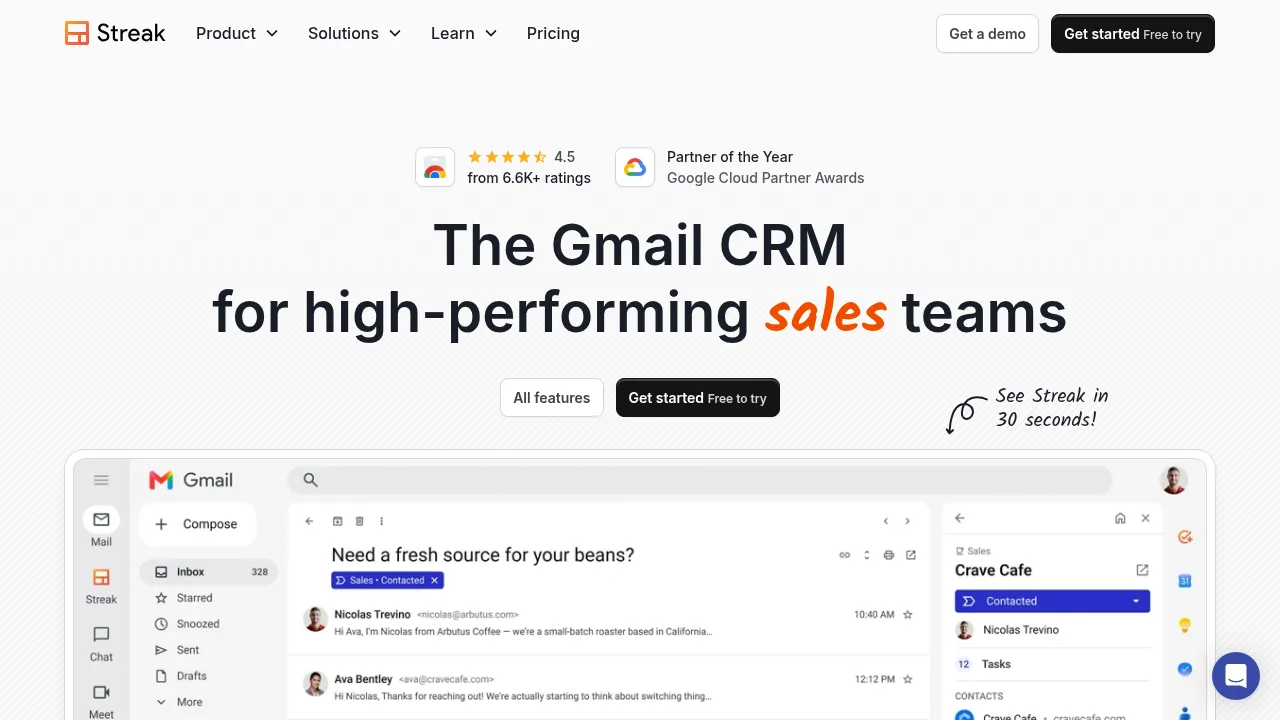
Streak is a CRM that operates directly inside Gmail, allowing teams to manage deals, contacts, and tasks without leaving their inbox. It supports AI-driven data entry and connects with external agents like ChatGPT and Claude. Initial setup requires a desktop browser (Chrome, Safari, or Edge), after which a mobile app provides pipeline access.
What are the features of Streak?
- Pipeline managementTrack deals through custom stages with tags visible directly in the Gmail inbox interface.
- AI data entryAutomatically updates deal fields and records using team inbox activity, reducing manual input.
- Email trackingNotifies users when a sent email is opened by the recipient.
- Mail mergeSends personalized emails at scale to a contact list from within Gmail.
- External AI integrationProvides live deal context to ChatGPT and Claude via MCP for searching, task creation, and record updates.
- Team email sharingGenerates shareable links to any email so colleagues can view full communication history on a deal.
What are the use cases of Streak?
- Venture capital deal flowTrack funding rounds and investor relationships directly from email correspondence.
- Real estate lead managementOrganize property leads and listings using customizable pipelines embedded in Gmail.
- Hiring workflowsManage candidate stages and coordinate team feedback without switching to a separate applicant tracking system.
How to use Streak?
- Select your desktop browserChoose Chrome, Safari, or Edge during the initial setup prompt.
- Install the extensionDownload Streak from the corresponding store (Chrome Web Store, Mac App Store, or Edge Add-ons).
- Complete onboardingFinish account setup and pipeline configuration on the desktop browser.
- Access on mobileInstall the Streak app to view and manage pipelines on iOS after desktop setup is complete.
Streak Pricing Information:
- Free trialAvailable to try; specific feature limits and duration are not detailed in the source.
- Paid plansMentioned by existing users, but specific pricing tiers, costs, and billing periods are not provided in the source.